

Lab 53 – Proxmox Datacenter Manager: PVE and PBS remotes, dashboard, updates, migration between remotes
Dependencies
Section titled “Dependencies”- Previous labs:
- Lab 25: the IPv6 configuration of the hosts (file
90-ipv6-host.conf); - Lab 03 and Lab 04: installer, no-subscription repository and proxy, with the same procedure;
- Lab 40: template 9000
debian13-cloud, from which the migration test VM is cloned; - Lab 44: users, roles and API tokens;
- Lab 47: the Proxmox Backup Server
desopbs01; - Lab 48:
qm remote-migrateand its limits, which PDM uses behind the scenes; - Lab 30: the EVPN zone
evpnz, which PDM displays.
- Lab 25: the IPv6 configuration of the hosts (file
- Systems:
- the server
desopdm01.proxmox.community(172.27.199.41) for PDM: 2 cores, 4 GB of RAM, a 32 GB disk; - the cluster
deso-cluster, the standalone nodedesopve04and the PBSdesopbs01.
- the server
- ISO:
proxmox-datacenter-manager_1.1-1.iso. - Credentials:
root@pamand the lab password → Appendix B.
Objectives
Section titled “Objectives”- Proxmox Datacenter Manager (PDM) installed and up to date, with the no-subscription repository, the proxy and NTP in sync: the GUI shows the version.
- A PVE cluster, a standalone PVE node and a PBS connected as remotes, each with a dedicated token and a verified certificate fingerprint.
- Status, resources, search, updates and the EVPN view of every remote available from the PDM dashboard.
- A VM migrated between two different datacenters from the PDM GUI and brought back, knowing why the first attempt failed and why the second one worked.
How it works
Section titled “How it works”One pane of glass over several datacenters. A Proxmox VE cluster can be managed from any of its nodes, but each cluster (or standalone node) is a world of its own, with its own GUI and its own users. PDM is a separate application, with its own installation, that connects to several PVE clusters and several PBS instances through their APIs and shows everything in a single interface: status, resources, search, updates, tasks. It does not replace the GUI of the clusters: for detailed operations it sends you there with the Open Web UI button.
Remotes and tokens. Each connected system is a remote. PDM authenticates with an API token of the remote: it can create the token by itself from a user name and password, or use an existing one. It verifies the certificate by its fingerprint and, for a cluster, saves all the nodes as endpoints, so it keeps working if a node is down.
Migration between remotes. Between two different PVE remotes, PDM uses the same remote-migrate function as in Lab 48: a websocket tunnel on port 8006 between the source node and the target node, with the token of the target remote. PDM adds the GUI, the choice of target storage and bridge, and a view of the tasks on both sides.
Procedure
Section titled “Procedure”1. Installation
Section titled “1. Installation”The installer is the same as the Proxmox VE one (Lab 03):
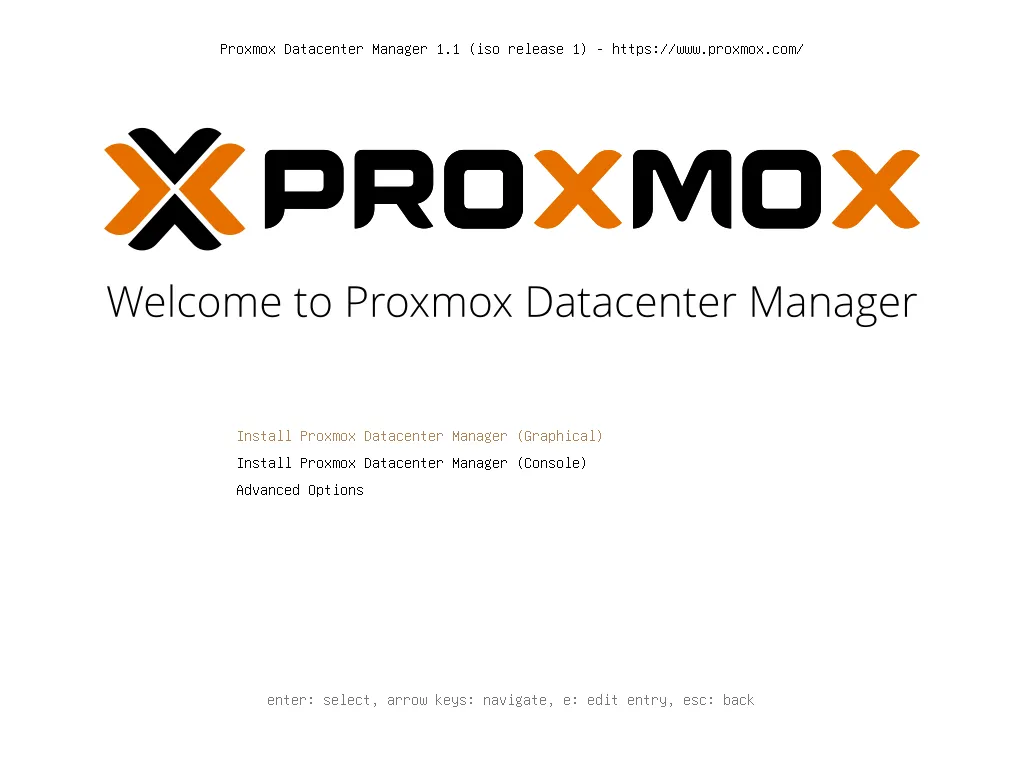
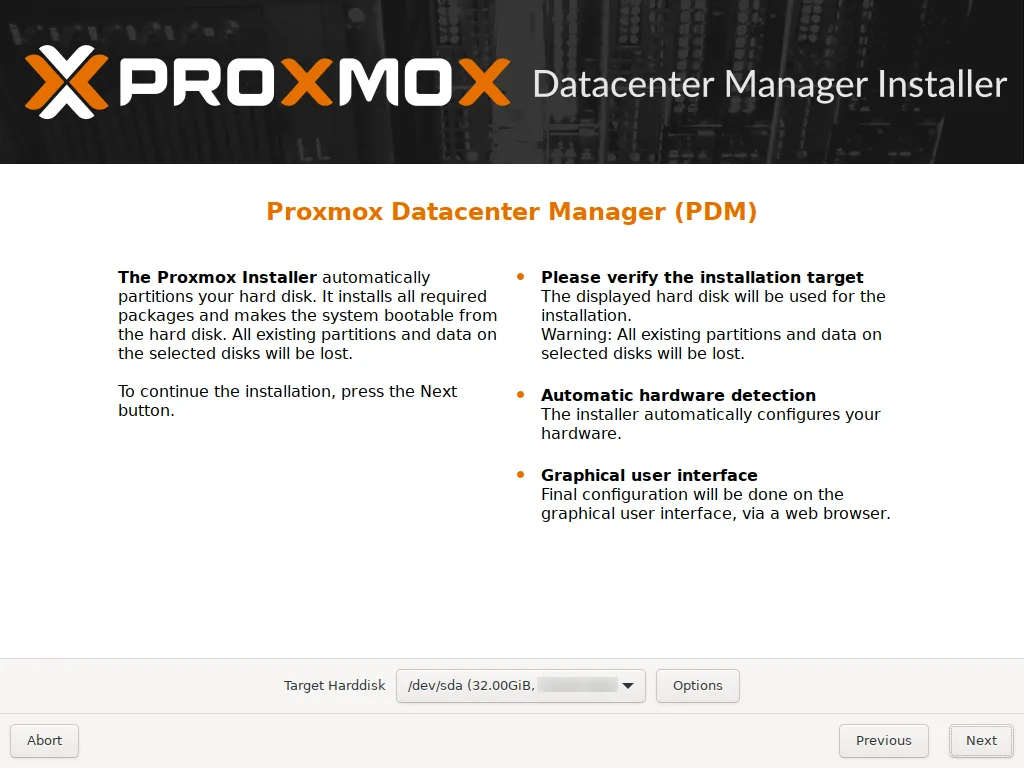
A 32 GB target disk with ext4: PDM hosts no VMs and a few GB are enough for it.
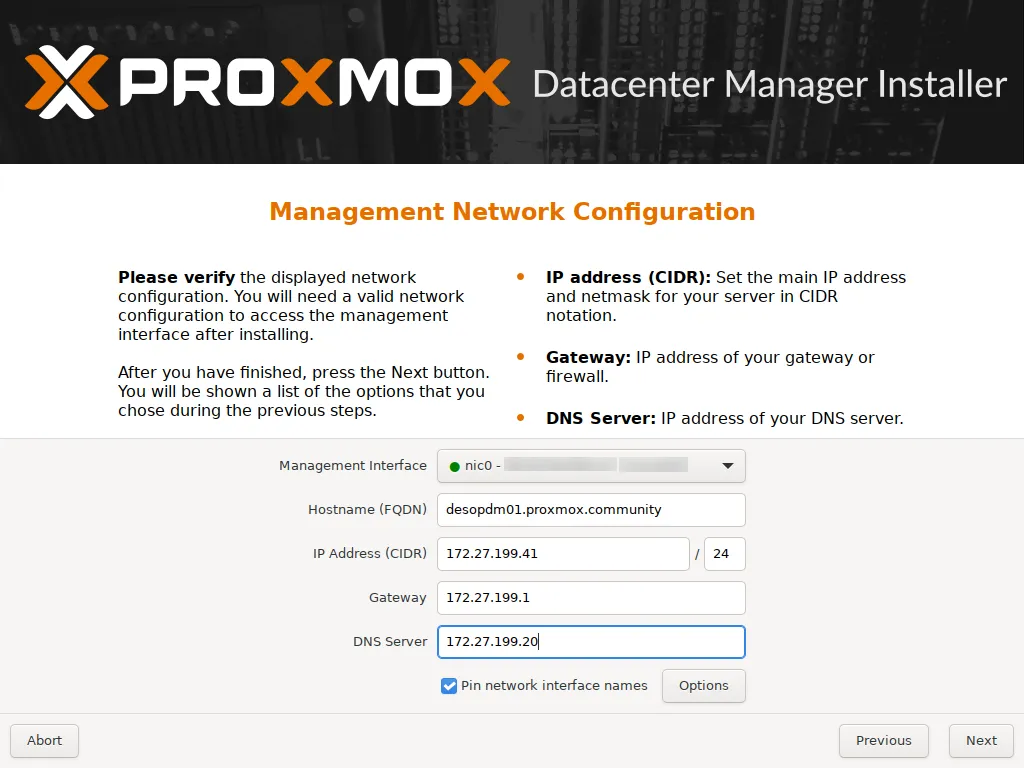
Static network with the final host name and pinned network card names (nic0), as for the nodes:
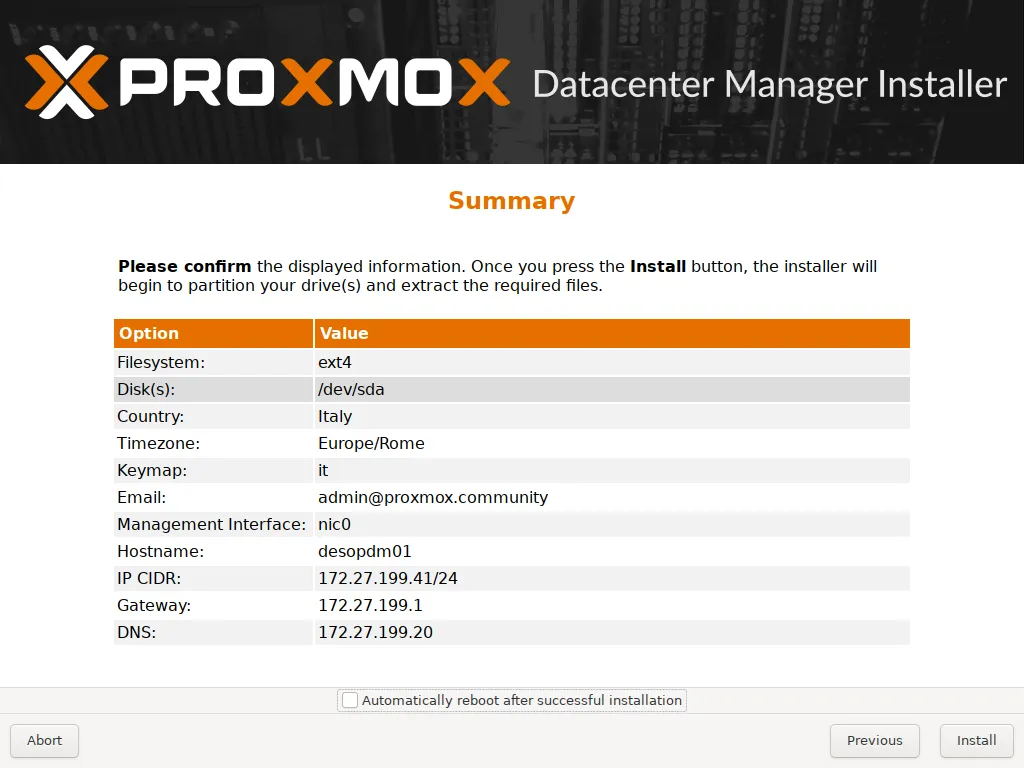
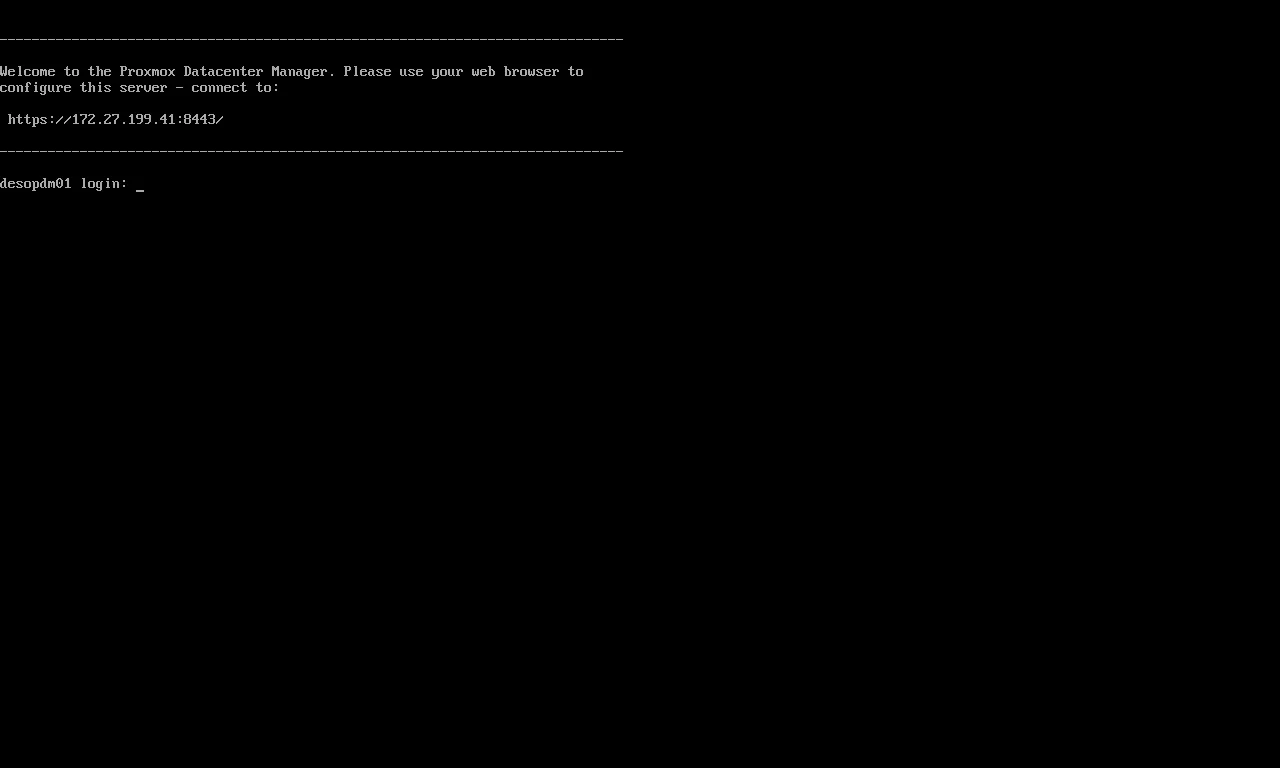
After the reboot, the console shows the address of the GUI, on port 8443 (not 8006):
2. Repositories, proxy, NTP and update
Section titled “2. Repositories, proxy, NTP and update”As on a PVE node without a subscription, disable the enterprise repository and add pdm-no-subscription:
sed -i "s/^Components: pdm-enterprise/Components: pdm-enterprise\nEnabled: false/" /etc/apt/sources.list.d/pdm-enterprise.sourcescat > /etc/apt/sources.list.d/proxmox.sources <<'EOF'Types: debURIs: http://download.proxmox.com/debian/pdmSuites: trixieComponents: pdm-no-subscriptionSigned-By: /usr/share/keyrings/proxmox-archive-keyring.gpgEOFecho 'Acquire::http::Proxy "http://proxy.proxmox.community:3128";' > /etc/apt/apt.conf.d/80proxysed -i "s/^pool 2.debian.pool.ntp.org iburst/server ntp.proxmox.community iburst/" /etc/chrony/chrony.confsystemctl restart chronyapt update && apt full-upgradeThe ISO installed version 1.1.1. After the update, with 111 new packages:
proxmox-datacenter-manager 1.1.9 running version: 1.1.9proxmox-datacenter-manager-ui 1.1.4^* netsvc.proxmox.community 3 6 17 48 -9031ns[ -34us] +/- 23msSystem clock synchronized: yesIPv6 as on the nodes. As for the nodes in Lab 25, here too there is no autoconfiguration from the router’s RAs, and the link-local addresses are not derived from the MAC. Create the same /etc/sysctl.d/90-ipv6-host.conf file and apply it with sysctl --system; it takes full effect from the next reboot. On desopdm01:
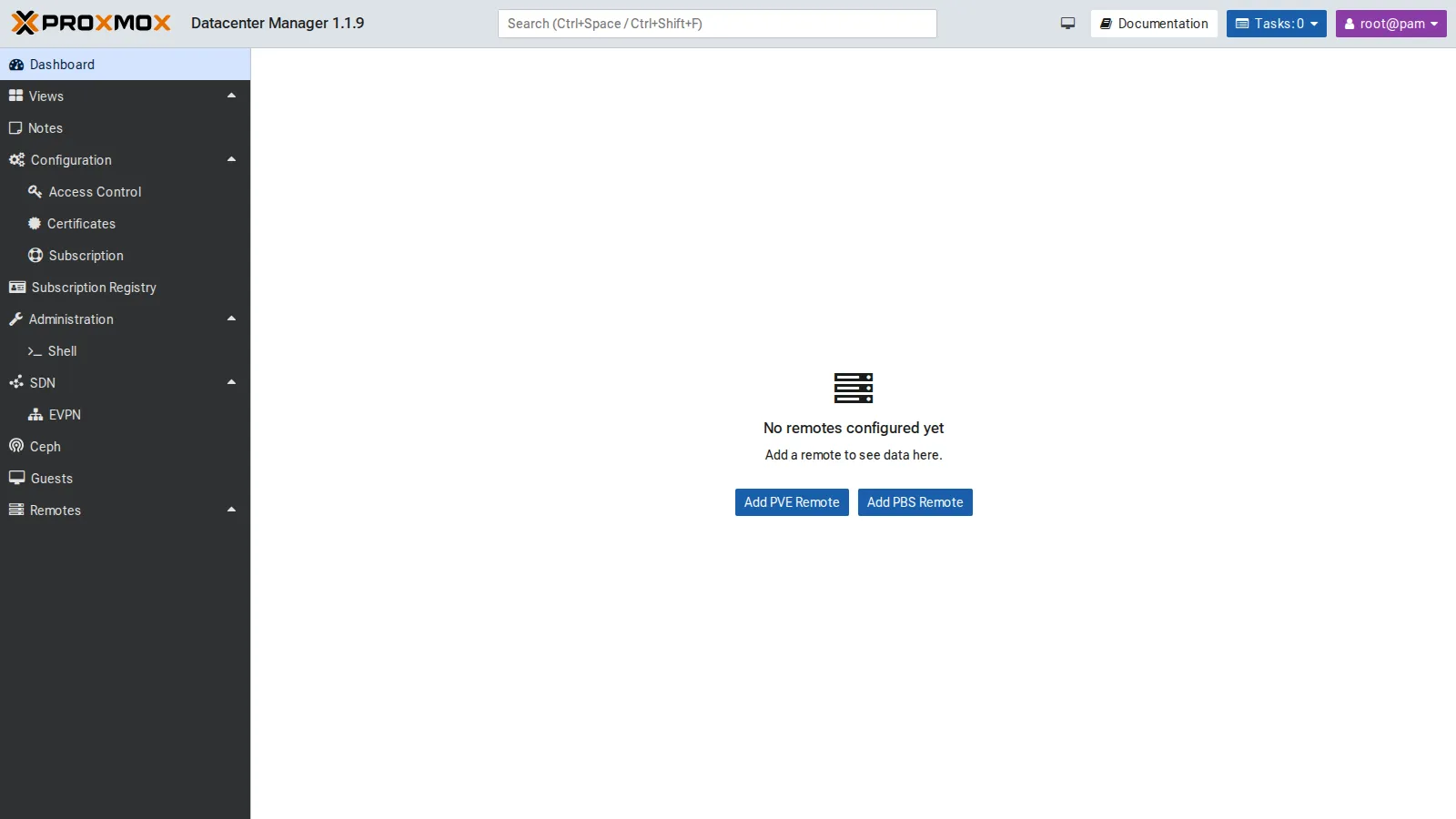
cat /etc/sysctl.d/90-ipv6-host.conf# Indirizzi IPv6 del nodo solo statici: nessuna interfaccia accetta gli RA o si autoconfigura (SLAAC).# Il carattere * vale anche per le schede che compaiono dopo l'avvio (systemd le applica a ogni nuova interfaccia).net.ipv6.conf.*.accept_ra = 0net.ipv6.conf.*.autoconf = 0# Link-local non derivati dal MAC (RFC 7217, "stable privacy" con segreto casuale)net.ipv6.conf.all.addr_gen_mode = 3net.ipv6.conf.default.addr_gen_mode = 3The first login, at https://desopdm01.proxmox.community:8443 with root@pam, shows an empty PDM, which already offers to add PVE and PBS remotes:
3. Tokens for PDM on the remotes
Section titled “3. Tokens for PDM on the remotes”A dedicated user on each remote makes it clear, in the logs and in the tasks, what PDM did. On the cluster and on desopve04 (which has its own user database):
pveum user add pdm@pve --comment "Proxmox Datacenter Manager (lab 53)"pveum acl modify / --users pdm@pve --roles Administratorpveum user token add pdm@pve pdm --privsep 0 --comment "PDM desopdm01"The Administrator role is needed because PDM must be able to migrate, start and stop guests, and read the available updates. For a read-only PDM, PVEAuditor is enough. On the PBS, PDM only needs to read, hence the Audit role; on PBS, tokens always have their own ACLs:
proxmox-backup-manager user create pdm@pbs --comment "Proxmox Datacenter Manager (lab 53)"proxmox-backup-manager acl update / Audit --auth-id pdm@pbsproxmox-backup-manager user generate-token pdm@pbs pdmproxmox-backup-manager acl update / Audit --auth-id 'pdm@pbs!pdm'4. Adding the remotes
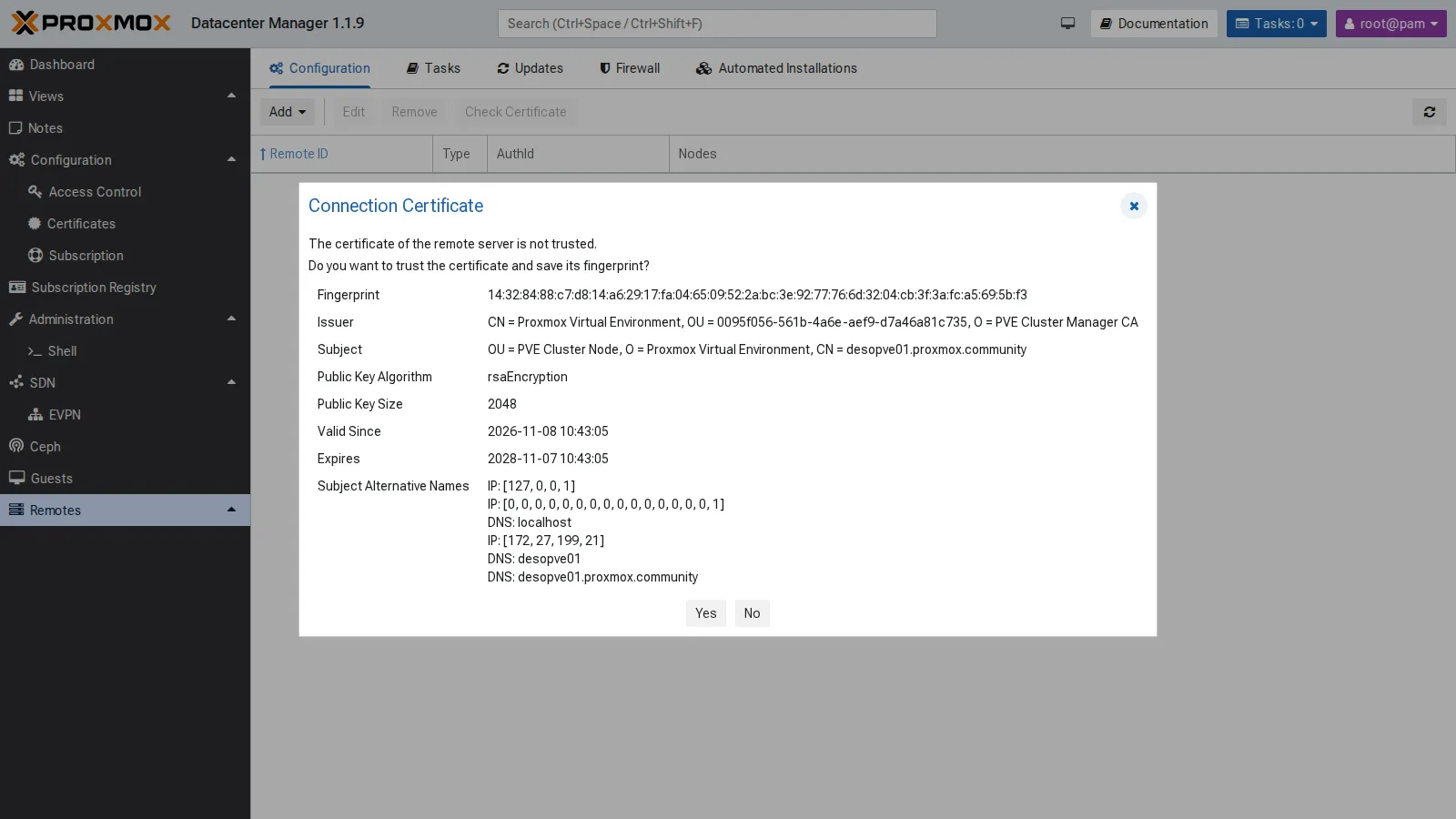
Section titled “4. Adding the remotes”Remotes → Add → Proxmox VE. In the first step, enter any node of the cluster. PDM downloads the certificate and asks whether to trust it: compare the fingerprint with the node’s one (pvenode cert info, 14:32:84:88:C7… for desopve01):
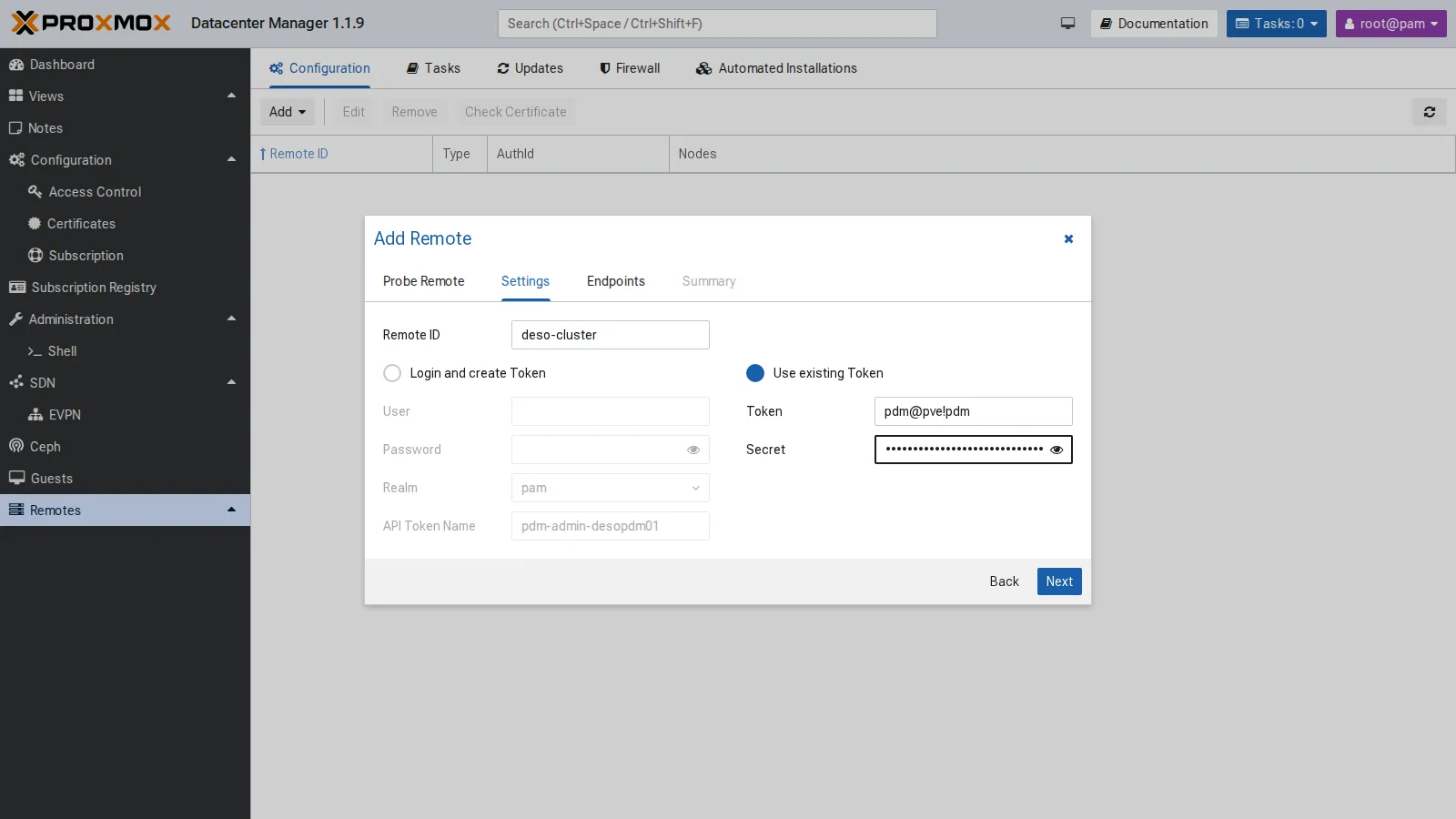
Then the remote ID and the authentication. With Use existing Token you use the token just created; with Login and create Token, PDM would create one by itself (pdm-admin-desopdm01) with the root@pam credentials:
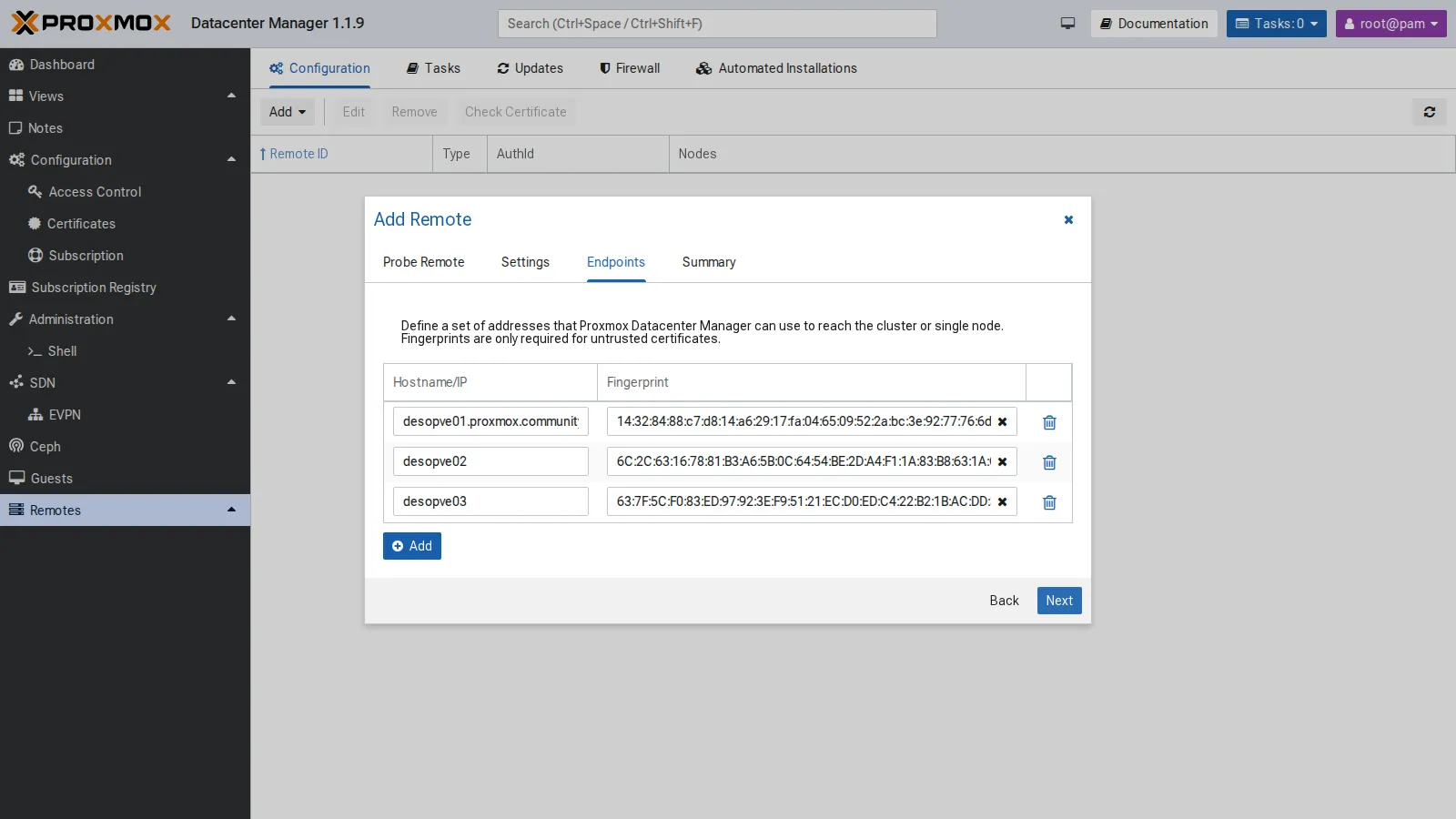
PDM reads the list of the cluster nodes and saves each one as an endpoint, with its fingerprint:
The same for desopve04 (a single-node PVE remote) and, with Add → Proxmox Backup Server, for desopbs01. Version 1.1 also manages PBS remotes. The result:
proxmox-datacenter-manager-admin remote listProxmox VE node deso-cluster: auth id: pdm@pve!pdm nodes: desopve01.proxmox.community,fingerprint=14:32:84:88:c7:d8:… desopve02,fingerprint=6C:2C:63:16:78:81:… desopve03,fingerprint=63:7F:5C:F0:83:ED:…Proxmox VE node desopve04: auth id: pdm@pve!pdm node: desopve04.proxmox.community,fingerprint=84:d3:f2:f5:d3:4b:…Proxmox Backup Server node desopbs01: auth id: pdm@pbs!pdm node: desopbs01.proxmox.community,fingerprint=31:0b:24:ed:32:07:…From now on, a No valid subscriptions warning appears at every login, because no remote has a subscription. Close it with Continue.
5. Dashboard, resources and search
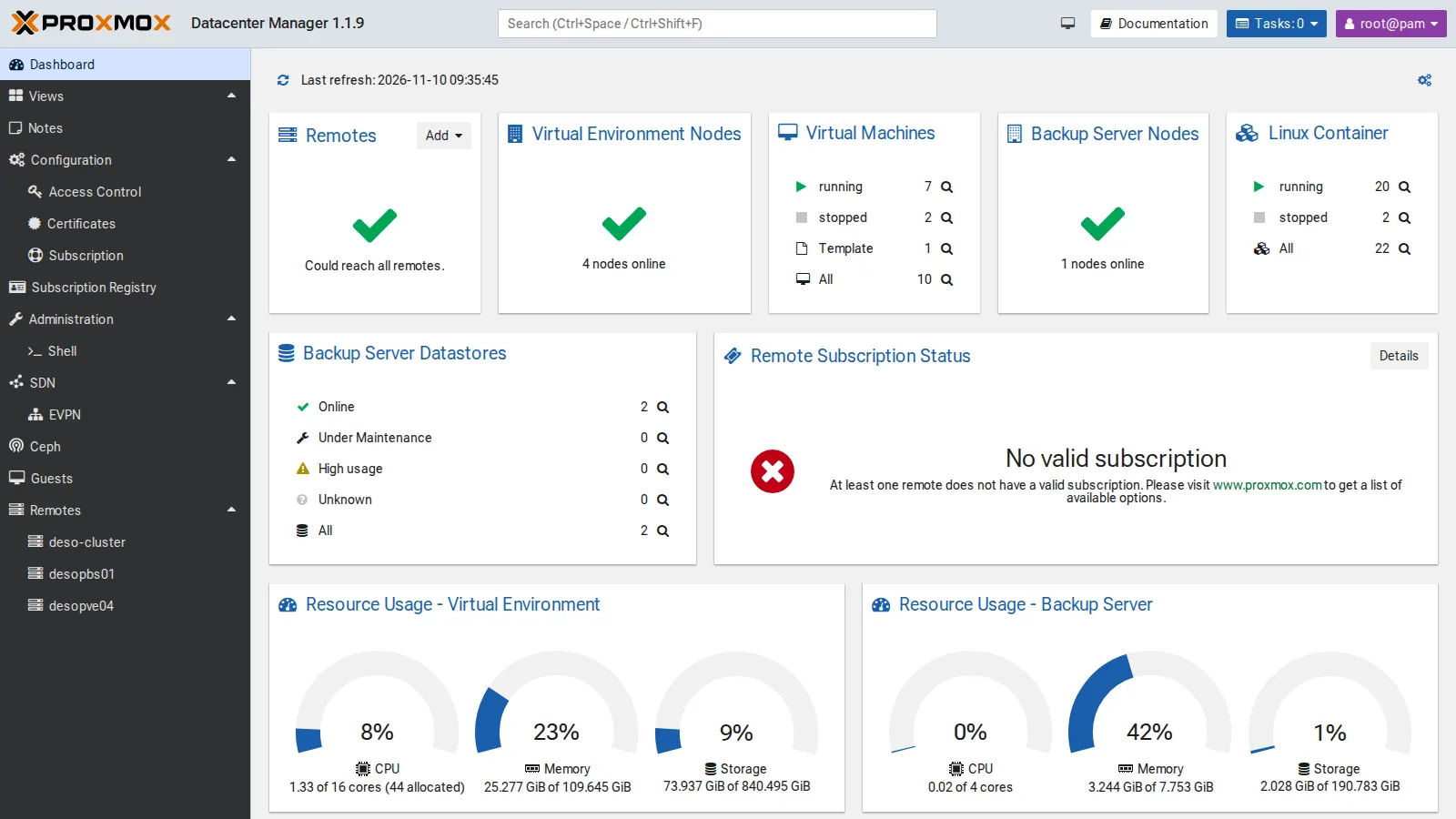
Section titled “5. Dashboard, resources and search”The dashboard summarizes all the remotes: 4 PVE nodes and 1 PBS online, VMs and containers by status, the PBS datastores and the aggregated resources. CPU, for example, shows 1.33 used out of 16 physical cores, with 44 vCPUs assigned.
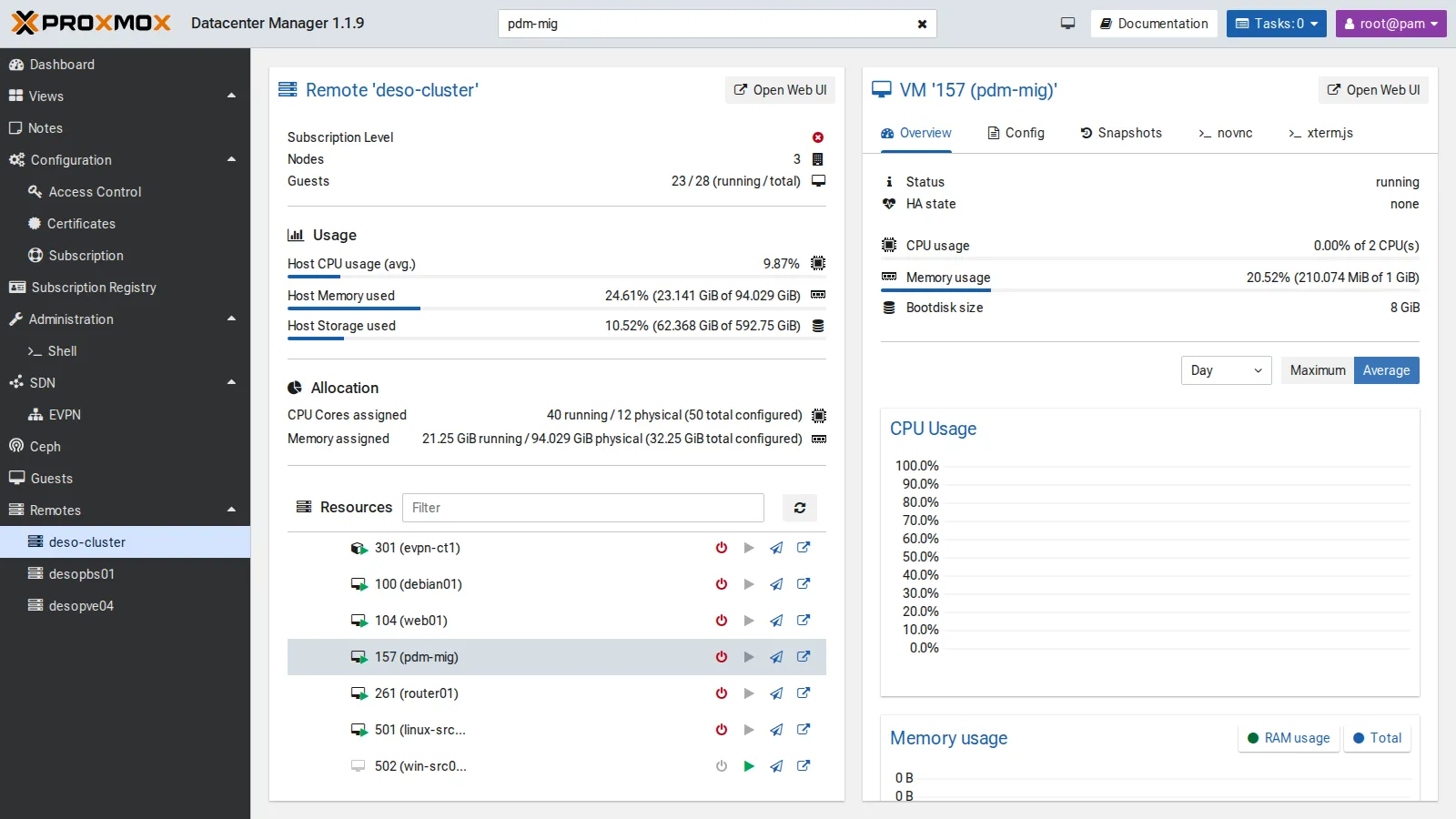
Each remote has its own view, with usage, allocation (assigned CPU and RAM versus physical) and the list of resources, with quick actions (shut down, start, migrate, open the remote’s GUI). The global search at the top (Ctrl+Space) finds a VM in any remote and opens its view, with status, graphs, configuration and console:
6. Updates of all remotes
Section titled “6. Updates of all remotes”Remotes → Updates → Refresh all queries all the remotes and shows, in a single table, the version, the available updates and the repository status. Selecting a node shows its packages and lets you start the update:
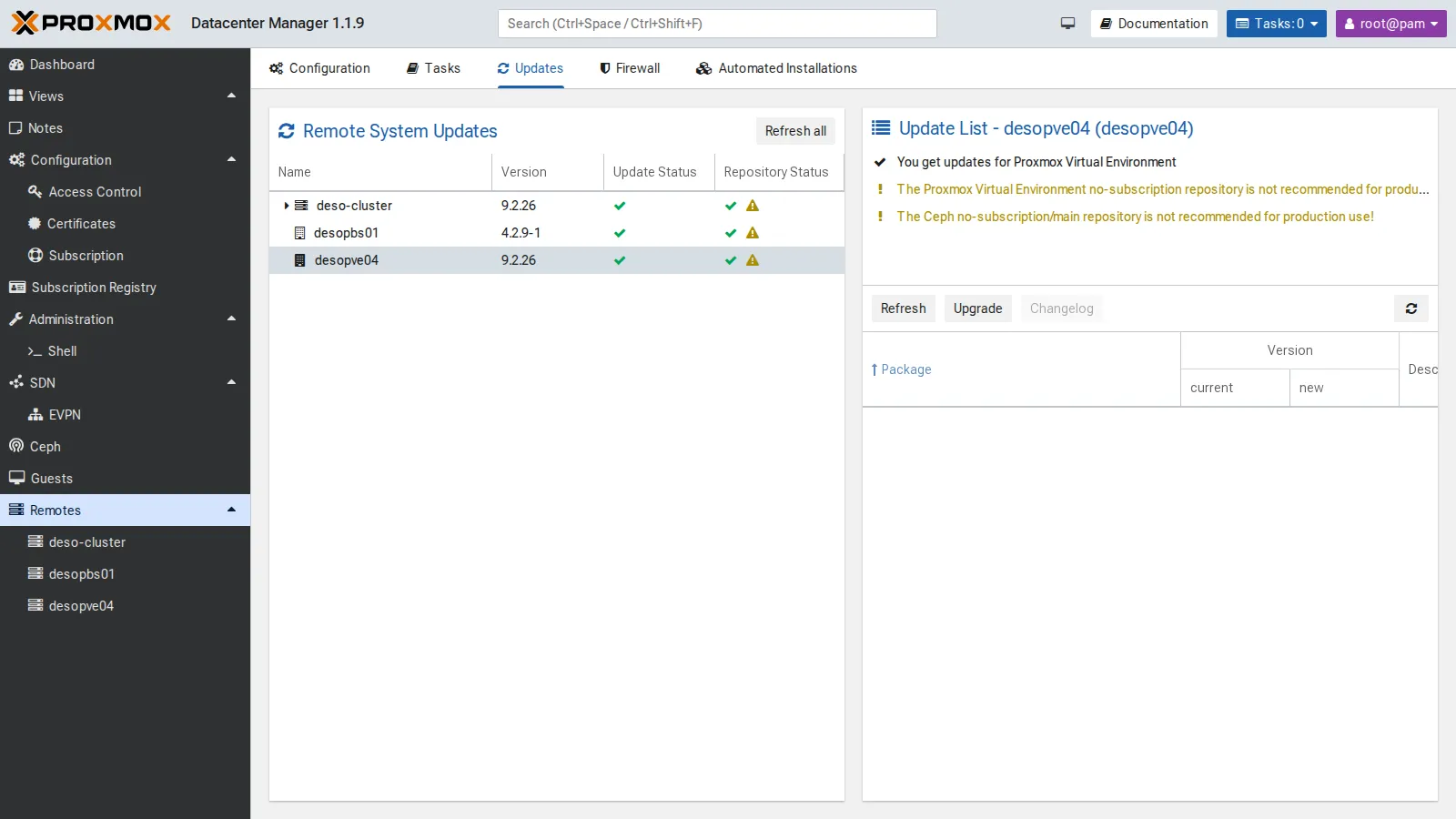
All the remotes are up to date (PVE 9.2.26, PBS 4.2.9). The yellow warnings flag the no-subscription and Ceph no-subscription repositories: fine for a lab, not recommended in production.
7. SDN: the EVPN view
Section titled “7. SDN: the EVPN view”SDN → EVPN collects the EVPN zones of all the remotes, with ASN, VRF (L3VNI) and VNets. Here is the evpnz zone from Lab 30, with VRF VNI 10070:
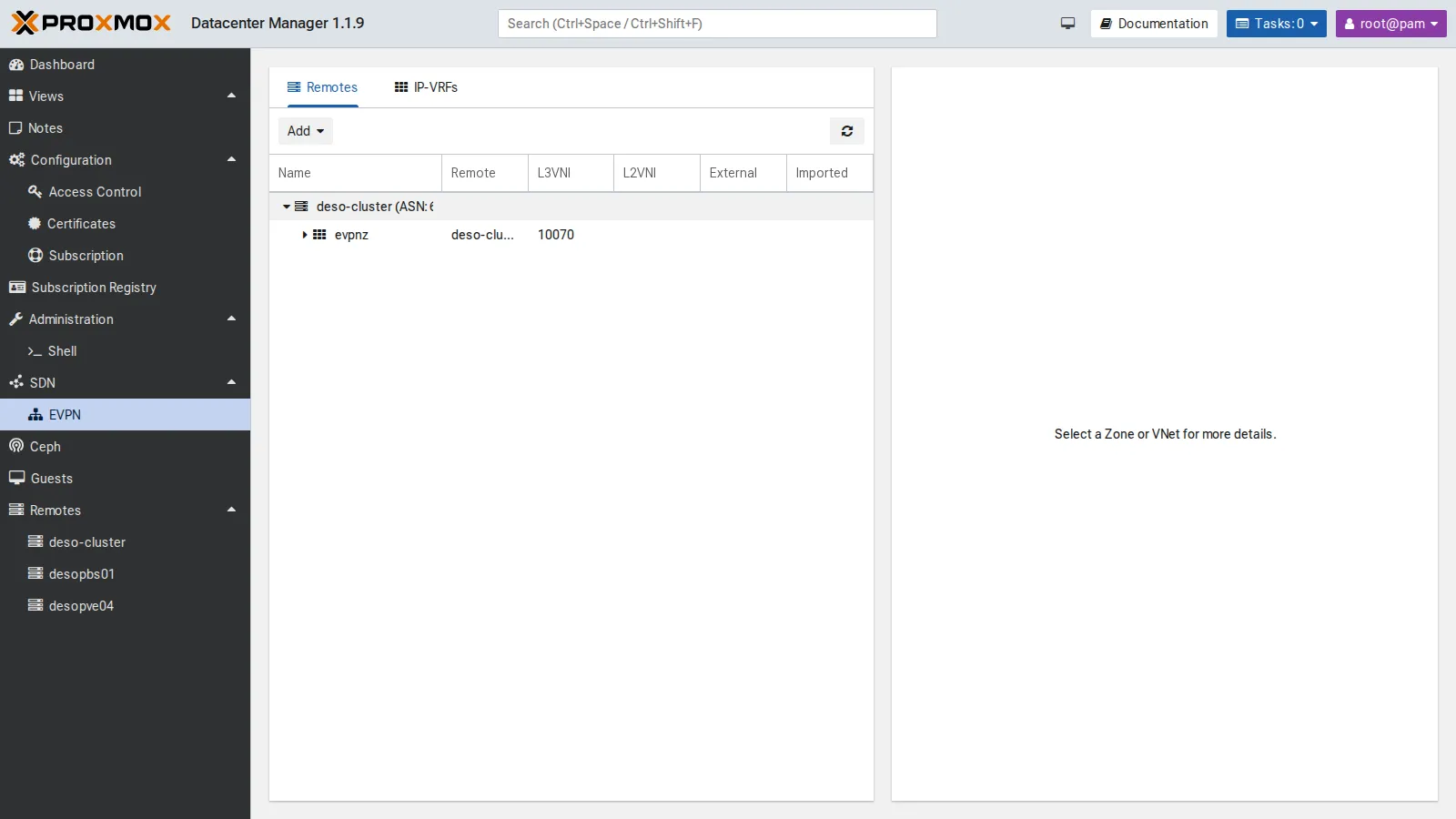
The Add button creates EVPN zones and VNets on several remotes at once. The lab has only one cluster with EVPN, so we did not use it.
8. Migrating a VM between two datacenters
Section titled “8. Migrating a VM between two datacenters”The test VM pdm-mig (VMID 157) is a full clone of template 9000 on local-zfs of desopve01, running, with address 172.27.199.157:
qm clone 9000 157 --name pdm-mig --full 1 --storage local-zfsqm set 157 --ipconfig0 ip=172.27.199.157/24,gw=172.27.199.1 --nameserver 172.27.199.20 --memory 1024qm start 157In the view of the deso-cluster remote, the VM’s Migrate icon opens the migration dialog. Choosing desopve04 as Target Remote reveals the remote-migration options: endpoint, target VMID, removal of the source, target storage and target network.
During each migration a ping runs from the management network to the VM every 0.2 seconds. It shows whether the service stays reachable, but it does not have the resolution to measure the VM’s downtime: the task reports that.
First attempt: to local-lvm
Section titled “First attempt: to local-lvm”Configuration tried. Source local-zfs on desopve01, target local-lvm on desopve04, the storage the dialog offers first.
Error observed. The task stops after 2 seconds:
2026-11-10 09:38:43 found generated disk 'local-zfs:vm-157-cloudinit' (in current VM config)2026-11-10 09:38:43 found local disk 'local-zfs:vm-157-disk-0' (attached)2026-11-10 09:38:43 ERROR: error - tunnel command '{…"volname":"vm-157-cloudinit","cmd":"disk-import",…"export_formats":"zfs",…"storage":"local-lvm"…}' failed - failed to handle 'disk-import' command - no matching import/export format found for storage 'local-lvm'TASK ERROR: migration abortedThe log tells the VM’s two disks apart. The main disk (vm-157-disk-0) is attached to the running VM and is copied live by block mirroring. The cloud-init disk (vm-157-cloudinit) is instead transferred through a storage export and import. In this combination (PVE 9.2 with PDM 1.1.9, ZFS source, LVM-thin target), the source offered it only in the zfs format, which local-lvm cannot import. Lab 48 hits the same error with qm remote-migrate. PDM’s dialog did not flag the problem before starting the task, and the VM stayed running and untouched on the source.
This is not a general rule about cloud-init: it depends on which formats the source and target storages have in common. To check it on your own system:
- look for the
export_formatsfield in the task log and compare it with the formats the target storage accepts; - try a target storage of the same type as the source, as below;
- or remove the cloud-init drive before the migration and recreate it on the target in the same slot: for example, if it sits on
ide2, runqm set 157 --delete ide2on the source andqm set 157 --ide2 local-lvm:cloudiniton the target. Proxmox regenerates the contents of the cloud-init disk from the VM configuration.
Decision. Repeat the migration to tank, the ZFS pool of desopve04: with ZFS on both sides, the zfs format is common to the two storages. The VM stays the same; only the target storage changes.
Second attempt: to tank
Section titled “Second attempt: to tank”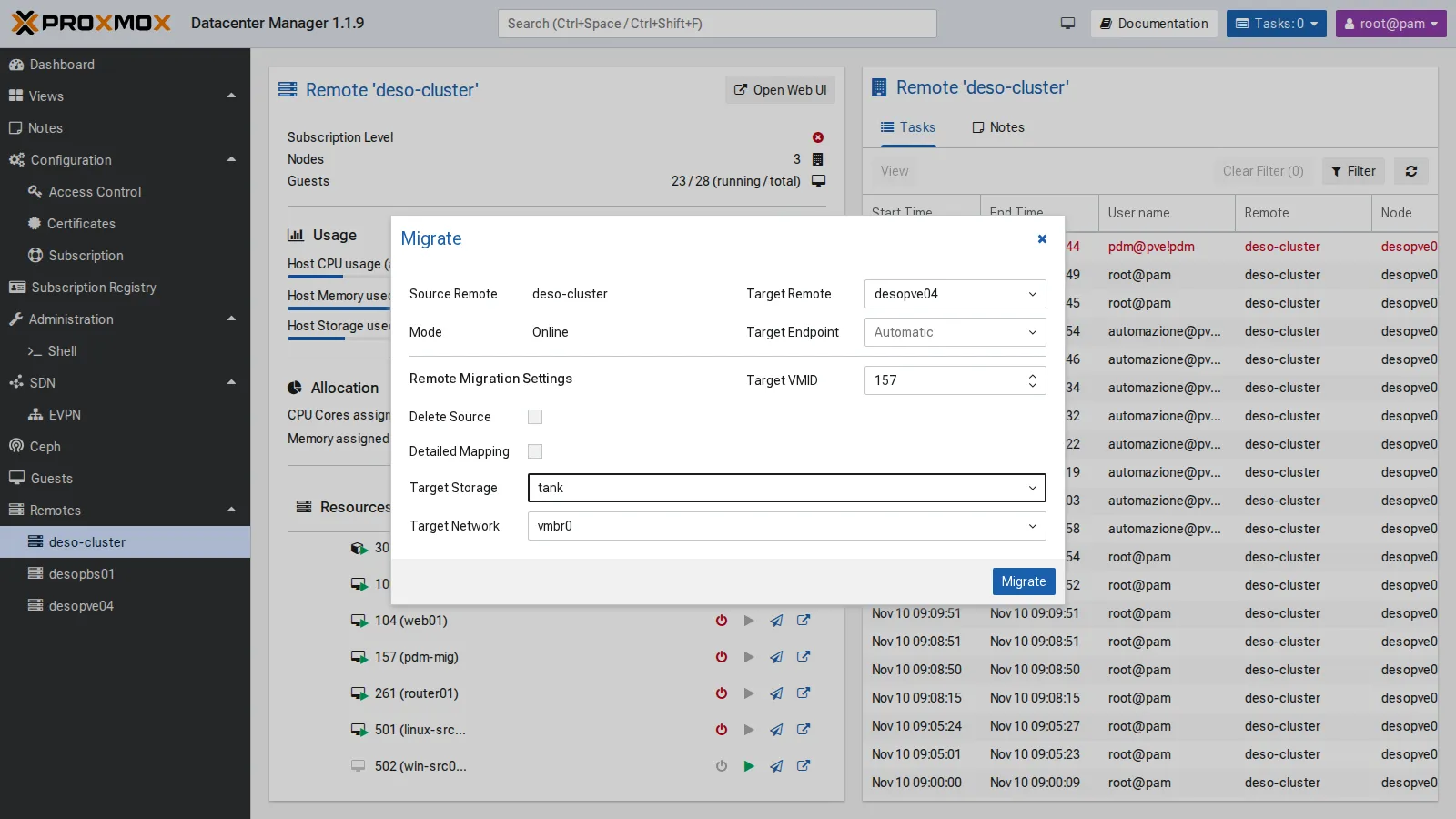
2026-11-10 09:40:17 migration downtime limit: 100 ms2026-11-10 09:40:19 average migration speed: 512.4 MiB/s - downtime 35 ms2026-11-10 09:40:19 migration completed, transferred 290.0 MiB VM-statemirror-scsi0: Completed successfully.2026-11-10 09:40:23 migration finished successfully (duration 00:00:31)Result. The task completes in 31 seconds and reports 35 ms of VM downtime, as measured by QEMU during the final phase of the migration. The ping every 0.2 seconds never paused for more than 0.21 seconds: this confirms the VM stayed reachable, but at that interval it cannot confirm a 35 ms interruption. The task carries the signature of PDM’s token: UPID:desopve01:…:qmigrate:157:pdm@pve!pdm:.
Delete Source was off, so on the cluster VM 157 is left stopped and locked (lock: migrate), just as with qm remote-migrate without --delete. Once the copy has been checked, remove it:
qm unlock 157 && qm destroy 157 --purgeBack: from desopve04 to deso-cluster
Section titled “Back: from desopve04 to deso-cluster”Again from the PDM GUI, this time to local-zfs:
2026-11-10 09:42:04 average migration speed: 512.4 MiB/s - downtime 61 ms2026-11-10 09:42:04 migration completed, transferred 289.9 MiB VM-statemirror-scsi0: Completed successfully.2026-11-10 09:42:07 migration finished successfully (duration 00:00:32)Result. 32 seconds, with 61 ms of downtime according to the task. The ping, on the other hand, paused for up to 2.70 seconds: the two observations measure different things and should be kept apart. One possible explanation is the time the network takes to learn the VM’s new location, that is, which node and port its MAC address is now behind. This test does not prove it, though. To check it you would need:
- a capture on the bridge of the target node during the migration (
tcpdump -eni vmbr0 arp or rarp), to see when the VM announces its new location; - a much denser
ping(for example every 10 ms,ping -i 0.01), to measure the pause with a resolution comparable to the task’s downtime; - the bridge forwarding table on the nodes (
bridge fdb show br vmbr0 | grep <VM MAC>) before and after the migration.
Here too the source on desopve04 stays locked and is removed by hand; at the end, also remove the VM that came back to the cluster:
qm unlock 157 && qm destroy 157 --purge # on desopve04qm stop 157 && qm destroy 157 --purge # on desopve01Limits seen in the lab:
- migration between remotes relies on
remote-migrate, so it inherits its limits, and PDM does not flag them before starting the task; - without Delete Source the source stays locked and has to be cleaned up by hand;
- migrating, starting and stopping guests requires a token with broad privileges on the remote;
- detailed operations (storage, network, HA, permissions) remain in the GUI of each remote;
- without a subscription, PDM shows a warning at every login.
Verification and tests
Section titled “Verification and tests”The lab has succeeded when PDM shows every remote online, and when the migration to tank and the one back both end with migration finished successfully and the VM answers on the target. The source then has to be removed or unlocked deliberately.
| Test | Result |
|---|---|
| PDM update | from 1.1.1 to 1.1.9 (UI 1.1.4) |
| NTP | in sync with netsvc.proxmox.community |
PVE remote deso-cluster |
3 endpoints with fingerprints, token pdm@pve!pdm |
PVE remote desopve04 and PBS desopbs01 |
added; the PBS with a read-only token (Audit) |
| Dashboard | 4 PVE nodes and 1 PBS online, 2 datastores |
| Remote updates | versions and repositories of every remote in one table |
Migration from local-zfs to local-lvm |
refused: in this combination the cloud-init disk was offered only in the zfs format, which LVM-thin cannot import |
Migration to tank |
completed in 31 s; downtime reported by the task: 35 ms; longest ping pause (one every 0.2 s): 0.21 s |
Back to local-zfs |
completed in 32 s; downtime reported by the task: 61 ms; longest ping pause: 2.70 s |
| Source after a migration without “Delete Source” | stopped and locked (lock: migrate), removed by hand |
Final lab state
Section titled “Final lab state”- PDM
desopdm01(172.27.199.41, GUI:8443), version 1.1.9:pdm-no-subscriptionrepository, proxy forapt, NTP tontp.proxmox.community;- remotes
deso-cluster(3 endpoints),desopve04anddesopbs01.
- On the cluster and on
desopve04: userpdm@pvewithAdministratoron/and tokenpdm@pve!pdmwithout privilege separation. - On the PBS: user
pdm@pbsand tokenpdm@pbs!pdm, both withAuditon/. - VM 157
pdm-mig: deleted after the tests (neither on the cluster nor ondesopve04). - The token secrets are stored only in the PDM configuration. Good practice: paste the secret directly into the PDM wizard, without leaving it in files or in the shell history.
What you learned
Section titled “What you learned”- What to check before migrating between two remotes:
- storage: the target storage must accept the format in which the source exports the disks that are not copied live, such as the cloud-init disk or the disks of a stopped VM. The
export_formatsfield in the task log shows it; a target storage of the same type as the source avoids the problem; - network: the bridge and VLAN chosen on the target must exist and carry the same network;
- resources the configuration refers to:
cicustomsnippets, attached ISOs and any storage named in the configuration must exist on the target too (Lab 48); - permissions: the token of the target remote must be able to create the VM, allocate storage and use the bridge;
- afterwards: without Delete Source the source stays locked; remove or unlock it once the copy has been checked.
- storage: the target storage must accept the format in which the source exports the disks that are not copied live, such as the cloud-init disk or the disks of a stopped VM. The
- How to read the downtime of a migration: the value in the task and the pause a client sees on the network are different measurements. Comparing them needs a tool with adequate resolution, and a gap such as the 2.70 s on the way back has to be checked before you attribute it to a cause.
- What PDM is for: it installs and updates like a PVE node, listens on port 8443 and does not replace the clusters’ own GUI. The dashboard, global search and updates view are the most useful parts for day-to-day work across several datacenters. A dedicated user with its own token makes PDM’s actions easy to spot in the task logs.