

Lab 04 – First access, repositories and updates
Dependencies
Section titled “Dependencies”- Previous labs: Lab 02 (DNS with the node records and the
proxyandntpaliases), Lab 03 (four nodes installed). - Services: proxy
proxy.proxmox.community:3128and NTPntp.proxmox.community. - Credentials:
root/<lab-password>→ Appendix B.
Objectives
Section titled “Objectives”- Log in to the web interface and find your way around Datacenter and the nodes.
- Understand the Proxmox VE repositories and configure the no-subscription one, from the GUI and from the command line.
- Route updates and downloads through the corporate proxy.
- Update the nodes to the latest 9.2 release and reboot them into the new kernel.
- Synchronize the time of the nodes with the lab NTP server.
How it works
Section titled “How it works”The Proxmox VE repositories
Section titled “The Proxmox VE repositories”Proxmox VE is free software (AGPLv3 license): all features are available without a subscription. The paid subscription gives access to support and to the enterprise repository, which receives updates only after a longer testing period.
| Repository | For whom | Notes |
|---|---|---|
pve-enterprise |
servers with a subscription | the most stable; without a key, updating fails (error 401) |
pve-no-subscription |
labs, testing, use without support | same packages, published before enterprise |
pve-test |
those who want to try new features early | not for production use |
After the installation only the enterprise repository is enabled, for both Proxmox VE and Ceph. Without a subscription you need to disable it and enable no-subscription, otherwise apt update fails and the node does not receive security updates.
Since Debian 13, repositories are described in the deb822 format: a .sources file in /etc/apt/sources.list.d/ with the fields Types, URIs, Suites, Components, Signed-By and, optionally, Enabled: no to disable them.
The “No valid subscription” notice
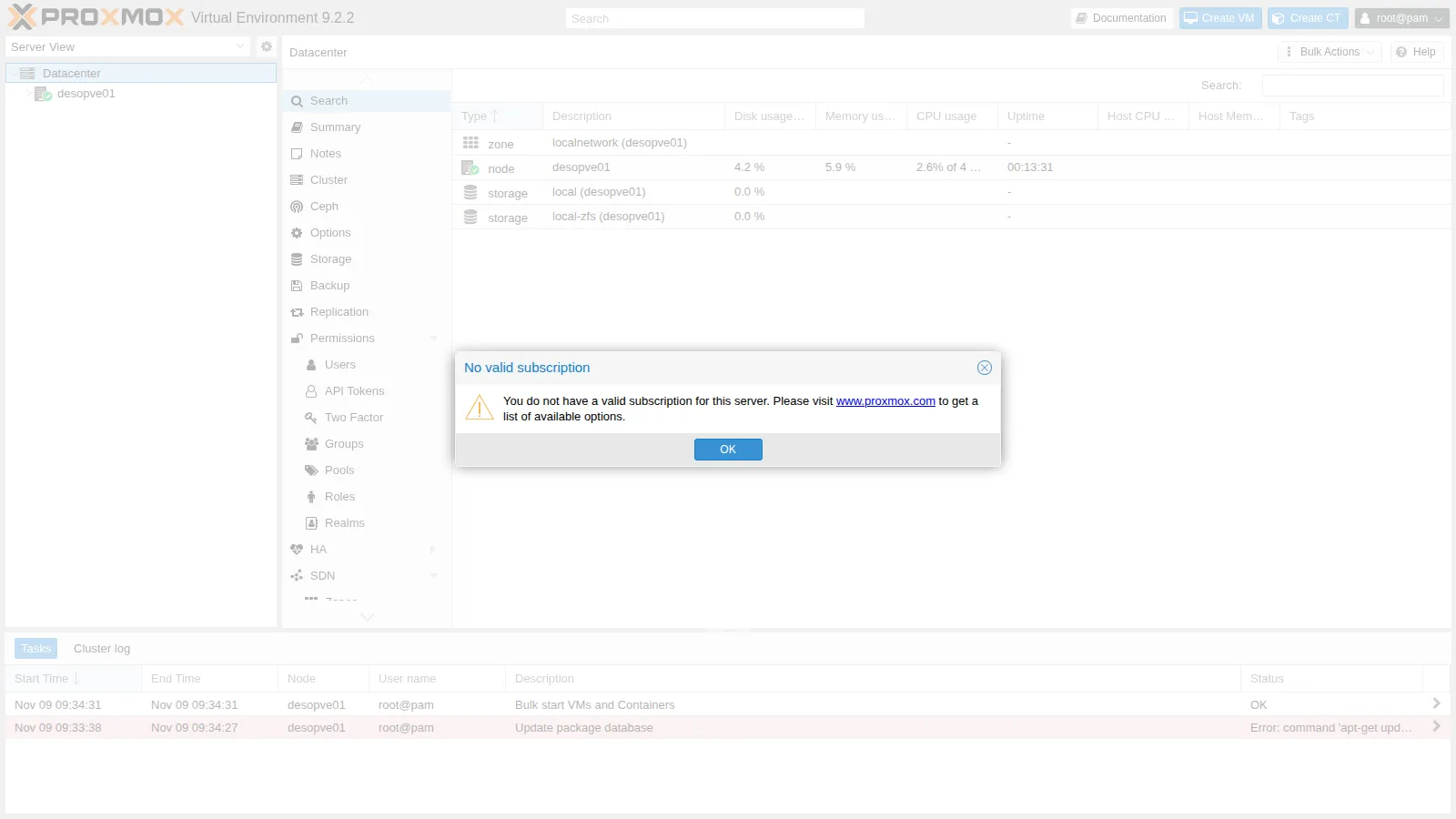
Section titled “The “No valid subscription” notice”At every login, and before some operations (adding a repository, updating), the interface shows the No valid subscription notice. It is informational only: close it with OK. The modifications that hide it are undone by every update and are not recommended.
The proxy
Section titled “The proxy”In a company, servers rarely access the Internet directly. Proxmox VE has a single setting, Datacenter → Options → HTTP proxy, saved in /etc/pve/datacenter.cfg. It is used by:
- the package list refresh from the web interface and the daily
pveupdateservice, which write the proxy to/etc/apt/apt.conf.d/76pveproxy, so thatapton the command line uses it too; - the download of ISOs and templates from the interface (Download from URL, lab 07).
In a cluster, datacenter.cfg is shared: you only need to set it once.
Procedure
Section titled “Procedure”1. First access to the web interface
Section titled “1. First access to the web interface”-
From the domain controller’s browser, over Remote Desktop (lab 02), open
https://desopve01.proxmox.community:8006. The certificate is signed by the cluster CA, which the browser does not know: accept the exception (in Lab 45 you will import the cluster CA into the browser). -
Log in with User name
root, Password<lab-password>, Realm Linux PAM standard authentication. It is best to leave the language set to English: the menu names match the documentation and the forums.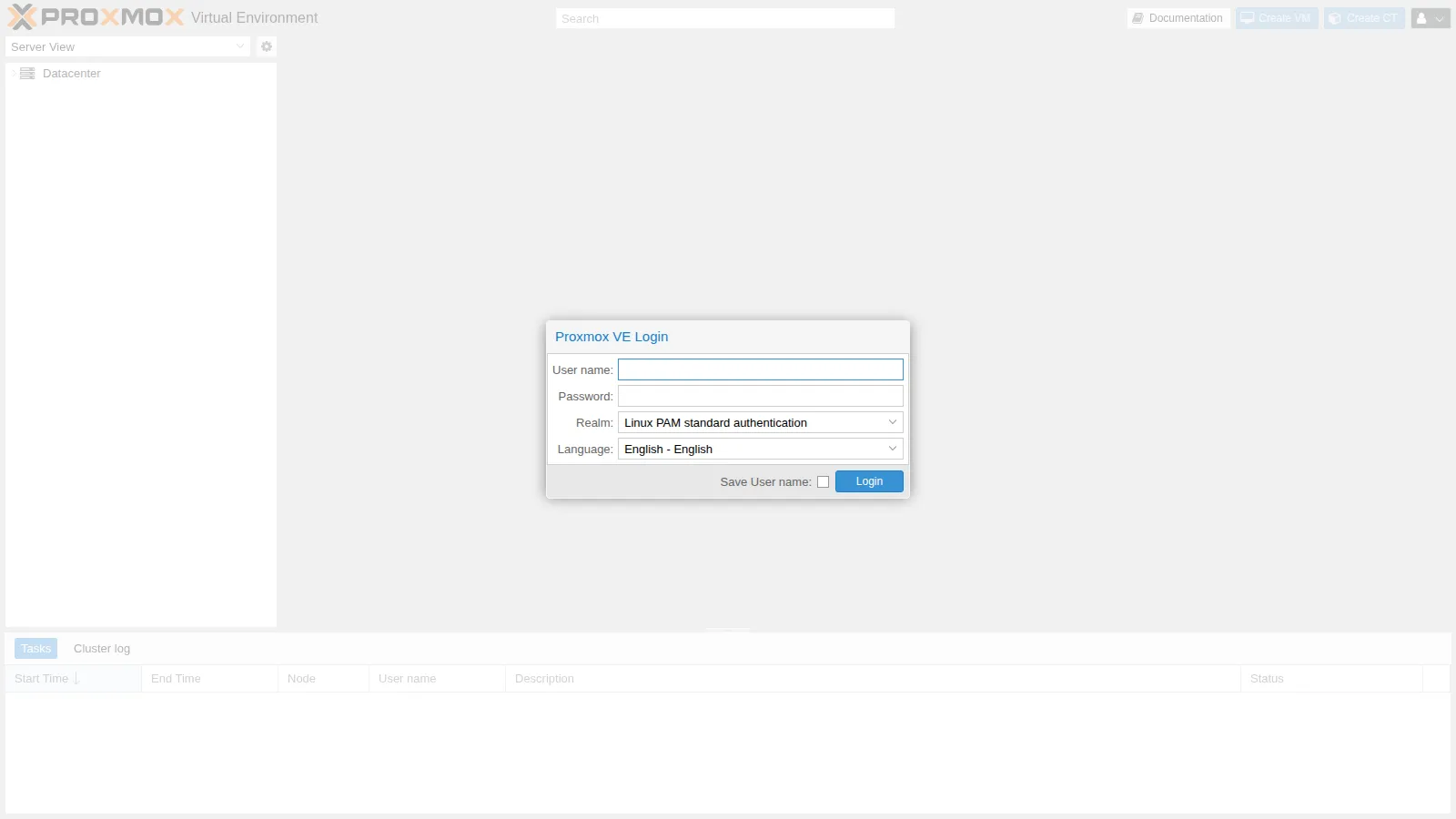
-
Close the No valid subscription notice with OK.
-
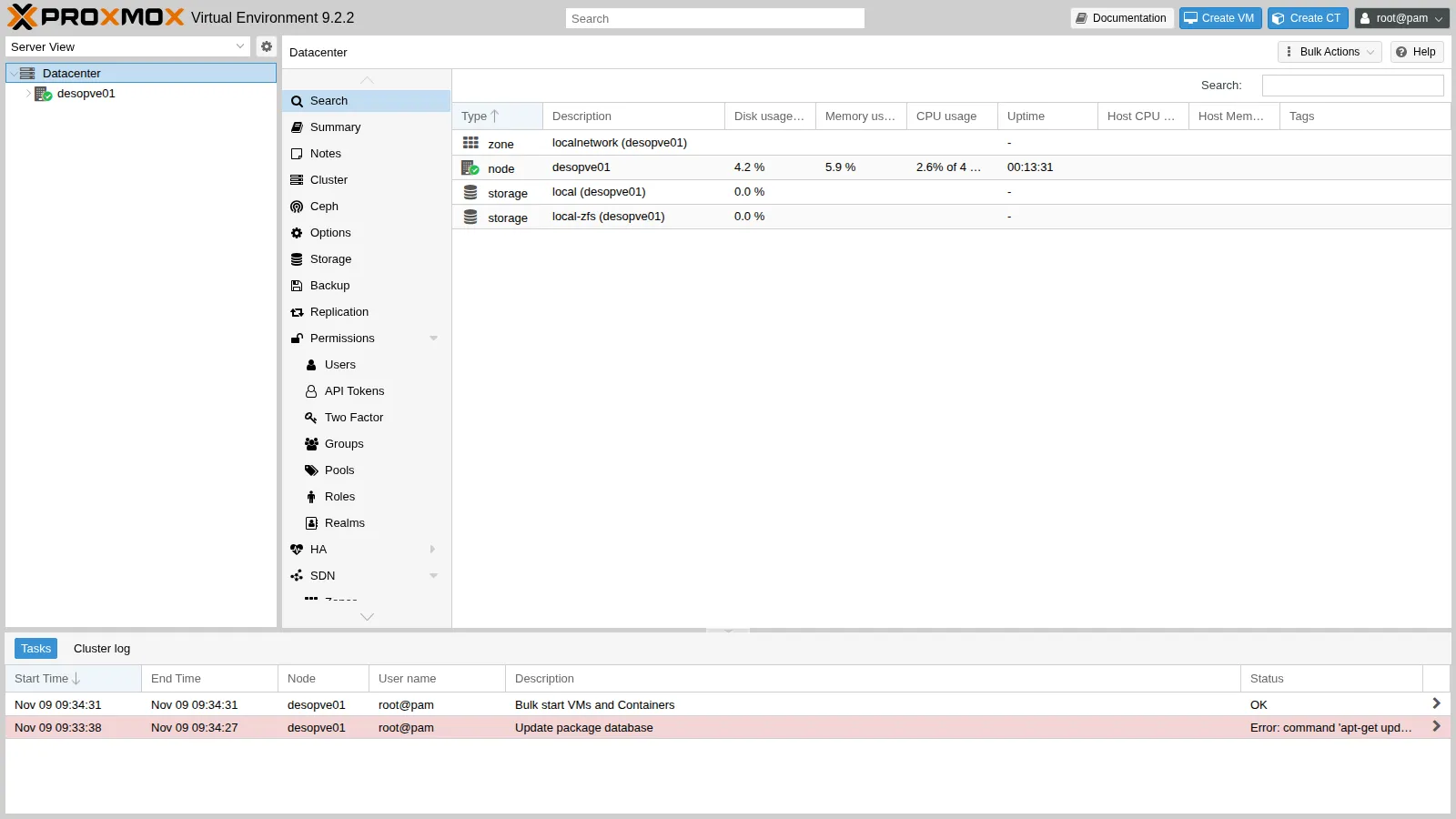
On the left is the resource tree. Datacenter groups the settings common to all nodes (permissions, shared storage, backup, firewall, options), while each node has its own local resources (network, disks, updates, shell). The storages appear under the node and, later, VMs and containers.
-
Select the
desopve01node → Summary: CPU, memory and disk usage, kernel and Proxmox VE versions, repository status.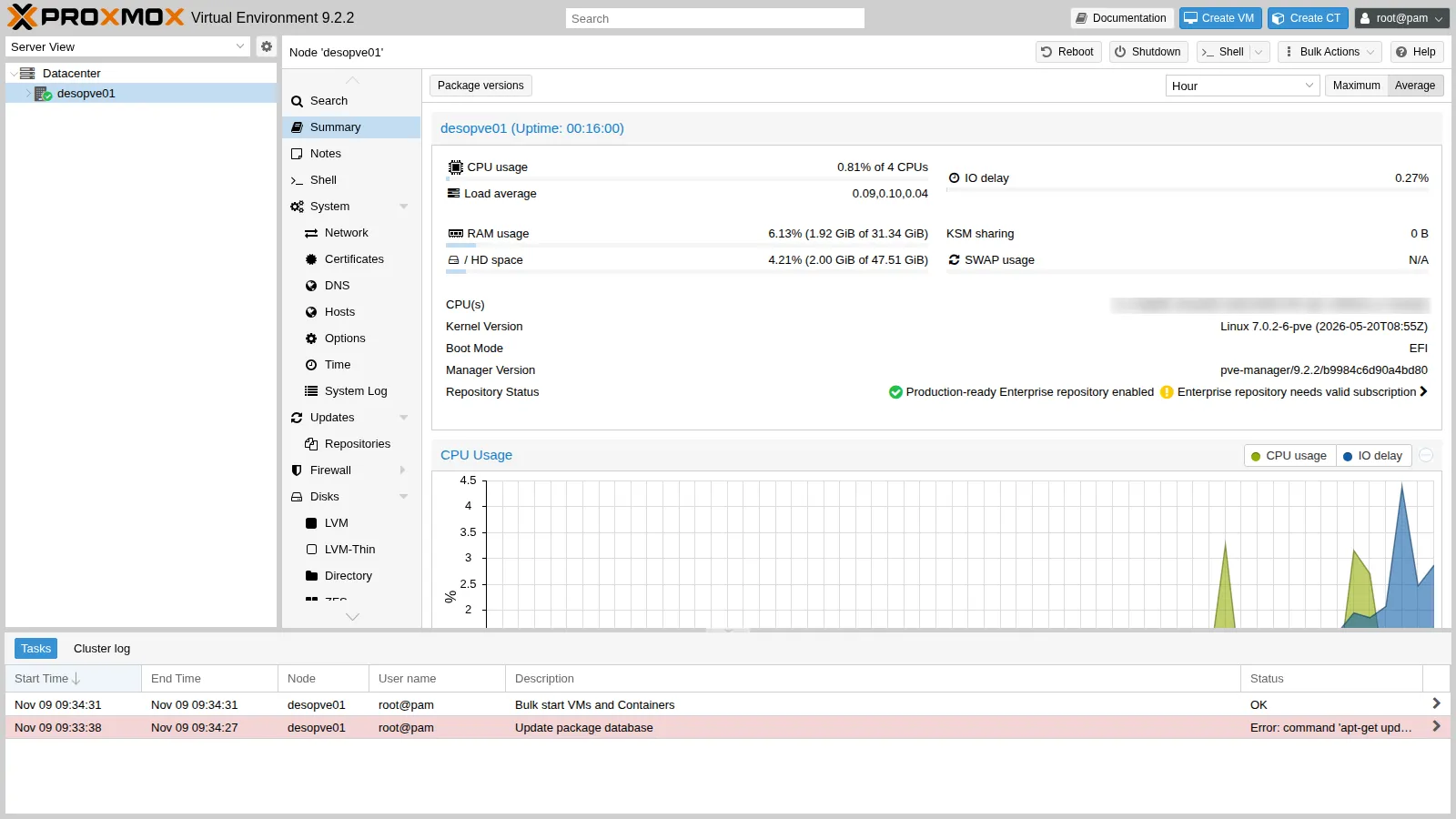
2. Configure the repositories from the web interface
Section titled “2. Configure the repositories from the web interface”-
Go to
desopve01→ Updates → Repositories. The status reports The enterprise repository is enabled, but there is no active subscription!: onlypve-enterpriseandceph-squidenterprise are enabled, plus the Debian repositories.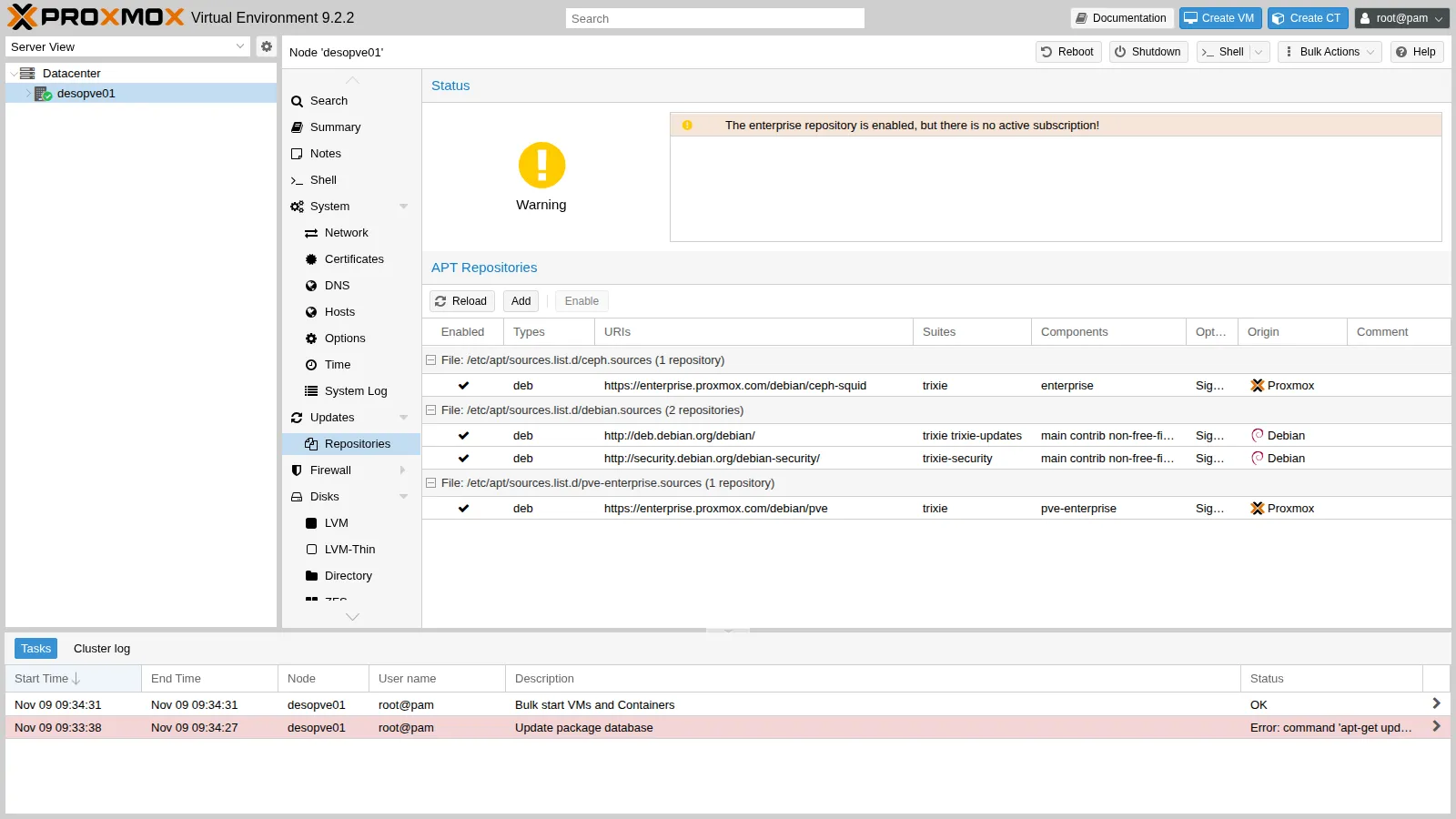
-
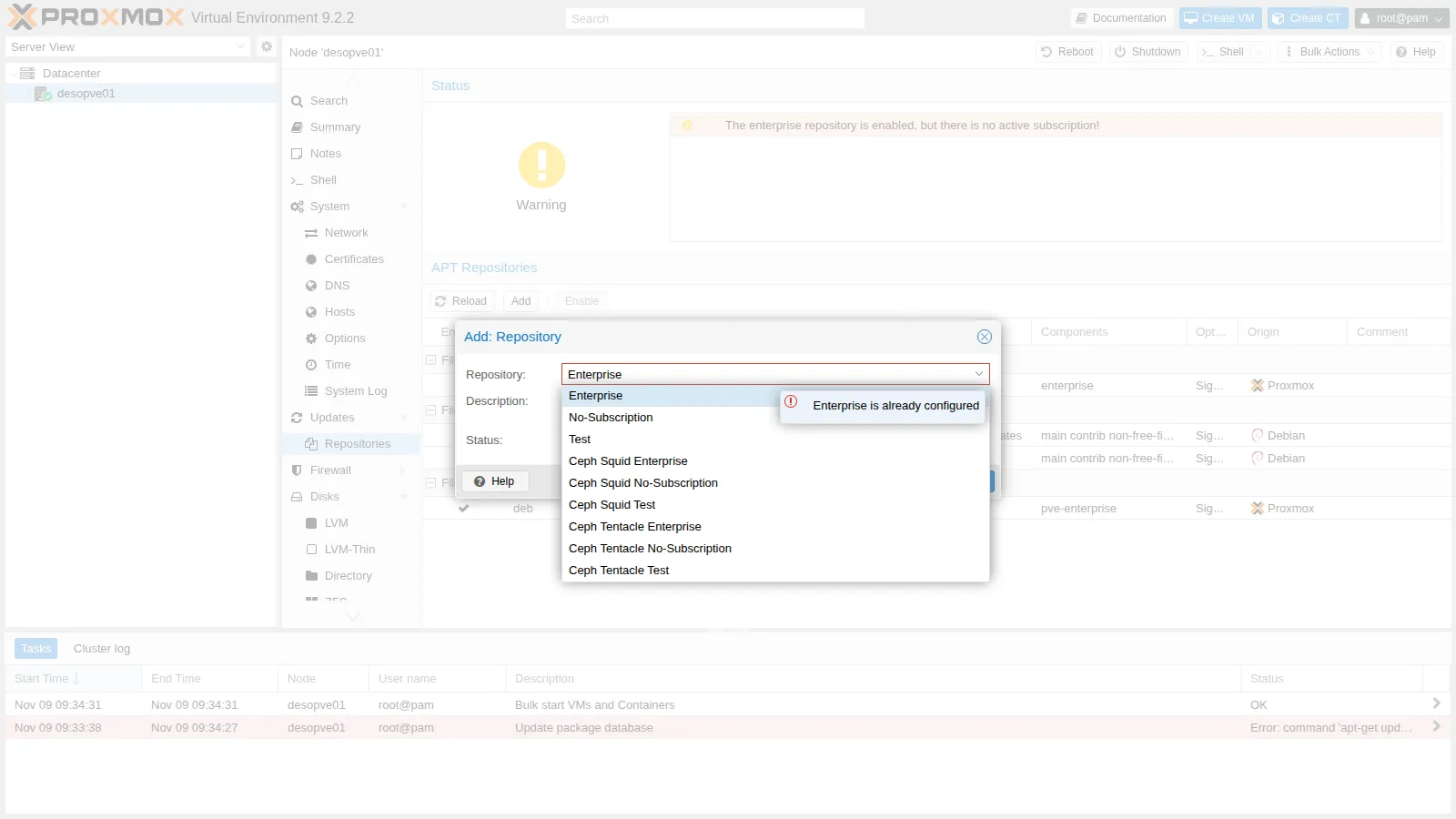
Click Add (close the subscription notice) and open the Repository list: besides the Proxmox VE ones, there are the Ceph repositories in the Enterprise, No-Subscription and Test variants.
-
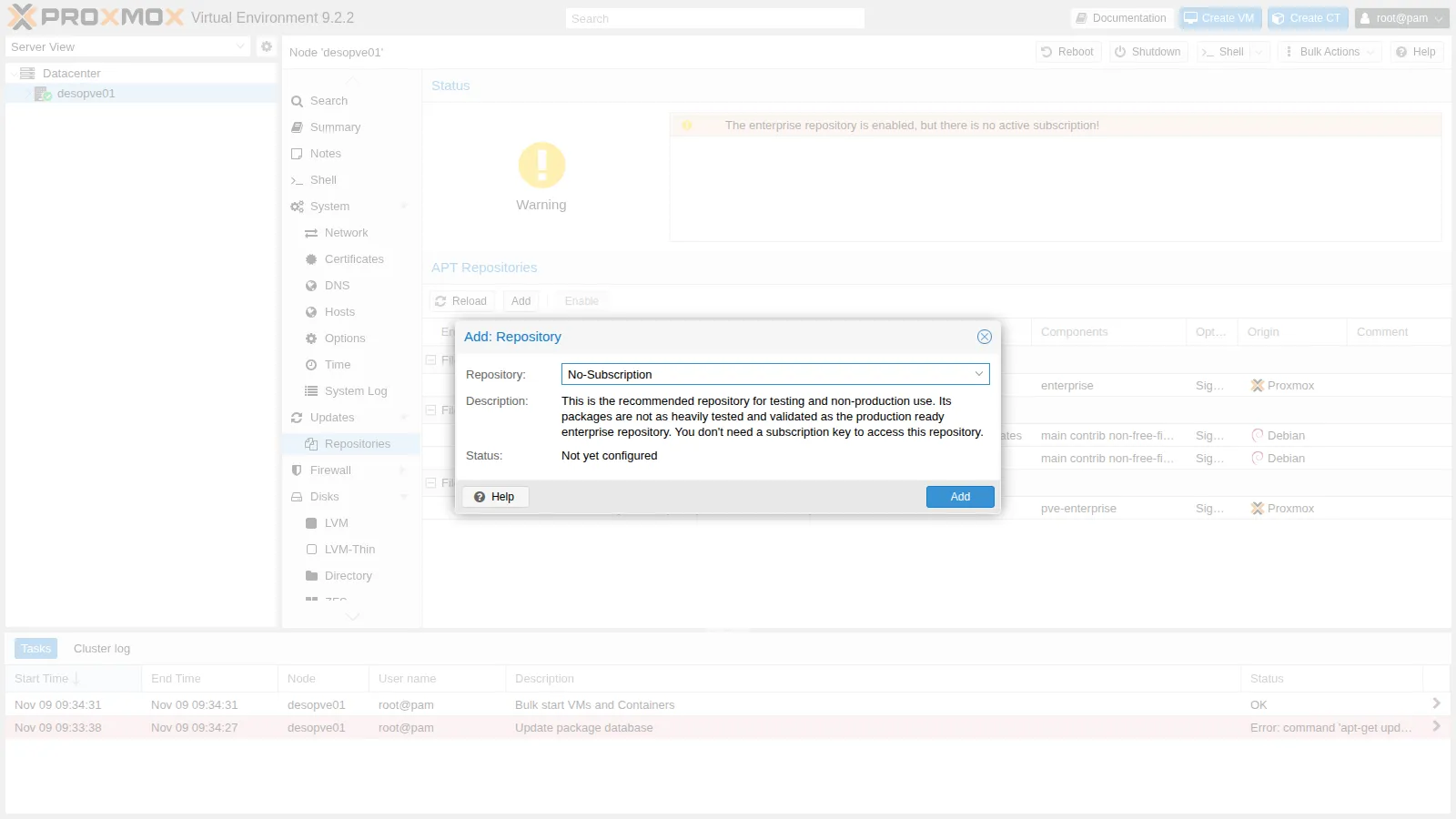
Choose No-Subscription and click Add. The dialog reminds you that the repository is recommended for testing and non-production use.
-
Select the
pve-enterpriserow and click Disable; do the same with theceph-squidenterprise row. The status becomes You get updates for Proxmox VE. The remaining warning The no-subscription repository is not recommended for production use! is expected.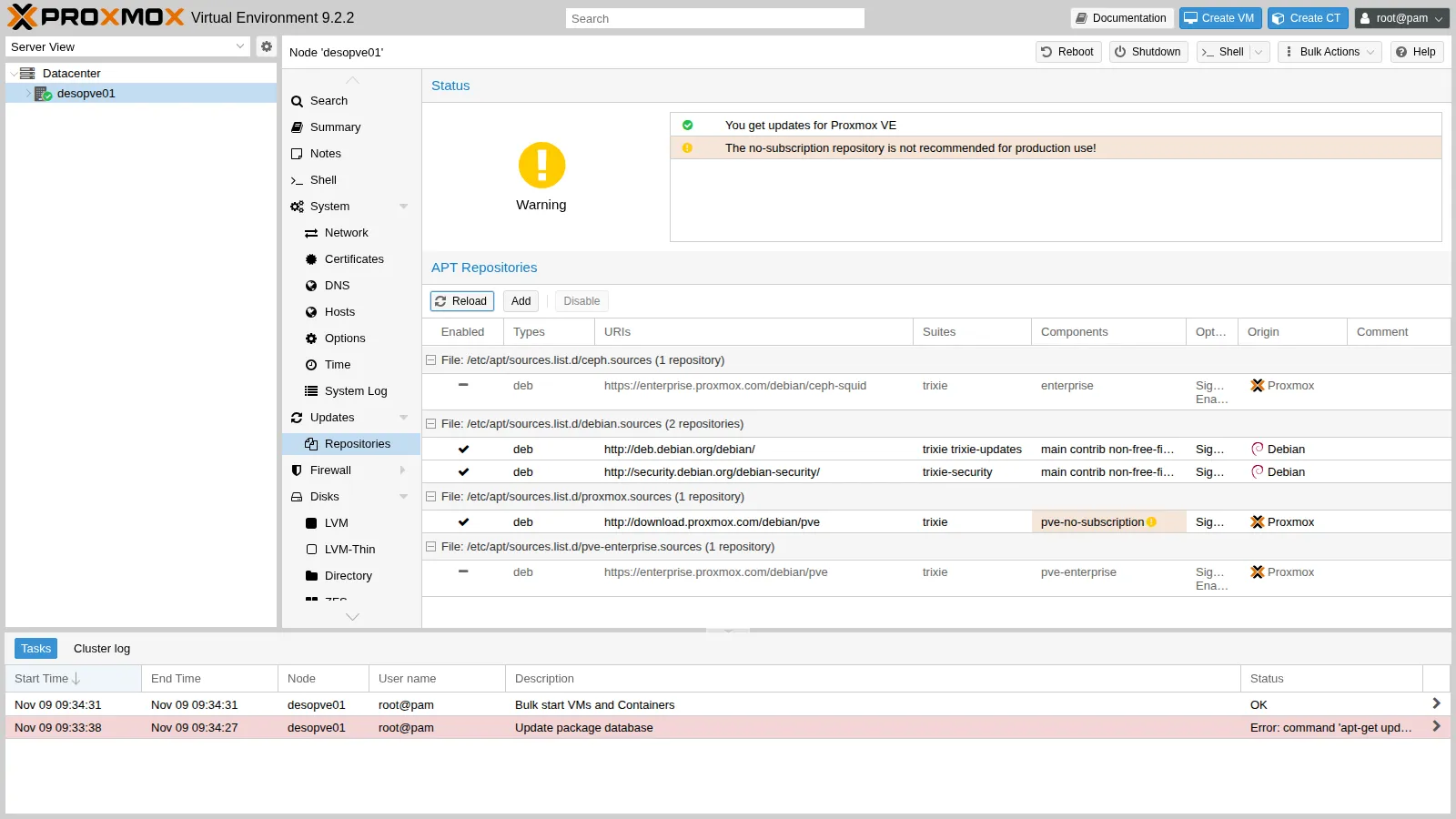
The GUI has created the
/etc/apt/sources.list.d/proxmox.sourcesfile and addedEnabled: noto the enterprise files.
3. Set the proxy
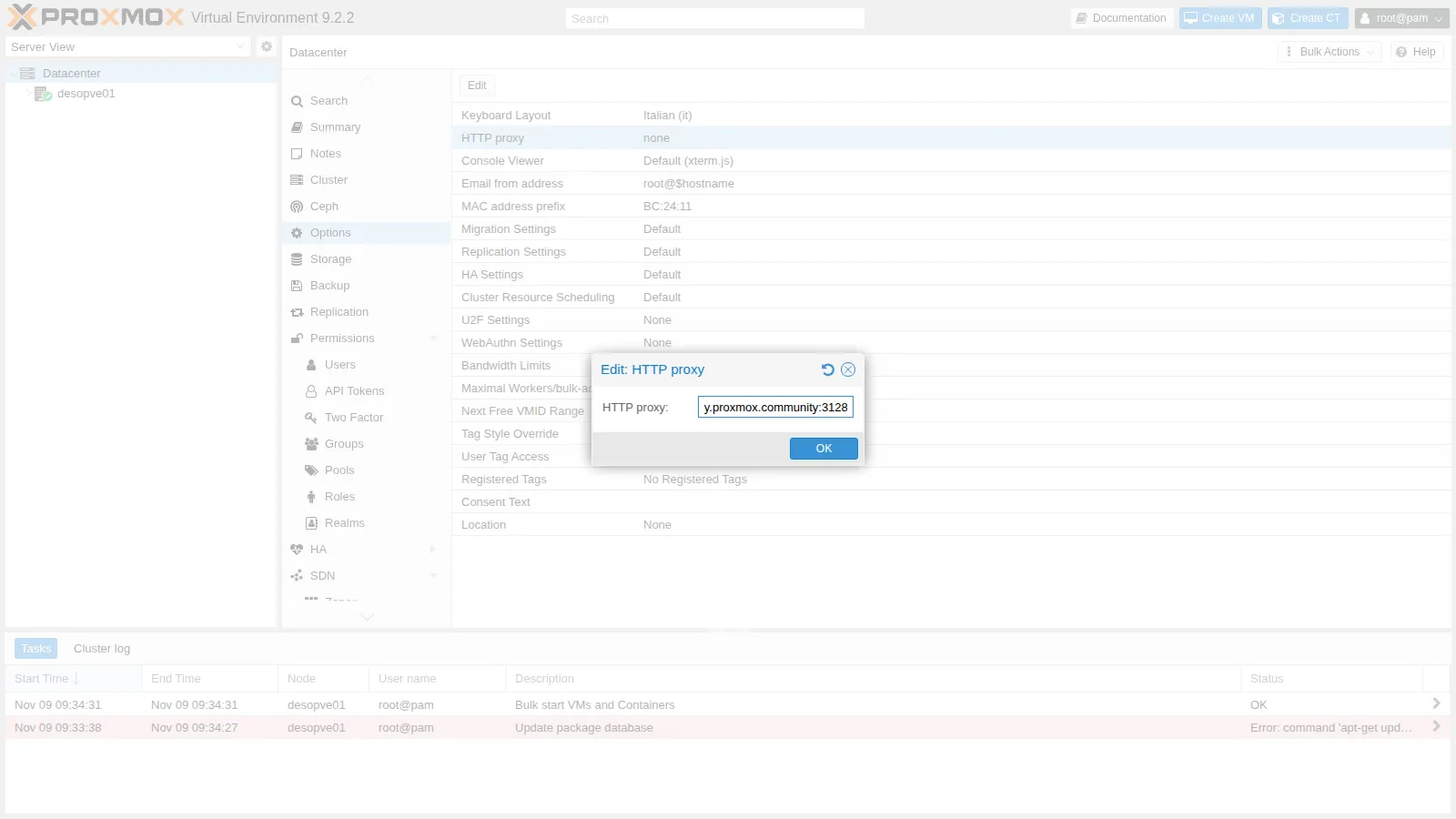
Section titled “3. Set the proxy”Go to Datacenter → Options, double-click HTTP proxy and enter http://proxy.proxmox.community:3128.
4. Update from the web interface
Section titled “4. Update from the web interface”-
Go back to
desopve01→ Updates and click Refresh. The task runsapt-get updatethrough the proxy and ends with TASK OK.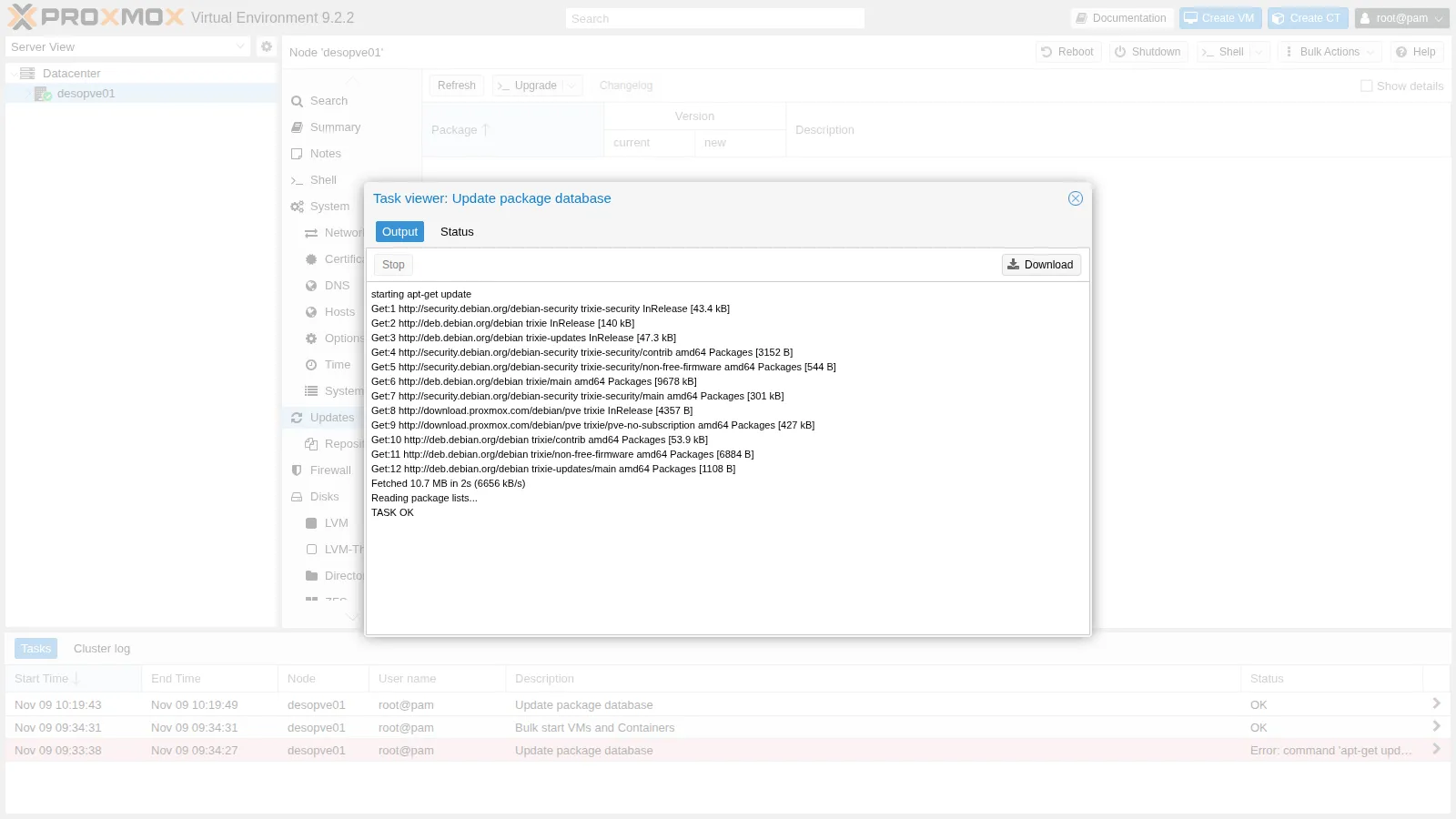
-
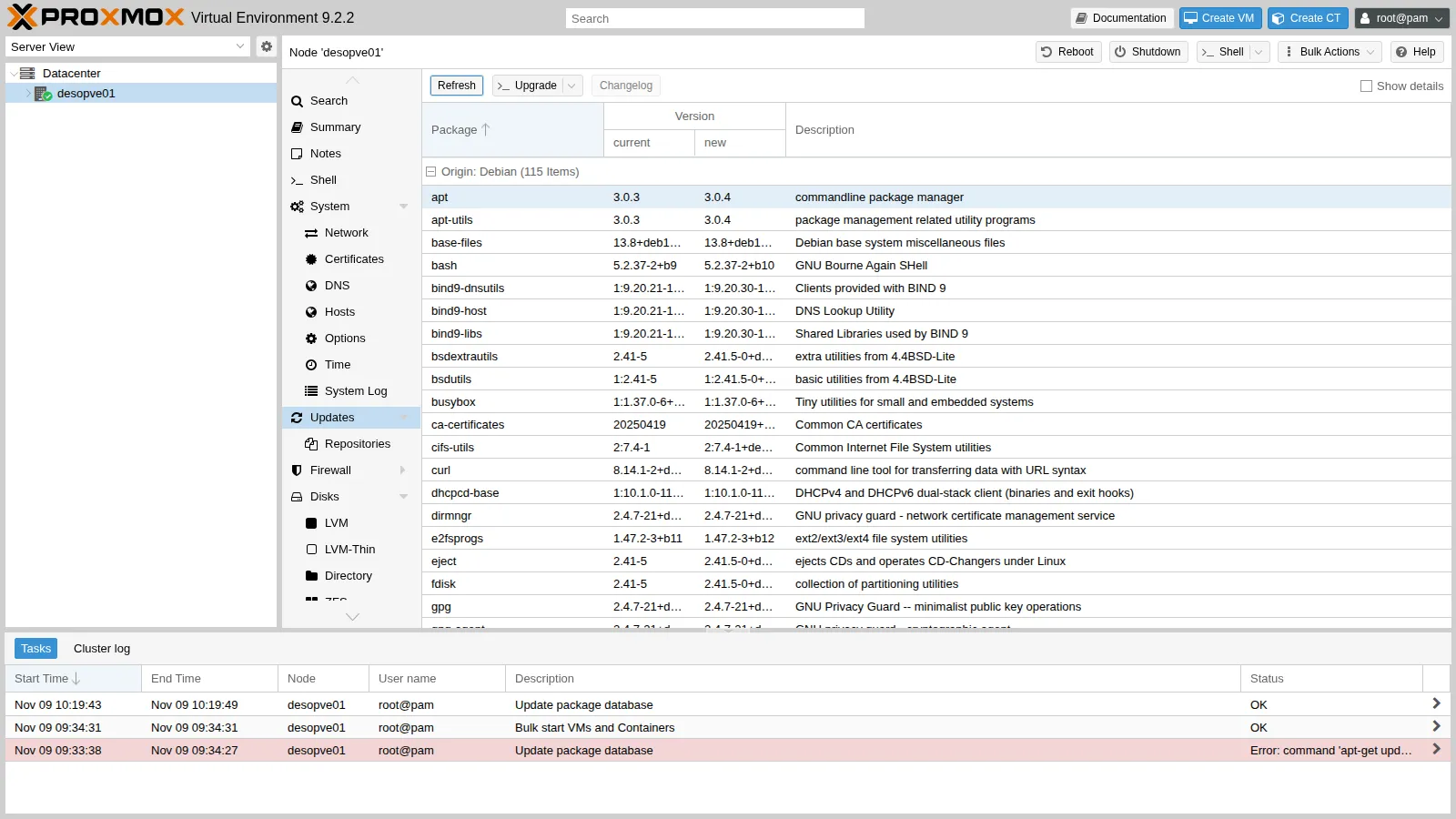
The list shows the upgradable packages, with the installed and the new version. Right after installing from the 9.2-1 ISO there were more than two hundred.
-
Click Upgrade: a console opens and runs
apt-get dist-upgrade. Check the summary and confirm withy.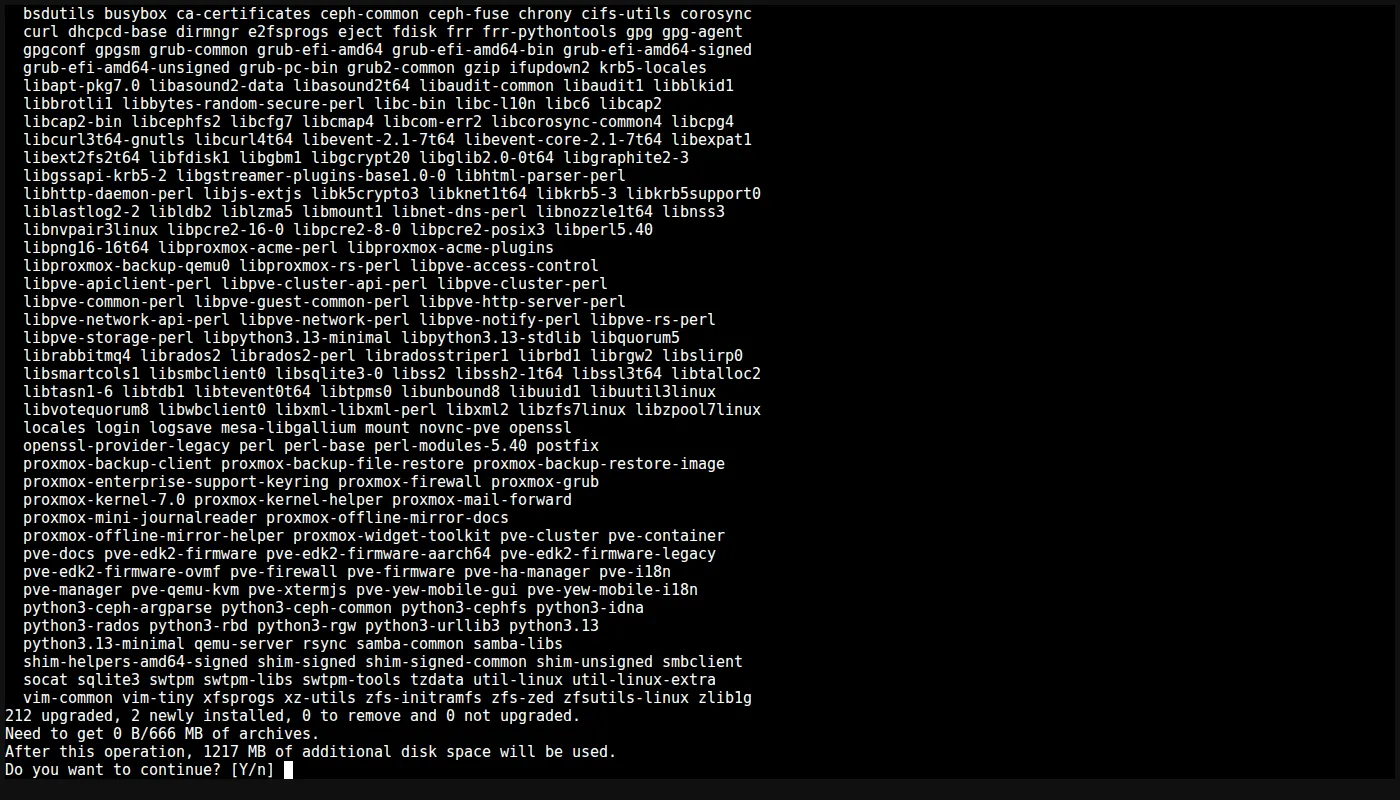
-
When it finishes, the console reports Your System is up-to-date and opens a shell.

-
The upgrade installed a new kernel: reboot the node with Reboot at the top right. After the reboot, the Summary shows the new version (
pve-manager/9.2.26) and the7.0.14-28-pvekernel.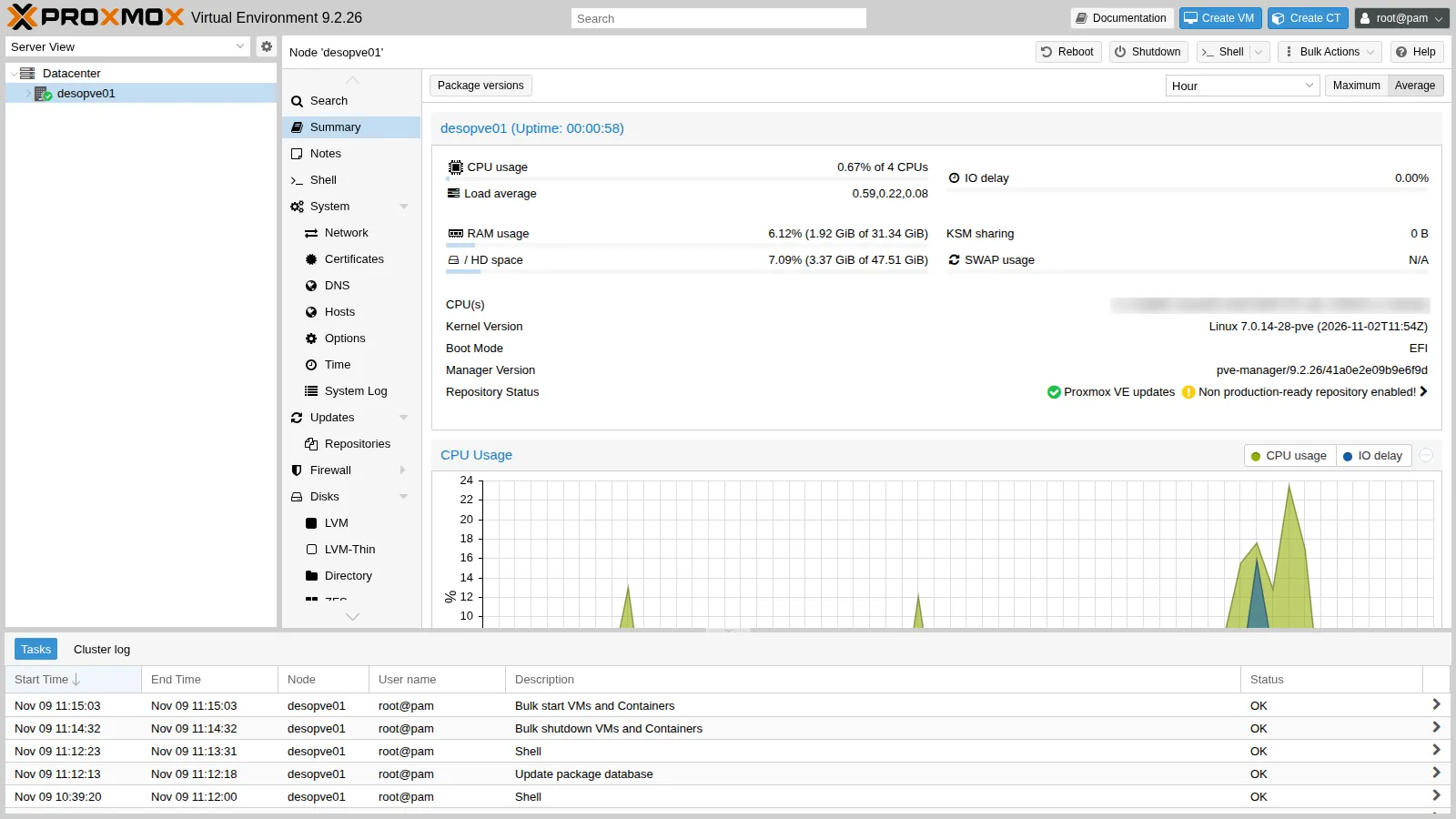
5. Do the same from the command line
Section titled “5. Do the same from the command line”On the other nodes (desopve02, desopve03 and desopve04), perform the same steps from the command line, in the Shell of each node in the web interface (from Lab 05 on you will use SSH): they are the same commands you will use in scripts.
-
Look at the existing repositories and disable the enterprise ones by adding
Enabled: no:root@desopve02 ls /etc/apt/sources.list.d/Output ceph.sources debian.sources pve-enterprise.sourcesroot@desopve02 echo 'Enabled: no' >> /etc/apt/sources.list.d/pve-enterprise.sourcesecho 'Enabled: no' >> /etc/apt/sources.list.d/ceph.sourcescat /etc/apt/sources.list.d/pve-enterprise.sourcesOutput Types: debURIs: https://enterprise.proxmox.com/debian/pveSuites: trixieComponents: pve-enterpriseSigned-By: /usr/share/keyrings/proxmox-archive-keyring.gpgEnabled: no -
Create the no-subscription repository:
root@desopve02 cat > /etc/apt/sources.list.d/proxmox.sources <<'EOF'Types: debURIs: http://download.proxmox.com/debian/pveSuites: trixieComponents: pve-no-subscriptionSigned-By: /usr/share/keyrings/proxmox-archive-keyring.gpgEOF -
Set the datacenter proxy with
pvesh, the command-line client of the API (lab 05), and runpveupdate, which writes the proxy configuration foraptand refreshes the package list:root@desopve02 pvesh set /cluster/options --http_proxy http://proxy.proxmox.community:3128cat /etc/pve/datacenter.cfgOutput http_proxy: http://proxy.proxmox.community:3128keyboard: itroot@desopve02 pveupdateOutput error reading cached package status in '/var/lib/pve-manager/pkgupdates' - can't open '/var/lib/pve-manager/pkgupdates' - No such file or directoryroot@desopve02 cat /etc/apt/apt.conf.d/76pveproxyOutput Acquire::http::Proxy "http://proxy.proxmox.community:3128";The
pveupdatemessage appears only the first time: the file with the list of updates does not exist yet and is created at that moment. -
Upgrade. With
apt, always usefull-upgrade(ordist-upgrade), never plainupgrade: a Proxmox VE update may need to install new packages, such as a kernel, whichupgradewould leave behind.root@desopve02 apt updateOutput …212 packages can be upgraded. Run 'apt list --upgradable' to see them.root@desopve02 apt full-upgradeOutput …Summary:Upgrading: 212, Installing: 2, Removing: 0, Not Upgrading: 0Download size: 666 MBSpace needed: 1,217 MB / 48.8 GB available…root@desopve02 systemctl reboot
6. Synchronize the time
Section titled “6. Synchronize the time”Proxmox VE uses chrony. After the installation it points to the public 2.debian.pool.ntp.org servers, which cannot be reached from the lab: chronyc sources shows no source. On each node, replace the pool with the lab NTP server:
sed -i 's/^pool 2.debian.pool.ntp.org iburst/#pool 2.debian.pool.ntp.org iburst/' /etc/chrony/chrony.confecho 'server ntp.proxmox.community iburst' > /etc/chrony/sources.d/lab.sourcessystemctl restart chronychronyc sourcesMS Name/IP address Stratum Poll Reach LastRx Last sample===============================================================================^* netsvc.proxmox.community 3 6 17 6 +5191ns[ -60us] +/- 23mstimedatectl | grep -E 'synchronized|NTP service'System clock synchronized: yes NTP service: activeThe asterisk (^*) marks the source selected by chrony. sources.d is the directory that Debian’s chrony.conf reads with the sourcedir directive: keeping your own configuration in a separate file avoids conflicts when a package update brings a new chrony.conf.
7. Check the node DNS
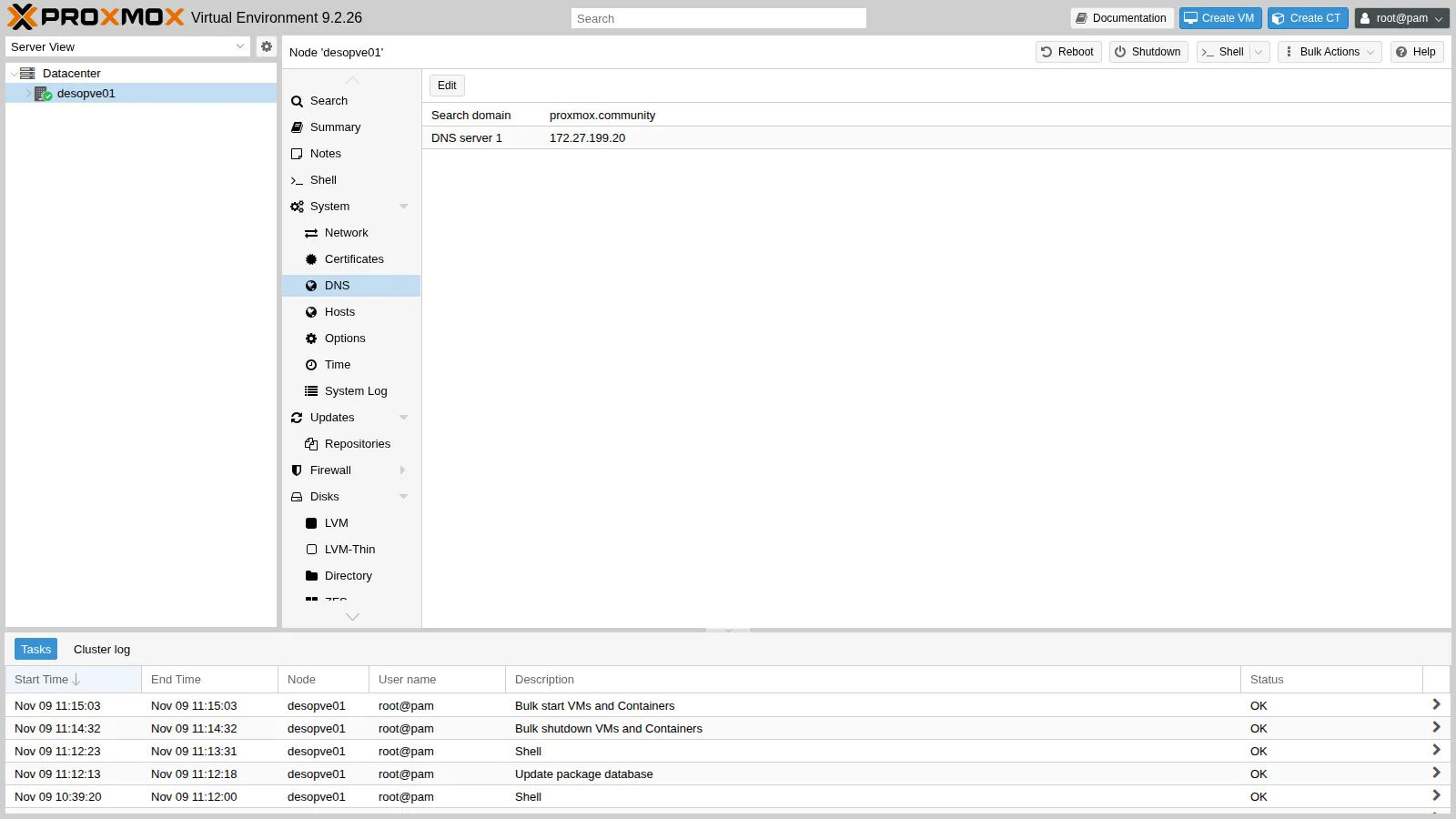
Section titled “7. Check the node DNS”desopve01 → System → DNS shows the search domain (proxmox.community) and the DNS server (172.27.199.20) set by the installer, saved in /etc/resolv.conf.
Verification and tests
Section titled “Verification and tests”On all four nodes:
pveversionpve-manager/9.2.26/41a0e2e09b9e6f9d (running kernel: 7.0.14-28-pve)pveversion -v | head -4proxmox-ve: 9.2.0 (running kernel: 7.0.14-28-pve)pve-manager: 9.2.26 (running version: 9.2.26/41a0e2e09b9e6f9d)proxmox-kernel-helper: 9.2.1proxmox-kernel-7.0: 7.0.14-28apt update…All packages are up to date.cat /etc/apt/sources.list.d/ceph.sourcesTypes: debURIs: https://enterprise.proxmox.com/debian/ceph-squidSuites: trixieComponents: enterpriseSigned-By: /usr/share/keyrings/proxmox-archive-keyring.gpgEnabled: no-
pveversionshowspve-manager/9.2.26and the7.0.14-28-pvekernel (so the node has been rebooted). -
apt updatecompletes without errors and reports All packages are up to date. - The Proxmox VE and Ceph enterprise repositories are disabled,
pve-no-subscriptionis enabled. -
chronyc sourcesshows^* netsvc.proxmox.community.
Final lab state
Section titled “Final lab state”- Four Proxmox VE 9.2.26 nodes with the
7.0.14-28-pvekernel, not yet in a cluster. - Repositories:
pve-no-subscriptionenabled, Proxmox VE and Ceph enterprise disabled. - Proxy
http://proxy.proxmox.community:3128in thedatacenter.cfgof each node and in/etc/apt/apt.conf.d/76pveproxy. - Time synchronized with
ntp.proxmox.communityon all nodes.
What you learned
Section titled “What you learned”- The difference between Datacenter settings and node resources.
- What the enterprise, no-subscription and test repositories offer, and how to manage them in the deb822 format.
- How Proxmox VE uses an HTTP proxy for updates and downloads.
- Why you upgrade with
full-upgradeand when you need to reboot. - How to point chrony to an internal NTP server.