

Lab 47 – Proxmox Backup Server 4: datastore, deduplication, encryption, verify, prune, file restore and sync
Dependencies
Section titled “Dependencies”- Previous labs:
- Lab 25: the IPv6 configuration of the hosts (file
90-ipv6-host.conf); - Lab 03: the Proxmox installer, very similar to the PBS one;
- Lab 38: the guest agent and fs-freeze;
- Lab 40: template 9000 and the VMs
web01-web03; - Lab 44: the
webpool and the API tokens; - Lab 46:
vzdump, backup modes and retention.
- Lab 25: the IPv6 configuration of the hosts (file
- Systems:
- server
desopbs01(172.27.199.40): 4 cores, 8 GB of RAM, a 32 GB system disk and two 100 GB disks for the datastore; - nodes
desopve01-03; - VMs
web01-web03(104-106) and CT 121.
- server
- Network: TCP port 8007 must be open from the cluster to PBS. PBS uses the lab proxy for updates.
- Credentials:
root@pamof PBS and of the cluster → Appendix B.
Objectives
Section titled “Objectives”- Install PBS 4, configure repositories, proxy and NTP, and update it.
- Create a datastore on a ZFS mirror from the GUI.
- Connect the cluster with a user and an API token with minimal permissions.
- Measure deduplication and incremental backups with the dirty bitmap (VMs) and metadata mode (CTs).
- Encrypt backups on the client side and understand what happens if you lose the key.
- Schedule verify, prune and garbage collection and read their results.
- Recover a single file and perform a live-restore.
- Copy the backups to a second datastore with a sync job.
How it works
Section titled “How it works”With vzdump on a file-based storage (Lab 46), every backup is a complete archive. PBS changes three things:
- Chunks and deduplication. The client splits the data into blocks (chunks), computes their SHA-256 hash and stores them in the datastore’s
.chunksdirectory. A chunk that is already present is not stored again, whatever VM it comes from. A backup is an index that lists the chunks. - True incrementals. For VMs, QEMU keeps a dirty bitmap: it knows which blocks have changed since the last backup and reads only those. For containers, metadata mode compares the file metadata with the previous backup and rereads only the files that changed.
- Server-side services. PBS verifies the chunks (verify), applies the retention (prune), frees the space of chunks no longer in use (garbage collection), copies backups elsewhere (sync) and lets you open a backup to extract files.
Client-side encryption. With an encryption key, the PVE node encrypts the chunks before sending them: PBS stores data it cannot read. The key stays on the cluster; if it is lost, the backups become unusable.
flowchart LR
    VM["VM / CT on the cluster"] -->|"new chunks (encrypted if there is a key)"| PBS["desopbs01<br/>datastore zpbs"]
    PBS -->|"sync job"| REP["replica datastore"]
    PBS -->|"file restore / live-restore"| PVE["PVE node"]
Procedure
Section titled “Procedure”1. Installation
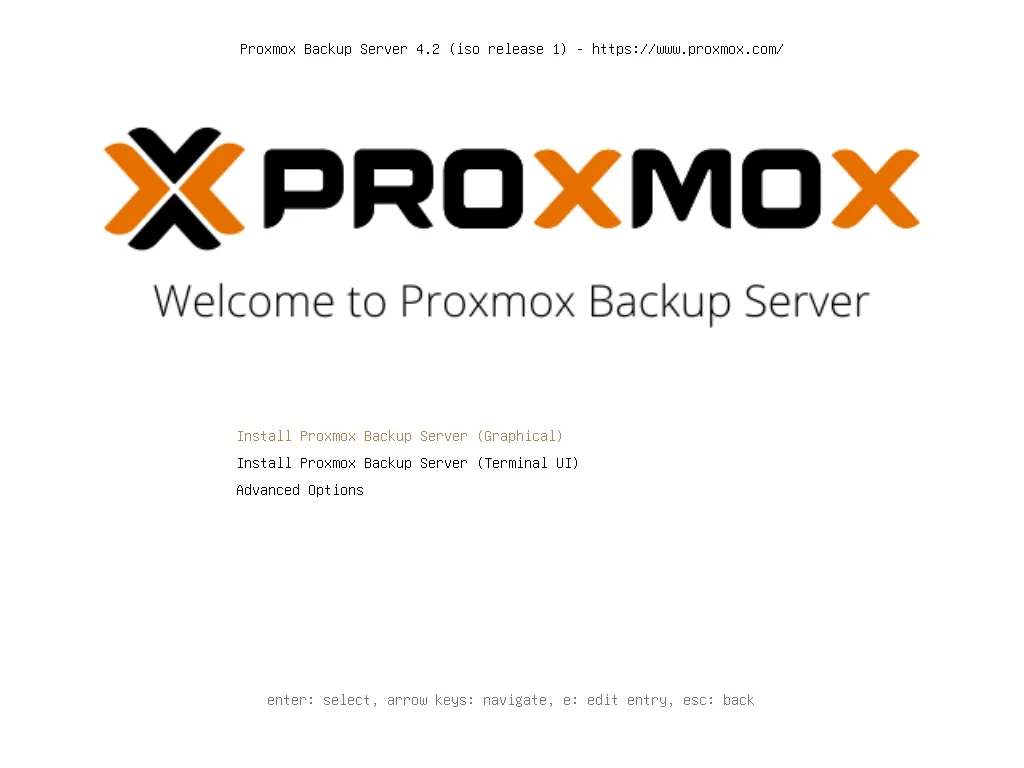
Section titled “1. Installation”The installer is the same as the Proxmox VE one (Lab 03). Boot from the proxmox-backup-server_4.2-1.iso ISO and choose Install Proxmox Backup Server (Graphical).
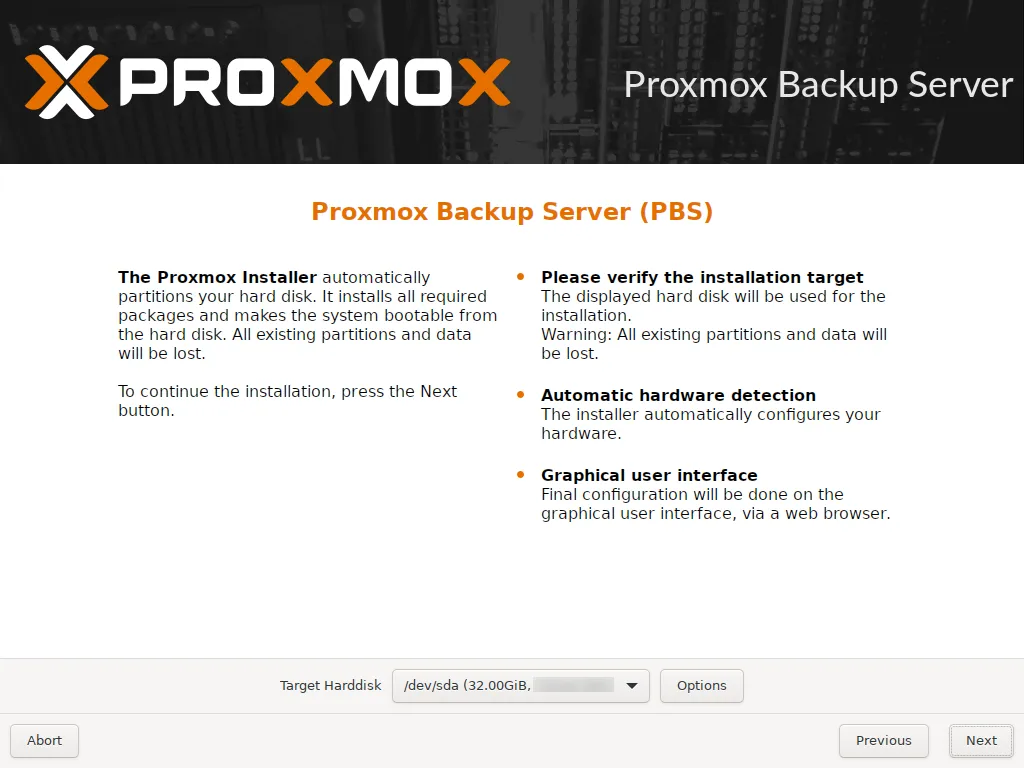
As the system disk, use only the 32 GB disk, /dev/sda. The two 100 GB disks stay free: they will become the datastore.
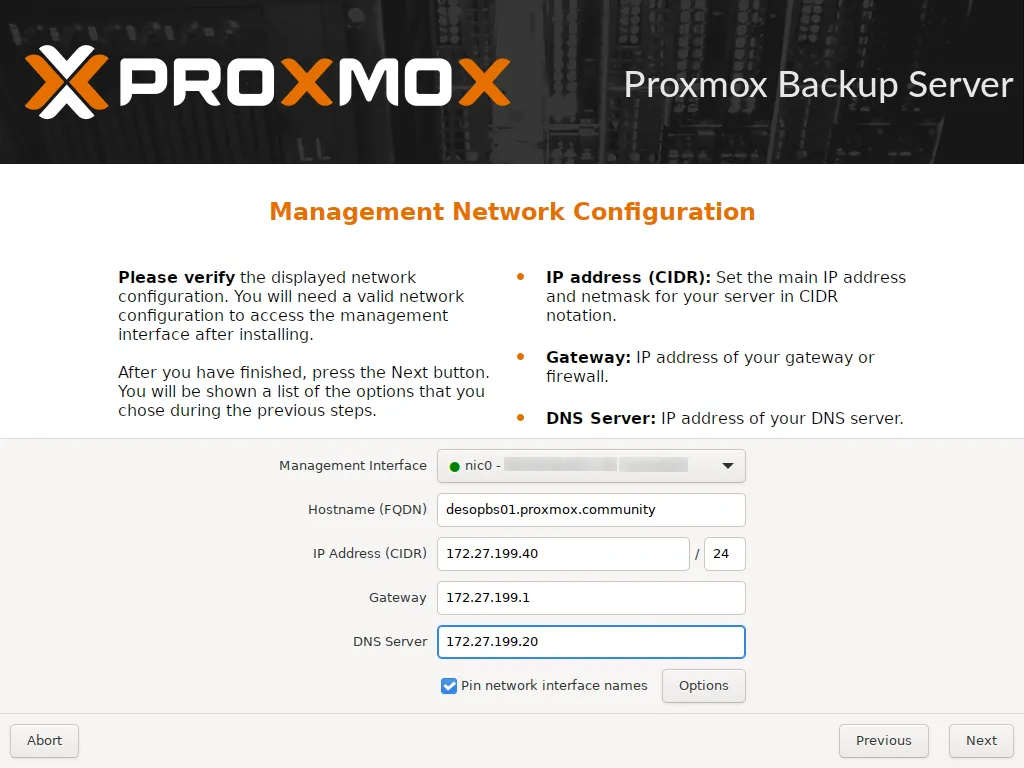
Network: desopbs01.proxmox.community, 172.27.199.40/24, gateway 172.27.199.1, DNS 172.27.199.20. Here too the Pin network interface names option is enabled by default: the network card is named nic0.
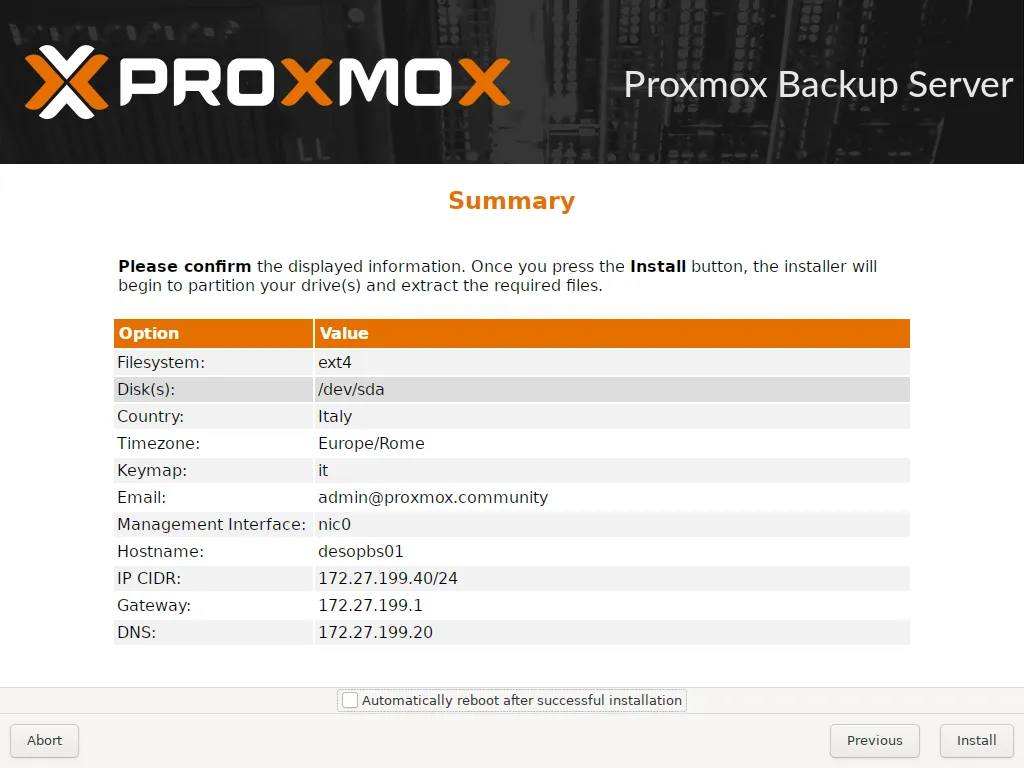
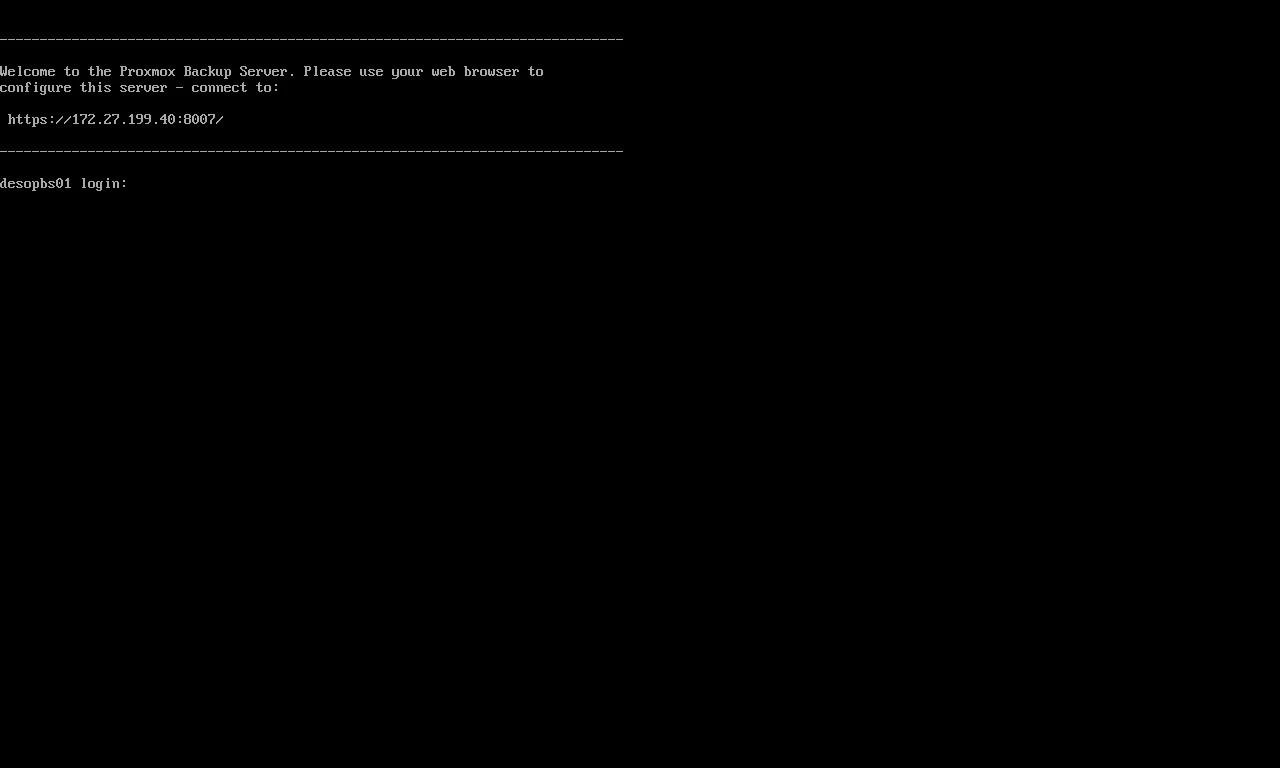
After the reboot, the console shows the address of the GUI, on port 8007.
2. First access, repositories, proxy, NTP and update
Section titled “2. First access, repositories, proxy, NTP and update”Log in to https://172.27.199.40:8007 as root, realm Linux PAM.
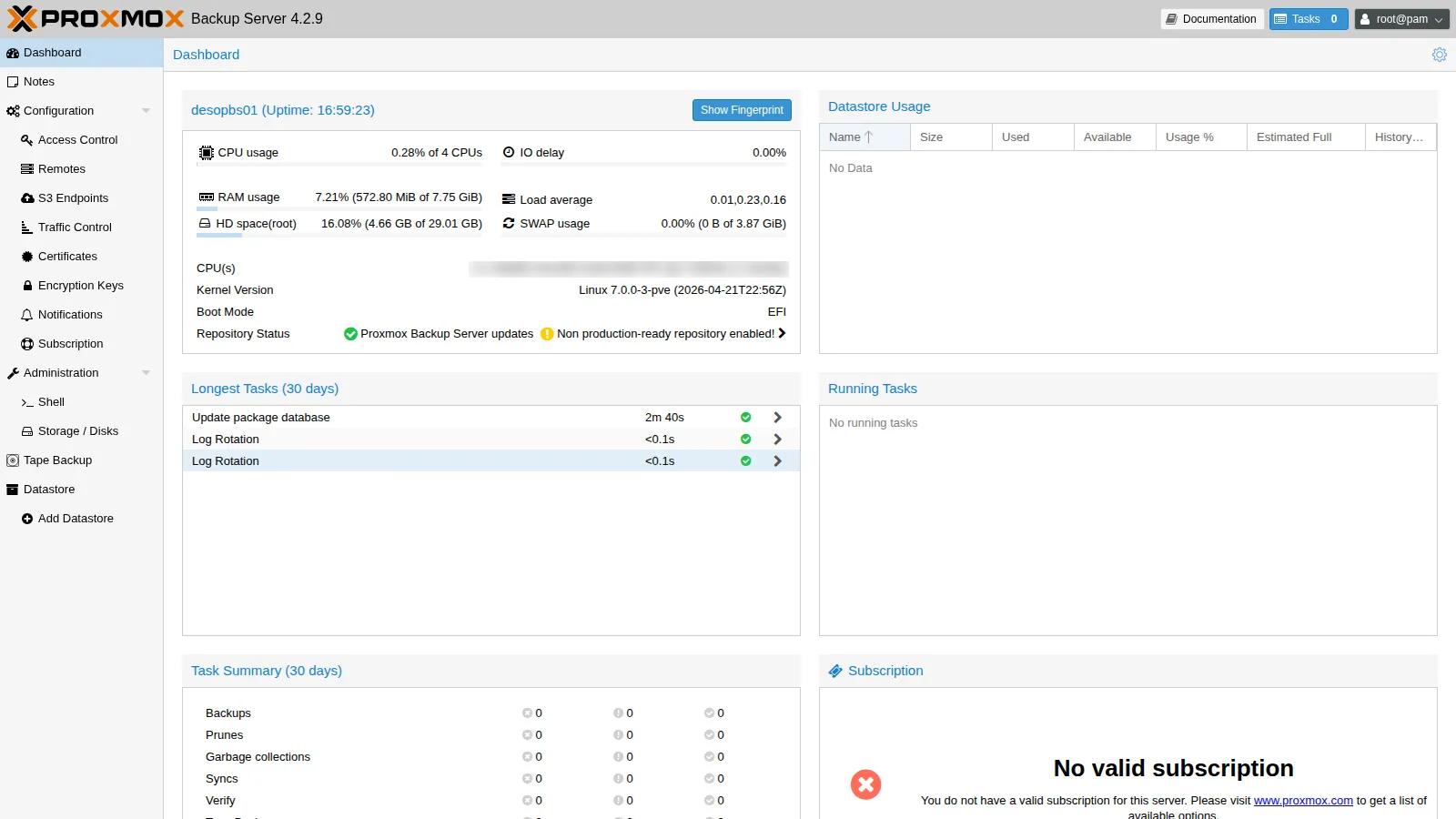
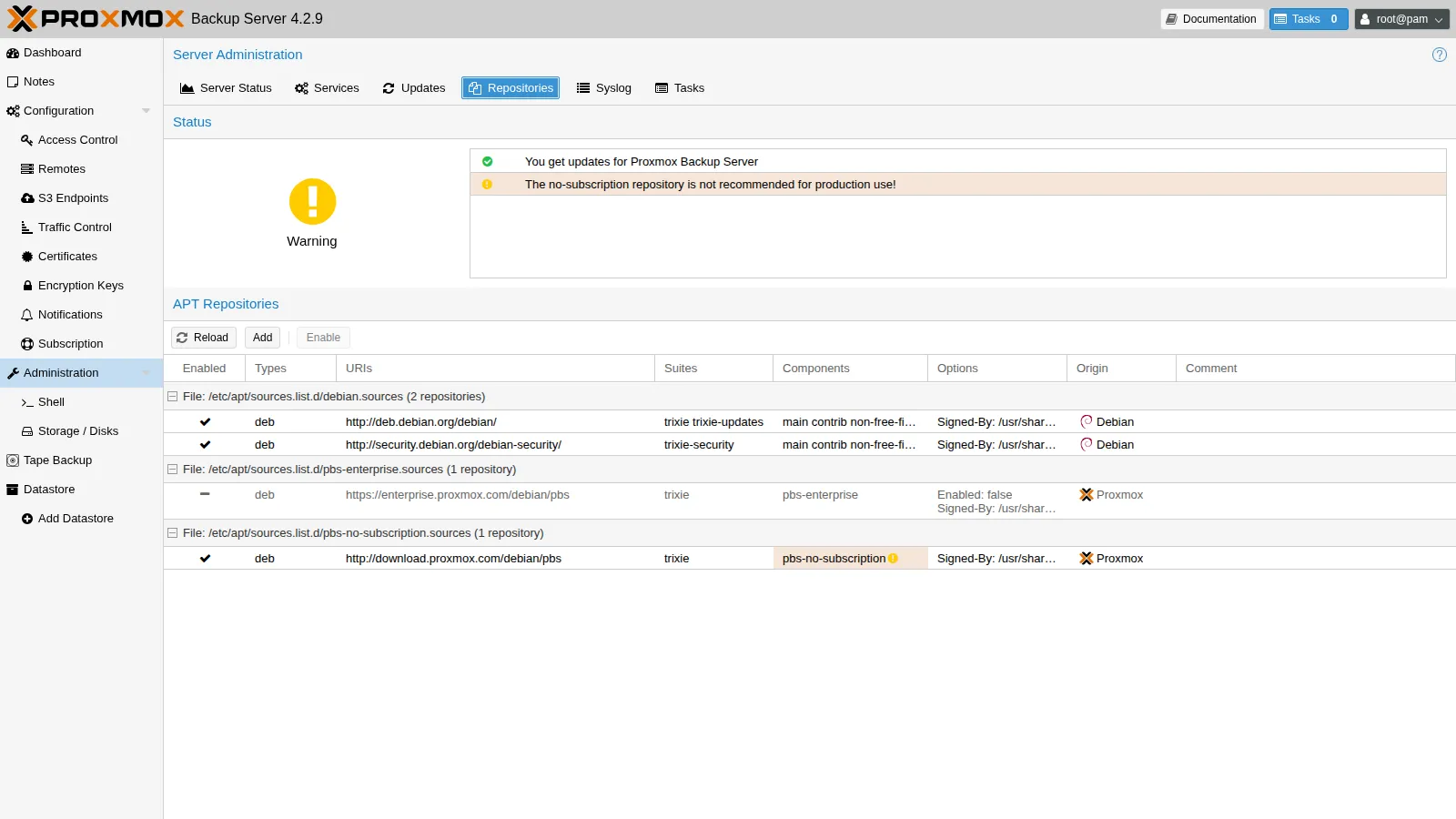
As for PVE (Lab 04): disable the enterprise repository and add the no-subscription one. Then configure the proxy for apt and for PBS, point NTP to the lab server and update.
# repositorysed -i "s/^Types: deb$/Types: deb\nEnabled: false/" /etc/apt/sources.list.d/pbs-enterprise.sourcescat > /etc/apt/sources.list.d/pbs-no-subscription.sources <<'EOF'Types: debURIs: http://download.proxmox.com/debian/pbsSuites: trixieComponents: pbs-no-subscriptionSigned-By: /usr/share/keyrings/proxmox-archive-keyring.gpgEOF
# proxy: for apt and for PBS (downloads, notifications)echo 'Acquire::http::Proxy "http://proxy.proxmox.community:3128";' > /etc/apt/apt.conf.d/80proxyproxmox-backup-manager node update --http-proxy http://proxy.proxmox.community:3128
# NTP to the lab serversed -i 's/^pool /#pool /' /etc/chrony/chrony.confecho "server ntp.proxmox.community iburst" > /etc/chrony/sources.d/lab.sourcessystemctl restart chronychronyc sources | tail -1^* netsvc.proxmox.community 3 6 17 1 -22us[ -71us] +/- 22msapt update && apt full-upgrade -yproxmox-backup-manager versionsproxmox-backup-server 4.2.9-1 running version: 4.2.9Administration → Repositories confirms the configuration: enterprise disabled, no-subscription enabled.
IPv6 as on the nodes. As for the nodes in Lab 25, here too there is no autoconfiguration from the router’s RAs, and the link-local addresses are not derived from the MAC. Create the same /etc/sysctl.d/90-ipv6-host.conf file and apply it with sysctl --system; it takes full effect from the next reboot. On desopbs01:
cat /etc/sysctl.d/90-ipv6-host.conf# Indirizzi IPv6 del nodo solo statici: nessuna interfaccia accetta gli RA o si autoconfigura (SLAAC).# Il carattere * vale anche per le schede che compaiono dopo l'avvio (systemd le applica a ogni nuova interfaccia).net.ipv6.conf.*.accept_ra = 0net.ipv6.conf.*.autoconf = 0# Link-local non derivati dal MAC (RFC 7217, "stable privacy" con segreto casuale)net.ipv6.conf.all.addr_gen_mode = 3net.ipv6.conf.default.addr_gen_mode = 33. Datastore on a ZFS mirror
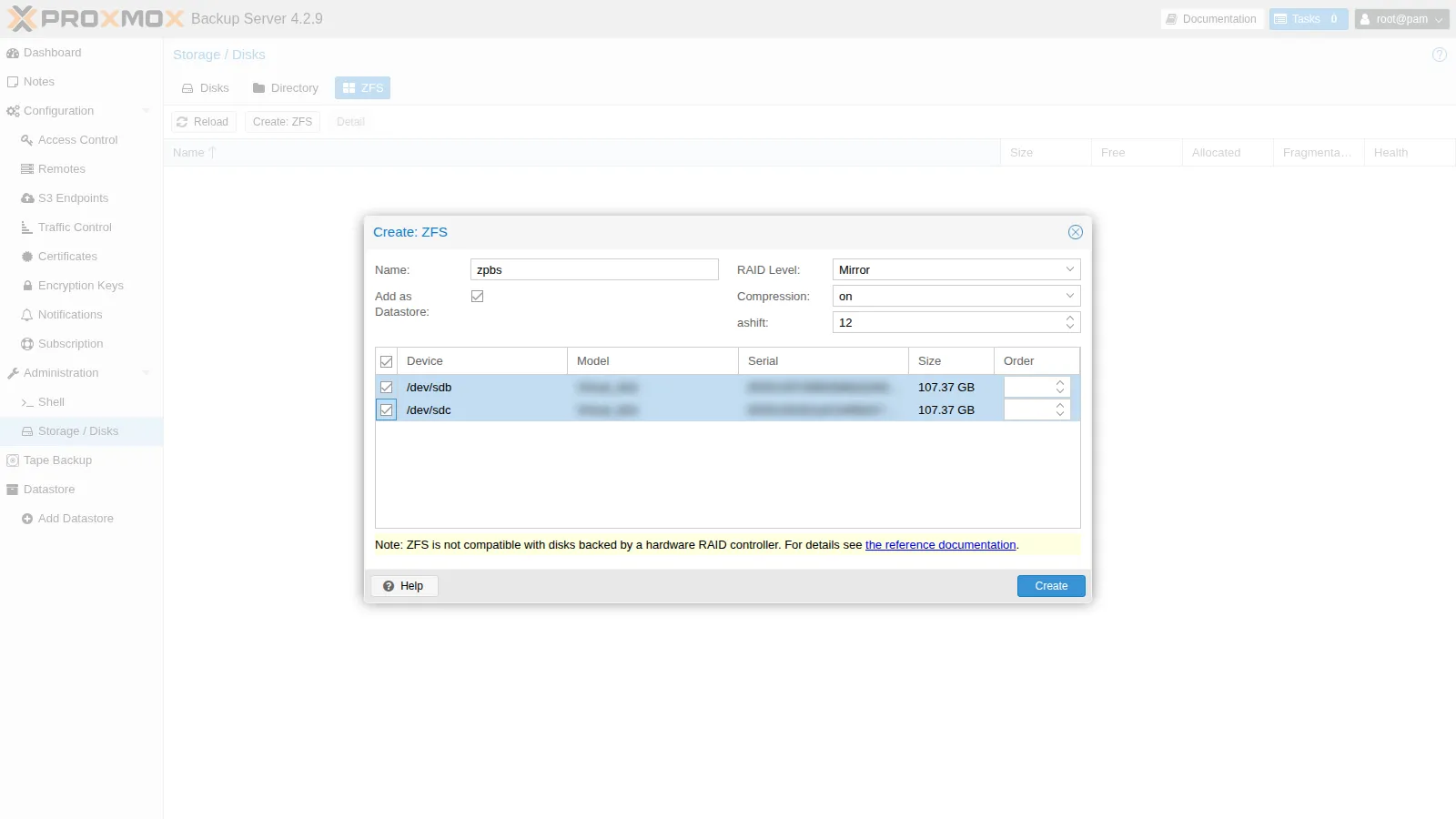
Section titled “3. Datastore on a ZFS mirror”Administration → Storage / Disks → ZFS → Create: ZFS:
- Name
zpbs, RAID Level Mirror, Compressionon, ashift 12; - disks
/dev/sdband/dev/sdc; - Add as Datastore checked: PBS creates the pool and, on top of it, the datastore with the same name.
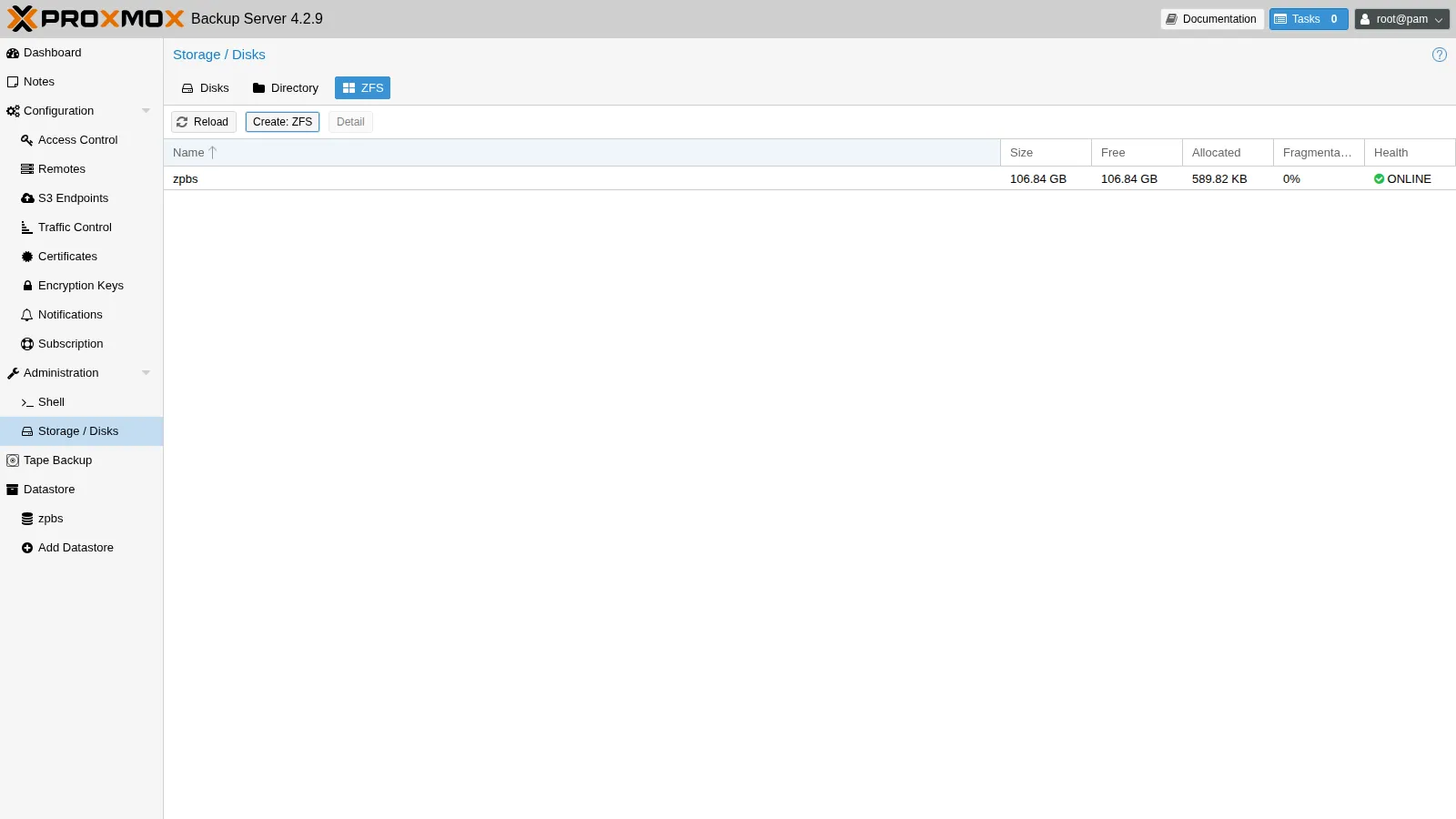
proxmox-backup-manager datastore list┌──────┬─────────────────────┬─────────┐│ name │ path │ comment │╞══════╪═════════════════════╪═════════╡│ zpbs │ /mnt/datastore/zpbs │ │└──────┴─────────────────────┴─────────┘The mirror protects against the failure of one disk. PBS checks the integrity of the chunks (verify), but that does not replace disk redundancy.
4. User and token for the cluster, with minimal permissions
Section titled “4. User and token for the cluster, with minimal permissions”The cluster must not use the PBS root@pam. Create a user in the PBS internal realm and a token for it, and grant the DatastoreBackup role on that datastore only:
proxmox-backup-manager user create pve-backup@pbs --comment "Backup dal cluster PVE"proxmox-backup-manager user generate-token pve-backup@pbs pve --comment "token per il cluster PVE"Result: { "tokenid": "pve-backup@pbs!pve", "value": "<segreto>"}The secret is shown only once: copy it right away.
for a in 'pve-backup@pbs' 'pve-backup@pbs!pve'; do proxmox-backup-manager acl update /datastore/zpbs DatastoreBackup --auth-id "$a"doneproxmox-backup-manager acl list┌────────────────────┬─────────────────┬───────────┬─────────────────┐│ ugid │ path │ propagate │ roleid │╞════════════════════╪═════════════════╪═══════════╪═════════════════╡│ pve-backup@pbs │ /datastore/zpbs │ 1 │ DatastoreBackup │├────────────────────┼─────────────────┼───────────┼─────────────────┤│ pve-backup@pbs!pve │ /datastore/zpbs │ 1 │ DatastoreBackup │└────────────────────┴─────────────────┴───────────┴─────────────────┘The permission must be granted both to the user and to the token: as in PVE (Lab 44), a token with privilege separation gets the intersection of the permissions.
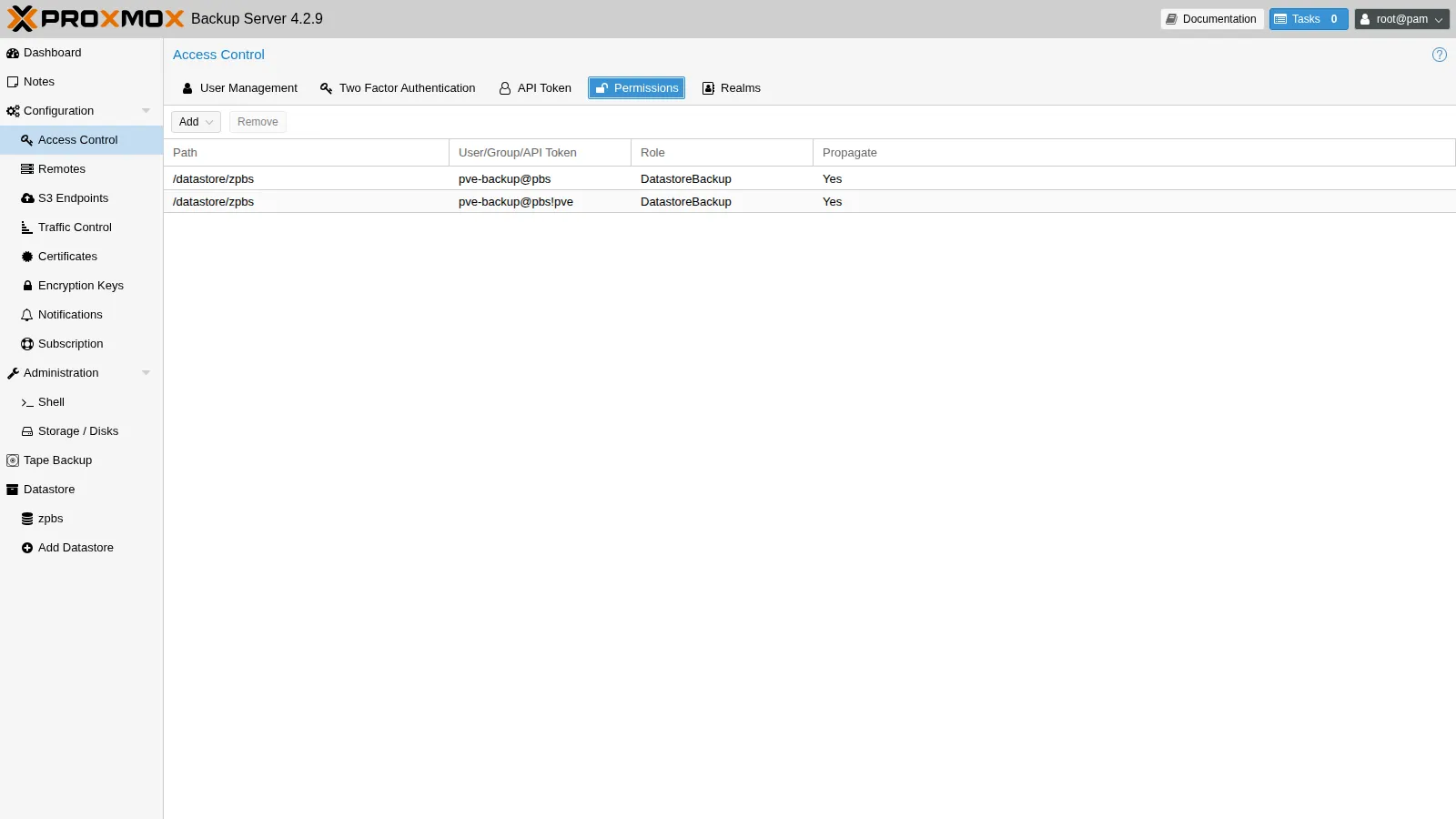
With DatastoreBackup, the cluster can create backups and restore the ones it owns, but it can neither see nor delete anyone else’s backups. If a cluster is compromised, it cannot wipe the entire datastore.
5. The PBS storage in the cluster
Section titled “5. The PBS storage in the cluster”You need the fingerprint of the PBS certificate. You can read it in Dashboard → Show Fingerprint or from the CLI:
proxmox-backup-manager cert info | grep -i fingerprintFingerprint (sha256): 31:0b:24:ed:32:07:8f:84:23:bd:2d:66:4f:15:aa:66:da:55:c0:e0:26:45:8f:19:78:f5:3e:cc:a6:2f:34:18On PVE: Datacenter → Storage → Add → Proxmox Backup Server. ID pbs01, Server 172.27.199.40, Username pve-backup@pbs!pve, the token secret as Password, Datastore zpbs, Fingerprint.
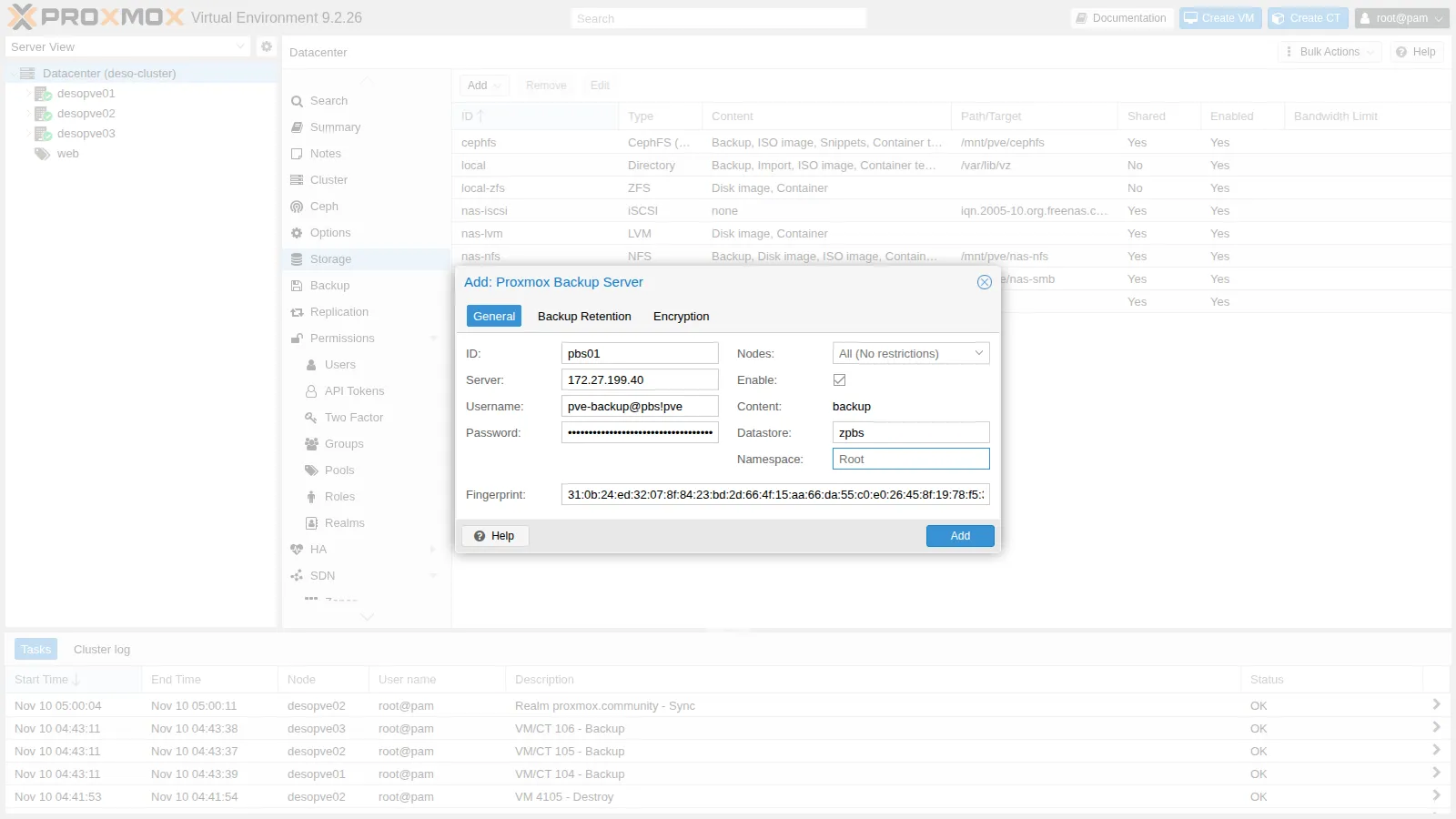
pvesm status --storage pbs01Name Type Status Total (KiB) Used (KiB) Available (KiB) %pbs01 pbs active 101088896 24960 101063936 0.02%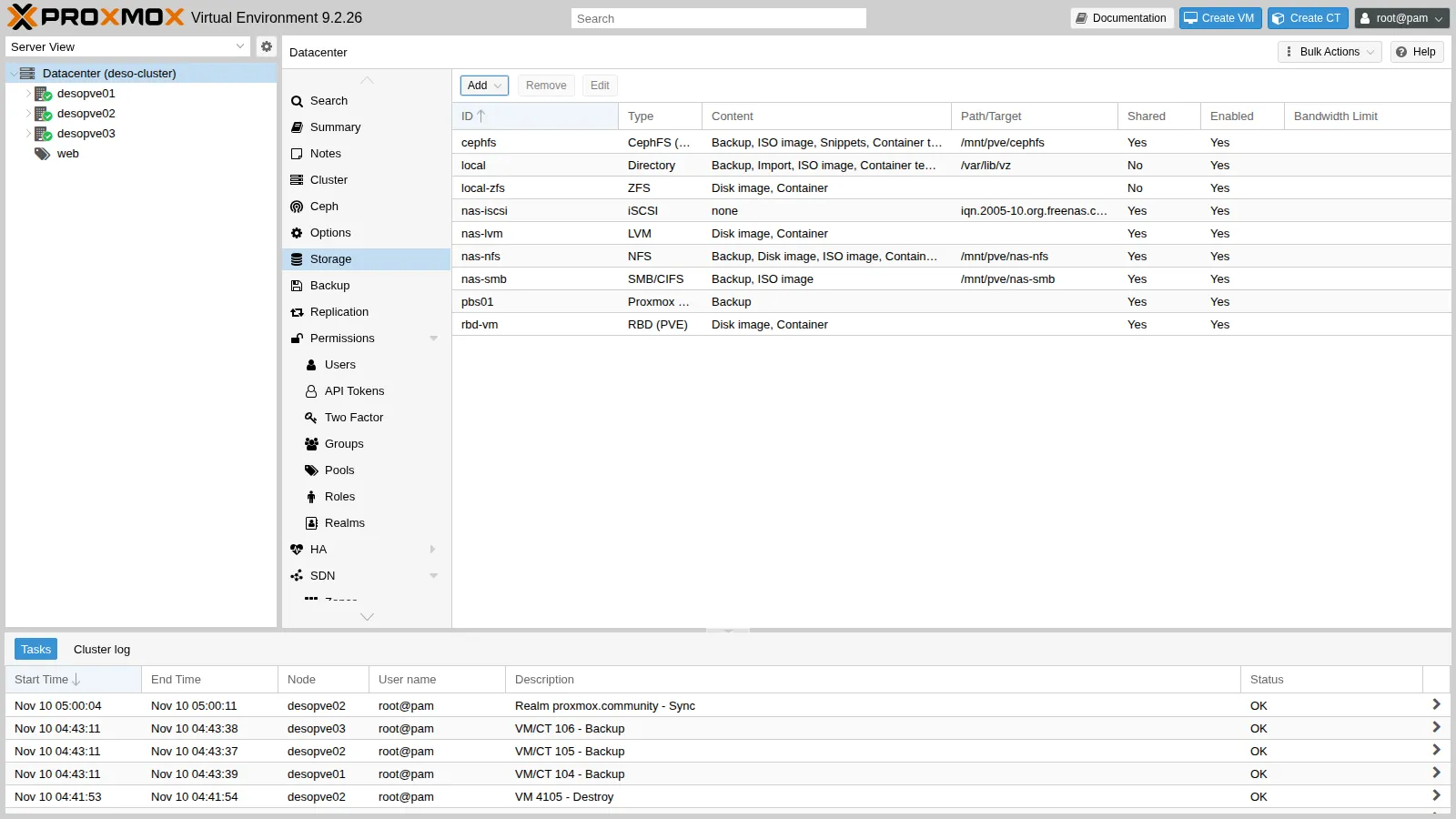
The secret ends up in /etc/pve/priv/storage/pbs01.pw, readable only by root and replicated to all nodes.
6. First backup, incremental backups and deduplication
Section titled “6. First backup, incremental backups and deduplication”First backup of VM 104 (web01, 8 GiB disk):
vzdump 104 --storage pbs01 --mode snapshotINFO: scsi0: dirty-bitmap status: created newINFO: backup is sparse: 6.61 GiB (82%) total zero dataINFO: backup was done incrementally, reused 6.82 GiB (85%)INFO: transferred 8.00 GiB in 17 seconds (481.9 MiB/s)INFO: Finished Backup of VM 104 (00:00:18)The disk is mostly empty: chunks made of zeros are all identical and are stored only once.
Second backup, right after:
INFO: scsi0: dirty-bitmap status: OK (24.0 MiB of 8.0 GiB dirty)INFO: using fast incremental mode (dirty-bitmap), 24.0 MiB dirty of 8.0 GiB totalINFO: backup was done incrementally, reused 7.98 GiB (99%)INFO: transferred 24.00 MiB in 1 seconds (24.0 MiB/s)INFO: Finished Backup of VM 104 (00:00:02)18 s versus 2 s. QEMU read only the 24 MiB that changed.
Then VMs 105 and 106, clones of the same template:
== 105INFO: backup was done incrementally, reused 6.82 GiB (85%)INFO: transferred 8.00 GiB in 14 seconds (585.1 MiB/s)== 106INFO: backup was done incrementally, reused 6.83 GiB (85%)INFO: transferred 8.00 GiB in 14 seconds (585.1 MiB/s)reused counts only the chunks that the client knows are already present, that is, those of the previous backup of the same group. Identical chunks across different VMs are discarded by the server anyway: you can see it in the deduplication factor (step 8).
Containers with metadata mode. For CTs, the two-archive format is used (.mpxar for metadata + .ppxar for the payload):
vzdump 121 --storage pbs01 --mode snapshot --pbs-change-detection-mode metadataFirst backup:
INFO: root.ppxar: had to backup 651.636 MiB of 651.636 MiB (compressed 226.725 MiB) in 34.01 s (average 19.16 MiB/s)INFO: Finished Backup of VM 121 (00:00:42)Second backup:
INFO: Change detection summary:INFO: root.ppxar: reused 651.636 MiB from previous snapshot for unchanged files (343 chunks)INFO: root.ppxar: had to backup 8 MiB of 659.636 MiB (compressed 257.076 KiB) in 3.14 s (average 2.55 MiB/s)INFO: root.ppxar: backup was done incrementally, reused 651.636 MiB (98.8%)INFO: Finished Backup of VM 121 (00:00:08)42 s versus 8 s. The client did not reread the unchanged files.
7. The backup in the PVE GUI
Section titled “7. The backup in the PVE GUI”The pbs01 storage shows the backups with the pbs-vm / pbs-ct format and the verification state.
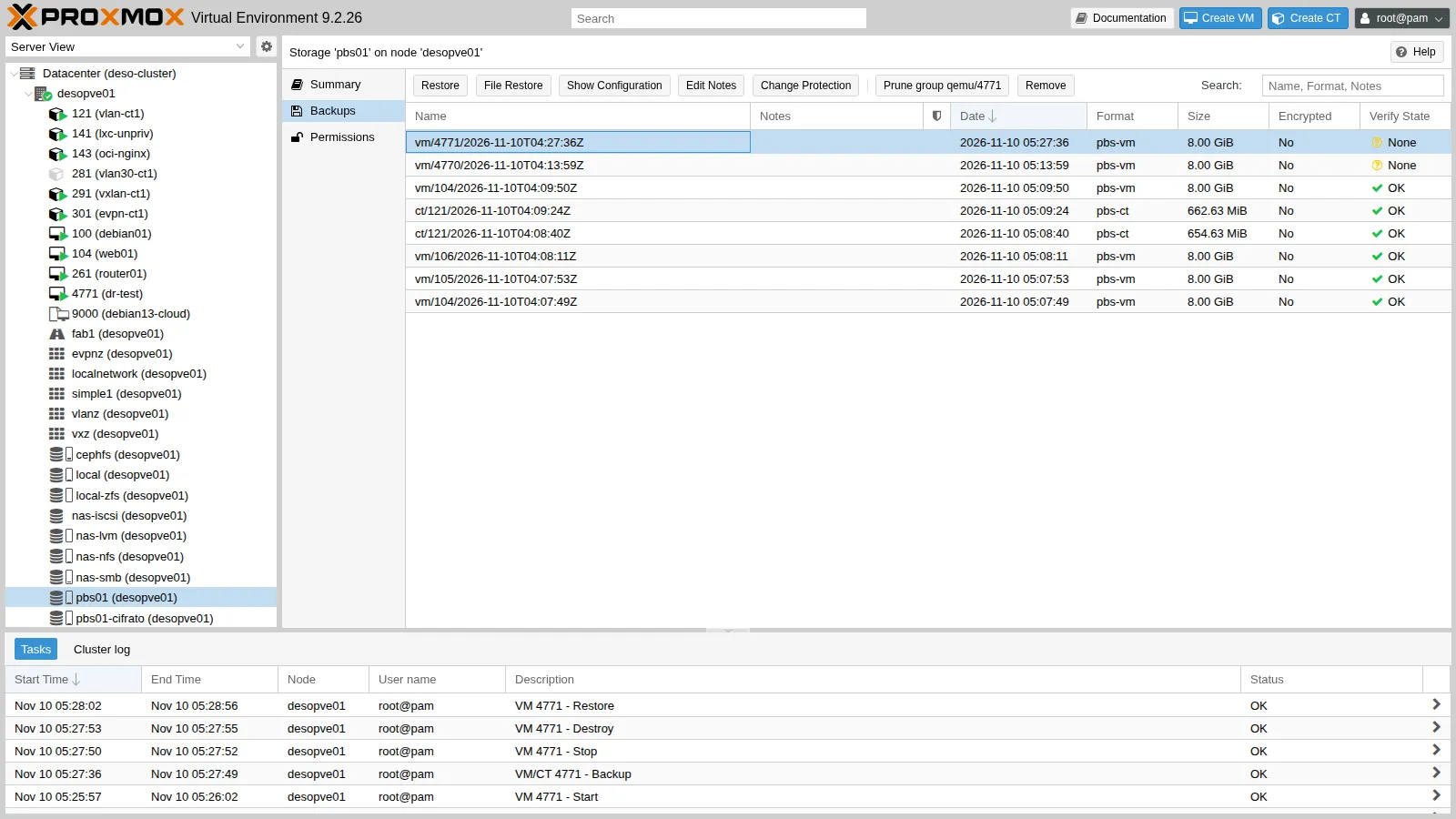
8. Verify, prune and garbage collection
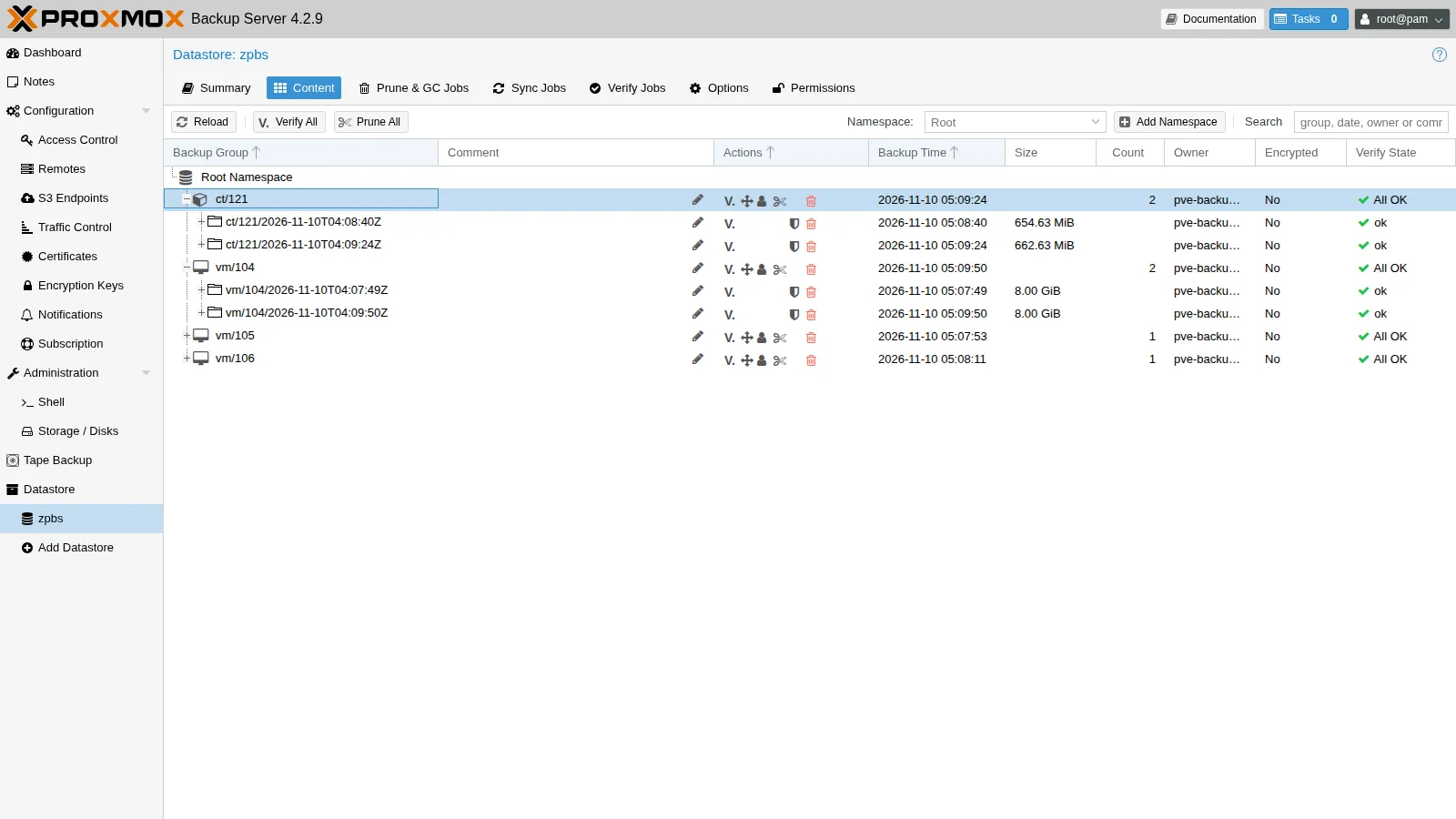
Section titled “8. Verify, prune and garbage collection”At this point VM 104 has three backups: the two from step 6 and a third one, taken right after with the same vzdump 104 --storage pbs01 --mode snapshot. The prune with keep-last 2 removes the oldest one.
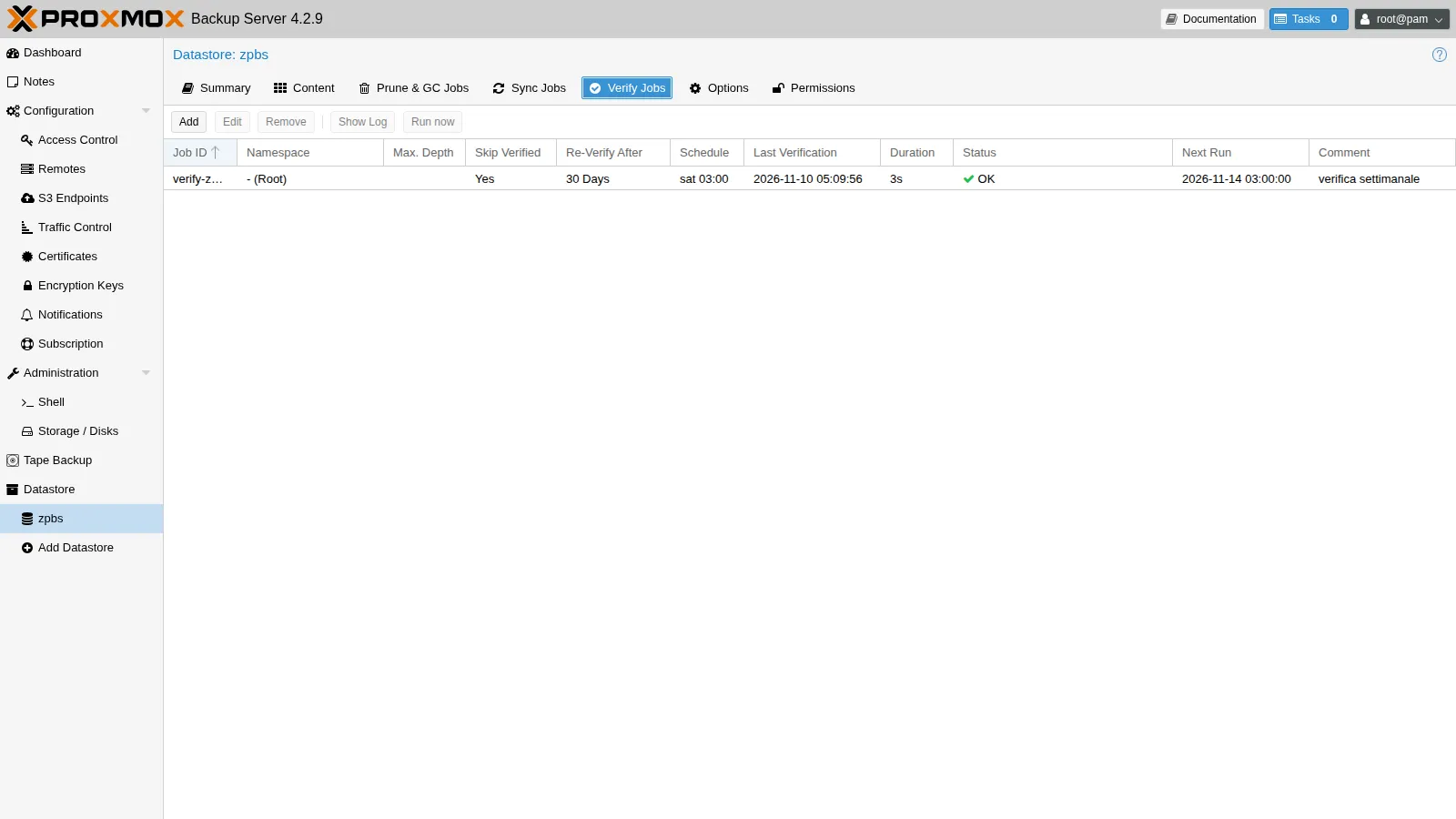
proxmox-backup-manager verify-job create verify-zpbs --store zpbs --schedule "sat 03:00" \  --ignore-verified true --outdated-after 30 --comment "verifica settimanale"proxmox-backup-manager verify-job run verify-zpbs        # about 4 s in the lab
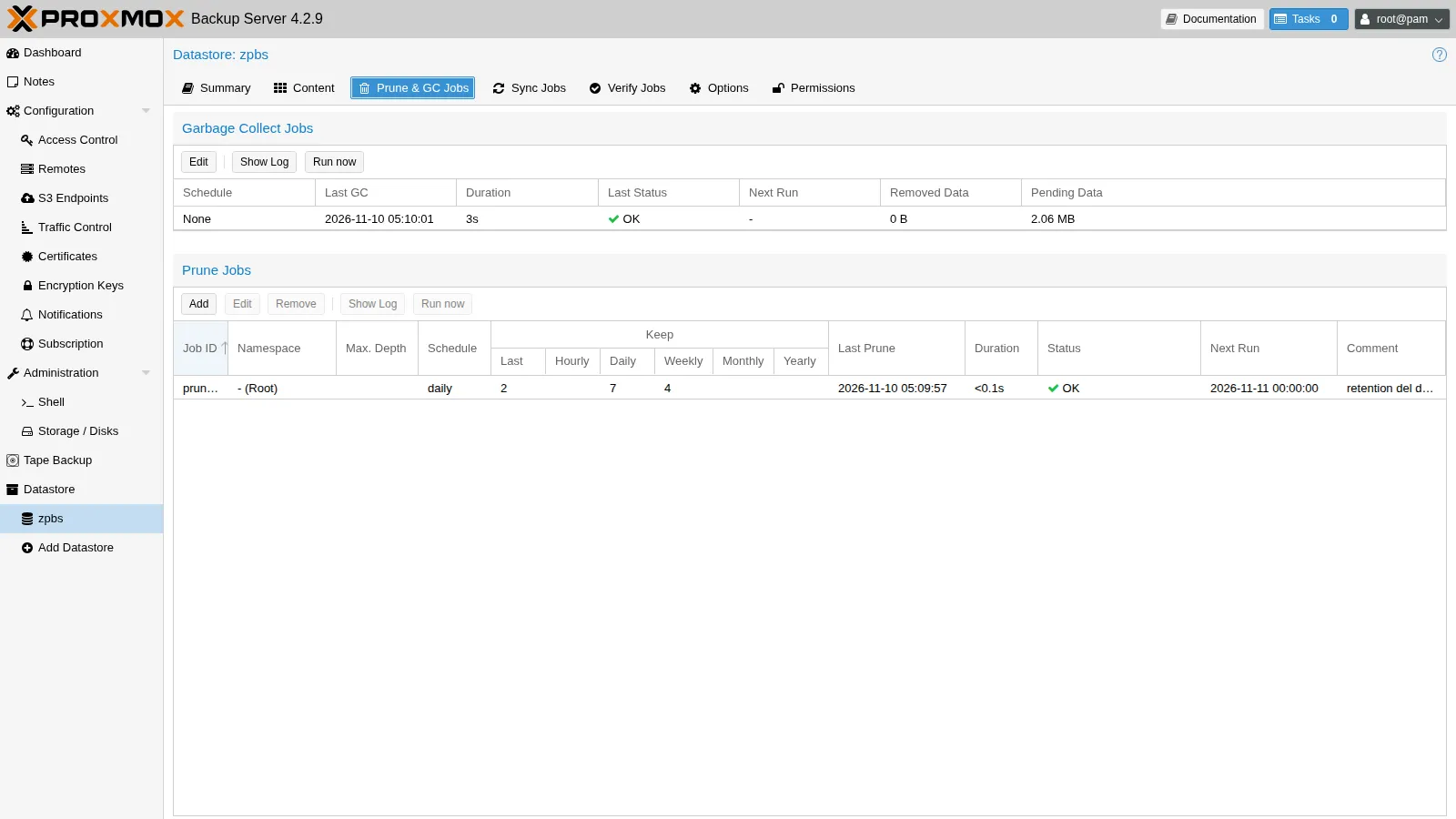
proxmox-backup-manager prune-job create prune-zpbs --store zpbs --schedule daily \ --keep-last 2 --keep-daily 7 --keep-weekly 4 --comment "retention del datastore"proxmox-backup-manager prune-job run prune-zpbsretention options: --keep-last 2 --keep-daily 7 --keep-weekly 4keep ct/121/2026-11-10T04:08:40Zkeep ct/121/2026-11-10T04:09:24Zkeep vm/105/2026-11-10T04:07:53Zkeep vm/106/2026-11-10T04:08:11Zremove vm/104/2026-11-10T04:07:23Zkeep vm/104/2026-11-10T04:07:49Zkeep vm/104/2026-11-10T04:09:50Z- Verify rereads the chunks and checks their hash again;
--ignore-verifiedwith--outdated-after 30re-verifies each snapshot at most once a month. - Prune deletes only the backup indexes. The chunks remain until garbage collection determines that no index uses them anymore.
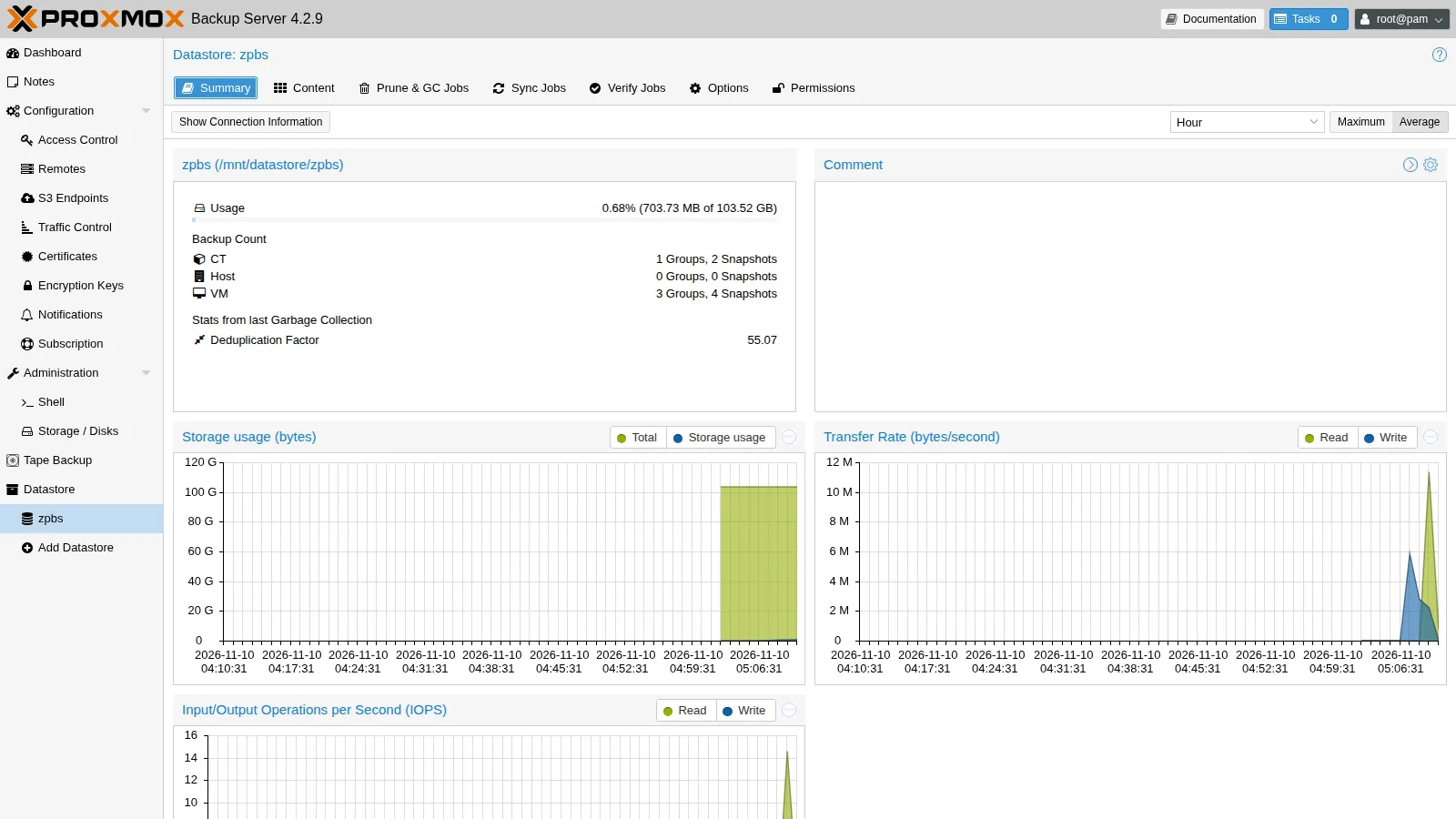
proxmox-backup-manager garbage-collection start zpbsRemoved garbage: 0 BRemoved chunks: 0Pending removals: 1.963 MiB (in 5 chunks)Original data usage: 33.286 GiBOn-Disk usage: 618.932 MiB (1.82%)On-Disk chunks: 754Deduplication factor: 55.07Average chunk size: 840.564 KiBTASK OKTwo things stand out:
- Deduplication factor 55.07. 33.3 GiB of backups take up 619 MiB: zeros, VMs cloned from the same template and repeated backups share the same chunks.
- Pending removals. The chunks of the backup just removed are not deleted immediately. GC removes only chunks that have not been touched for at least 24 hours and 5 minutes, so as not to delete chunks that a running backup is reusing. The space is freed by the next day’s GC.
9. Client-side encryption and a lost key
Section titled “9. Client-side encryption and a lost key”Create a cifrati namespace and a second PVE storage that uses it with an encryption key:
# on PBSproxmox-backup-client namespace create cifrati --repository root@pam@localhost:zpbs
# on a PVE nodepvesm add pbs pbs01-cifrato --server 172.27.199.40 --datastore zpbs --namespace cifrati \ --username 'pve-backup@pbs!pve' --password '<segreto-del-token>' \ --fingerprint 31:0b:24:...:34:18 --content backup --encryption-key autogenls -l /etc/pve/priv/storage/ | grep pbs-rw------- 1 root www-data 255 Nov 10 05:11 pbs01-cifrato.enc-rw------- 1 root www-data 37 Nov 10 05:11 pbs01-cifrato.pw-rw------- 1 root www-data 37 Nov 10 05:06 pbs01.pwvzdump 105 --storage pbs01-cifrato --mode snapshotINFO: enabling encryptionINFO: transferred 8.00 GiB in 13 seconds (630.2 MiB/s)INFO: Finished Backup of VM 105 (00:00:14)PBS shows the backup as Encrypted. You cannot open it from the PBS GUI: the server does not have the key.
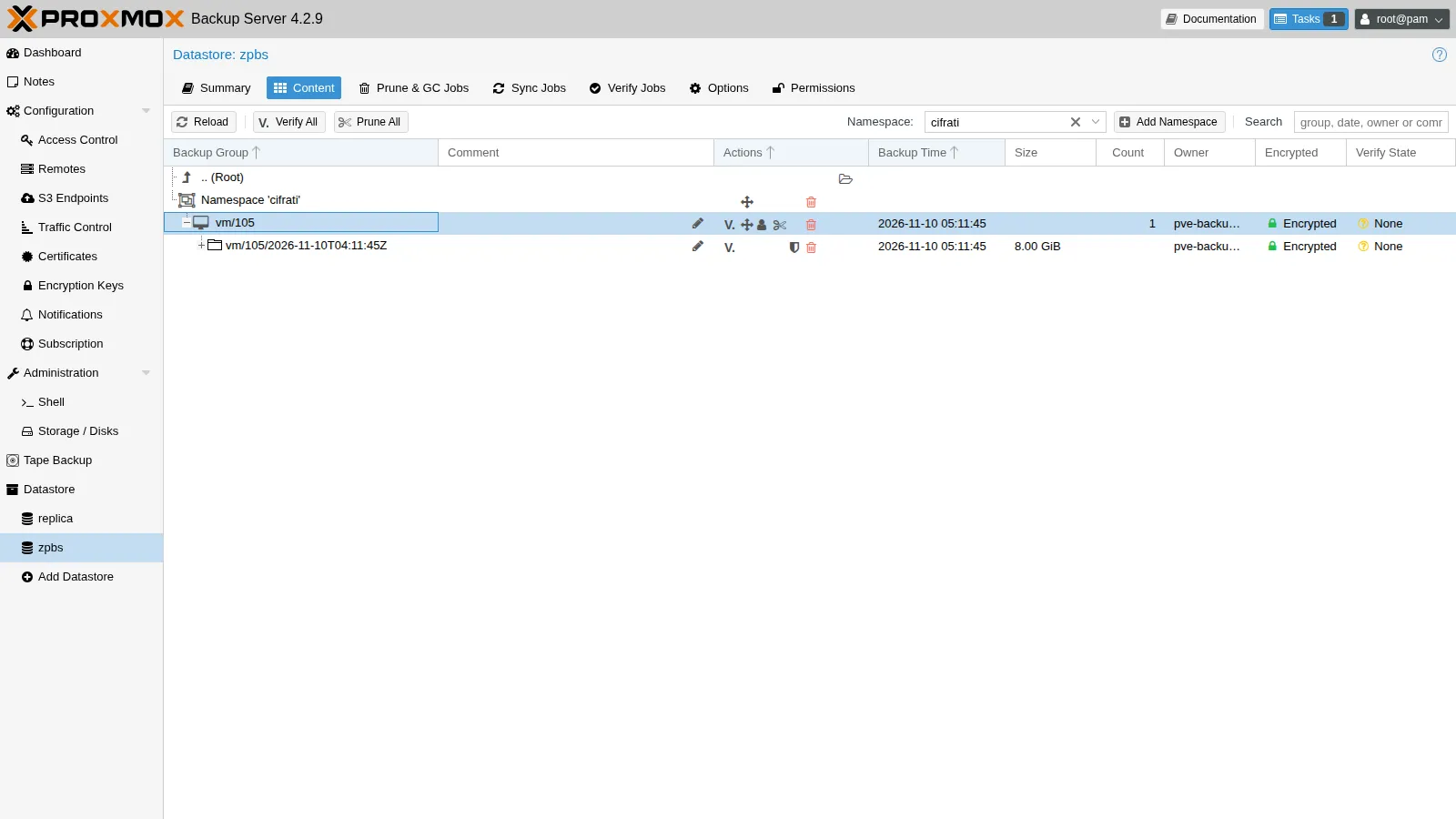
Where the key is. In /etc/pve/priv/storage/pbs01-cifrato.enc, and therefore on all the nodes of the cluster. It is also in the backups of /etc/pve, if there are any. If you lose the cluster, you lose the key.
proxmox-backup-client key show /etc/pve/priv/storage/pbs01-cifrato.enc│ path │ "/etc/pve/priv/storage/pbs01-cifrato.enc" ││ kdf │ none ││ fingerprint │ ea:2f:5a:2f:aa:61:d2:14:4f:ad:39:3c:... │Copy it outside the cluster right after creating it:
- in a password manager or a safe, as a file;
- on paper:
proxmox-backup-client key paperkey <file.enc> --output-format textproduces printable text with a QR code.
Test: restore without the key. A storage that points to the same namespace, but without the key:
pvesm add pbs pbs01-senza-chiave … --namespace cifrati # same parameters, no --encryption-keyqmrestore pbs01-senza-chiave:backup/vm/105/2026-11-10T04:11:45Z 4799 --storage rbd-vmError: missing key - manifest was created with key ea:2f:5a:2f:aa:61:d2:14error before or during data restore, some or all disks were not completely restored. VM 4799 state is NOT cleaned up.Without the key, the backup is unrecoverable: neither Proxmox nor anyone else can open it again. The failed restore leaves a locked VM 4799: clean it up with qm unlock 4799 && qm destroy 4799 --purge, then remove the test storage.
10. File restore
Section titled “10. File restore”For this step and the next one you need a VM with data to recover: VM 4771 dr-test, a clone of the template with nginx and the guest agent. Create it, write an “important” file, back it up to PBS and then destroy it, as in a disaster:
qm clone 9000 4771 --name dr-testqm set 4771 --ipconfig0 ip=172.27.199.177/24,gw=172.27.199.1 --cicustom vendor=cephfs:snippets/web-vendor.yamlqm start 4771# after the first boot, once the agent responds (qm agent 4771 ping)qm guest exec 4771 -- sh -c 'echo dati-importanti-$(date +%s) > /root/marker.txt'vzdump 4771 --storage pbs01 --mode snapshotqm stop 4771 && qm destroy 4771 --purgeINFO: issuing guest-agent 'fs-freeze' commandINFO: issuing guest-agent 'fs-thaw' commandINFO: transferred 8.00 GiB in 12 seconds (682.7 MiB/s)INFO: Finished Backup of VM 4771 (00:00:13)Now the file restore. From the PVE GUI: storage pbs01 → Backups → select the backup of 4771 → File Restore. PVE starts a small helper VM on the node, which reads the backup from PBS and mounts its file systems.
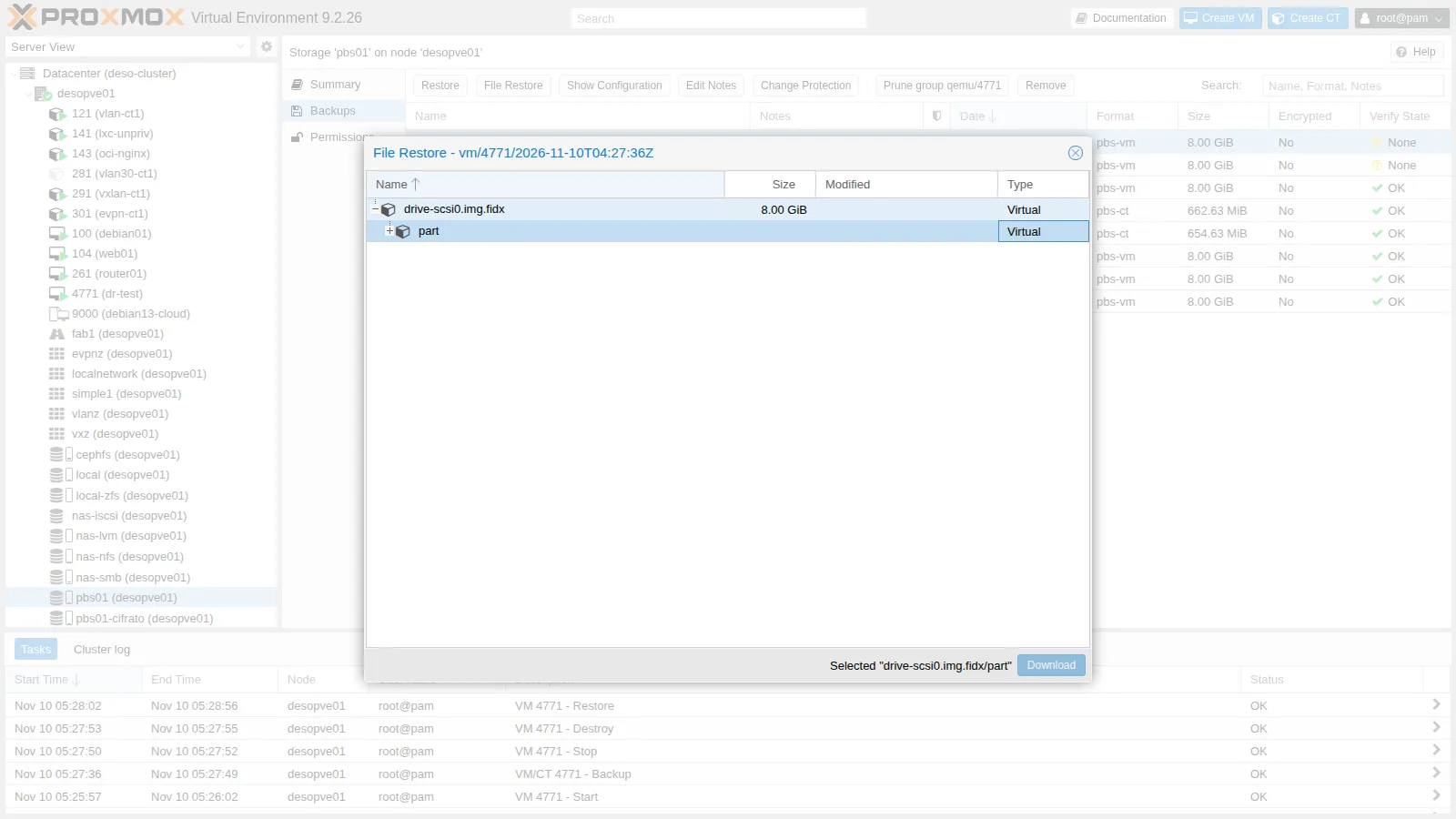
export PBS_REPOSITORY='pve-backup@[email protected]:zpbs' PBS_PASSWORD='<segreto>' PBS_FINGERPRINT=31:0b:...:34:18S=vm/4771/2026-11-10T04:27:36Zproxmox-file-restore list $S /drive-scsi0.img.fidx/partproxmox-file-restore list $S /drive-scsi0.img.fidx/part/1/rootproxmox-file-restore extract $S /drive-scsi0.img.fidx/part/1/root/marker.txt /tmp/ripristinocat /tmp/ripristino/marker.txt│ d │ 1 │ │ 8455699968 ││ d │ 14 │ │ 3145728 ││ d │ 15 │ │ 130023424 │...│ f │ marker.txt │ 1794284847 │ 27 │...dati-importanti-1794284846The file was extracted without restoring the VM. The helper VM keeps running for a few minutes after the last use; while it is active, the snapshot is locked and cannot be deleted.
11. Live-restore: up and running before the restore finishes
Section titled “11. Live-restore: up and running before the restore finishes”Disaster recovery scenario: VM 4771 dr-test, backed up and destroyed in step 10, must be put back into service as soon as possible.
qmrestore pbs01:backup/vm/4771/2026-11-10T04:27:36Z 4771 --storage rbd-vm --live-restore 1starting VM for live-restorerepository: 'pve-backup@[email protected]:zpbs', snapshot: 'vm/4771/2026-11-10T04:27:36Z'restoring 'drive-scsi0' to 'rbd-vm:vm-4771-disk-0'restore-drive-scsi0: transferred 8.0 GiB of 8.0 GiB (100.00%) in 49srestore-drive-scsi0: stream-job finishedrestore-drive jobs finished successfully, removing all tracking block devices to disconnect from Proxmox Backup ServerThe VM is started at the beginning: the blocks it needs are read from PBS on demand, the rest is copied in the background.
| Measured in the lab | Time |
|---|---|
| Full copy of the 8 GiB disk | 55 s |
| nginx page reachable | 67 s |
On a small, almost empty disk there is no advantage: the boot and the copy compete for the same bandwidth. Live-restore pays off with large disks, when the full copy would take hours and the operating system needs only a few GB to start. The /root/marker.txt file written before the backup is intact.
When the test is over, delete the VM and its backup:
qm stop 4771 && qm destroy 4771 --purgepvesm free pbs01:backup/vm/4771/2026-11-10T04:27:36ZA lesson from the lab: backups without the guest agent. The first attempt at this exercise, with a clone without the guest agent (VM 4770) backed up about 50 s after its first boot, produced a backup in which /etc/netplan/50-cloud-init.yaml was empty. The restored VM booted, but without network. The file had been written by cloud-init a few seconds earlier: without fs-freeze the snapshot is only crash-consistent and takes the disk as it is, with the data still cached in the guest. With the guest agent, the backup freezes the file systems and the problem does not occur again (Lab 38).
12. Sync job to a second datastore
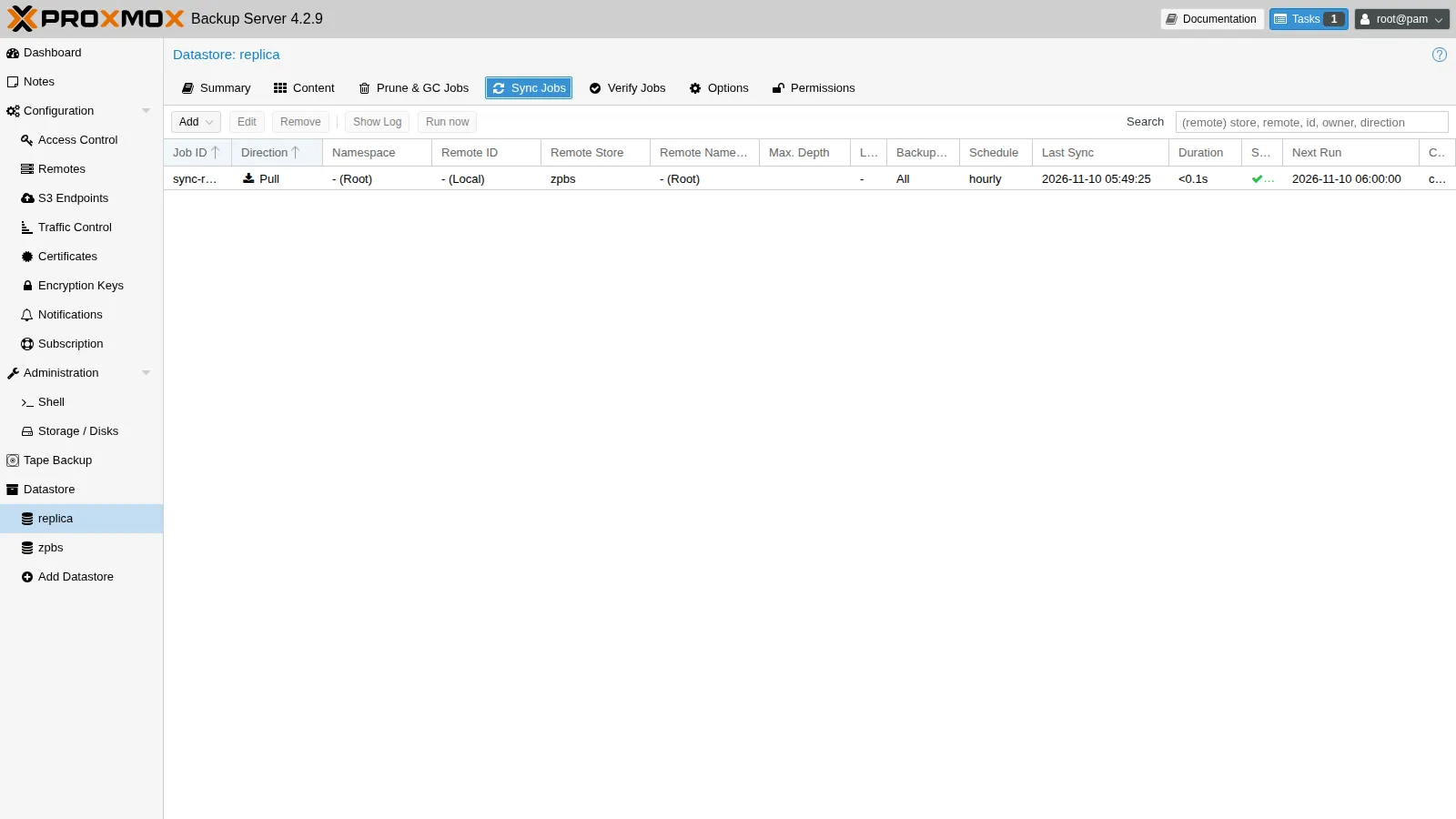
Section titled “12. Sync job to a second datastore”In production the copy goes to another PBS, at another site (a remote). In the lab, the same mechanism is shown with a second local datastore:
zfs create -o mountpoint=/mnt/datastore/replica zpbs/replicaproxmox-backup-manager datastore create replica /mnt/datastore/replica \ --comment "copia locale (in produzione: su un altro PBS)"proxmox-backup-manager sync-job create sync-replica --store replica --remote-store zpbs \ --schedule hourly --remove-vanished false --comment "copia del datastore zpbs"proxmox-backup-manager sync-job run sync-replica # 11 s the first time, 1 s the secondNAME USED REFERzpbs 1.72G 1.02Gzpbs/replica 718M 718MThe sync, too, transfers only the missing chunks: the second run takes 1 s. With --remove-vanished false, the backups deleted by prune on the source remain on the copy, which has its own retention.
S3 backend (PBS 4). The S3 Endpoints menu lets you create datastores on S3-compatible object storage (AWS, MinIO, Ceph RGW…), with a local cache. There is no S3 endpoint in the lab, so it is not tested here.
13. Scheduled job to PBS
Section titled “13. Scheduled job to PBS”For the following labs, add a nightly job that backs up the web pool to PBS:
pvesh create /cluster/backup --id pbs-notturno --pool web --storage pbs01 --schedule "22:30" \ --mode snapshot --enabled 1 --notes-template "{{guestname}} ({{vmid}}) - PBS" \ --comment "backup notturno del pool web su PBS"Retention is applied by PBS (prune job prune-zpbs), so the PVE job does not need it.
Notifications for GC, verify and sync are configured in Configuration → Notifications; that topic is covered in Lab 51.
Verification and tests
Section titled “Verification and tests”| Test | Result in the lab |
|---|---|
| Backup of VM 104, first and second | 18 s versus 2 s (24 MiB read with the dirty bitmap) |
| Backup of CT 121, metadata mode | 42 s versus 8 s (98.8% reused) |
| Deduplication factor after GC | 55.07 (33.3 GiB in 619 MiB) |
| Datastore verify | about 4 s, all snapshots ok |
Prune keep-last 2 |
oldest backup of VM 104 removed |
| Restore of an encrypted backup without the key | missing key: unrecoverable |
File restore of /root/marker.txt |
extracted from the backup |
| Live-restore of the destroyed VM | full copy in 55 s, service online at 67 s |
Sync to replica |
11 s the first time, 1 s the second |
Final lab state
Section titled “Final lab state”- desopbs01 (PBS 4.2.9): no-subscription repository, proxy, NTP to
ntp.proxmox.community.- ZFS pool
zpbs(mirror ofsdbandsdc). - Datastores
zpbs(root namespace andcifrati) andreplica(datasetzpbs/replica). - User
pve-backup@pbswith tokenpve, role DatastoreBackup on/datastore/zpbs. - Jobs:
verify-zpbs(Saturday 03:00),prune-zpbs(daily: keep-last 2, daily 7, weekly 4),sync-replica(hourly), daily GC by default.
- ZFS pool
- Cluster:
- storages
pbs01(root namespace) andpbs01-cifrato(namespacecifrati, with the key in/etc/pve/priv/storage/pbs01-cifrato.enc); - job
pbs-notturno: poolwebat 22:30 topbs01. The vzdump job tonas-nfsfrom Lab 46 remains.
- storages
- Backups on PBS: VM 104 (2), 105, 106, CT 121 (2); VM 105 also encrypted.
- Cleanup: test VMs 4770, 4771 and 4799 deleted, together with their backups.
What you learned
Section titled “What you learned”- PBS stores deduplicated chunks: the same data takes up space only once, across backups and across VMs.
- The dirty bitmap (VMs) and metadata mode (CTs) make subsequent backups extremely fast.
- Connect the cluster with a token that has DatastoreBackup, not with root.
- With client-side encryption PBS cannot read the data; keep the key outside the cluster, because without the key the backup is lost.
- Prune deletes the indexes; GC frees the space after 24 hours; verify checks integrity.
- From PBS you can recover single files and perform a live-restore, which pays off with large disks.
- A backup without the guest agent is only crash-consistent: files that were just written may turn out empty.
- The sync job copies only the missing chunks; in production it targets another PBS.