

Lab 45 – Two-factor authentication: TOTP, WebAuthn, recovery keys
Dependencies
Section titled “Dependencies”- Previous labs:
- Systems: nodes
desopve01-03; an admin PC with a browser, a TOTP app (on a phone, or a program such asoathtool) and a FIDO2 security key (or a platform authenticator, for example Windows Hello). - Credentials:
root@pam,stagista@pve,mario.rossi, all with<lab-password>→ Appendix B.
Objectives
Section titled “Objectives”- Enable TOTP for a user and log in with the second factor.
- Configure WebAuthn for the whole cluster and register a FIDO2 security key.
- Generate and use recovery keys.
- See the lockout after too many wrong codes and unlock the user.
- Make 2FA mandatory for an entire realm.
- Understand what changes for the API, for tokens and for root@pam.
How it works
Section titled “How it works”With 2FA, logging in requires two proofs: the password (something you know) and a second factor (something you have). Proxmox VE supports four types, which can be configured together on the same user:
| Type | What it is | Notes |
|---|---|---|
| TOTP | 6-digit code that changes every 30 seconds, generated by an app | the secret is shared once, through a QR code |
| WebAuthn | FIDO2 security key (USB/NFC) or platform authenticator | phishing-resistant: the signature is bound to the domain |
| Recovery keys | 10 single-use codes | for when you lose your phone or your key |
| Yubico OTP | YubiKey codes verified by a Yubico server | requires a validation server |
Each user’s factors are stored in /etc/pve/priv/tfa.cfg, which is shared across the cluster. Users manage their own factors from the user menu → TFA; administrators manage them from Datacenter → Permissions → Two Factor.
2FA protects the password login (GUI and the /access/ticket API). API tokens and SSH/console access to the node are not affected.
WebAuthn and the domain. The browser signs the challenge only if the site address matches the configured ID (the domain, here proxmox.community), and only over a connection with a valid certificate: with the “untrusted certificate” warning, WebAuthn does not work.
Procedure
Section titled “Procedure”1. TOTP for a user
Section titled “1. TOTP for a user”In Datacenter → Permissions → Two Factor → Add → TOTP, choose the user stagista@pve and enter a description. Proxmox VE generates a secret and the QR code: scan it with the app (or copy the secret) and enter the first code in Verify Code, which proves that the app is set up correctly.
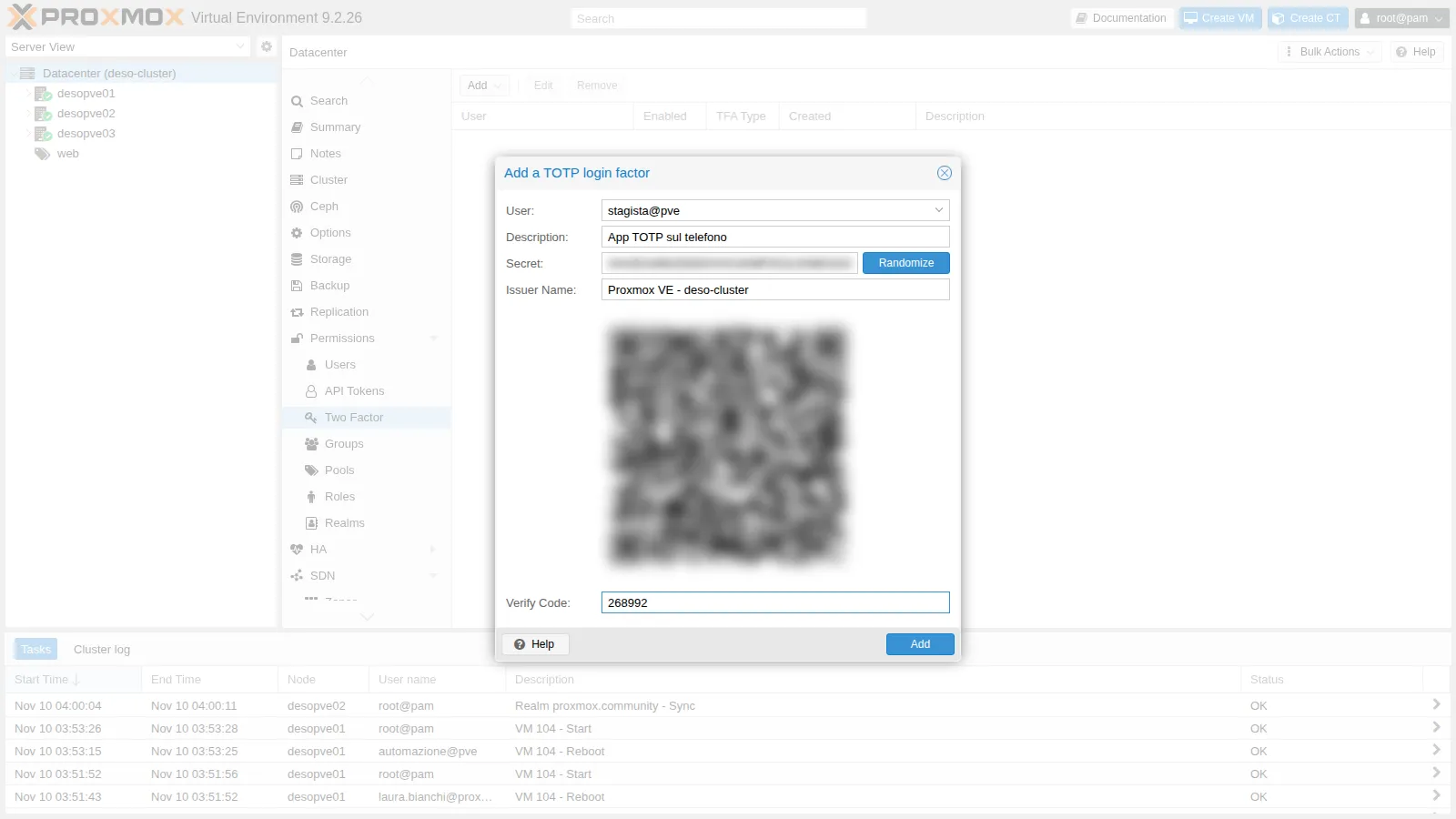
In the lab, the code comes from oathtool, which performs the same calculation as a TOTP app:
oathtool --totp -b <segreto-base32>268992After the password, the login asks for the second factor:
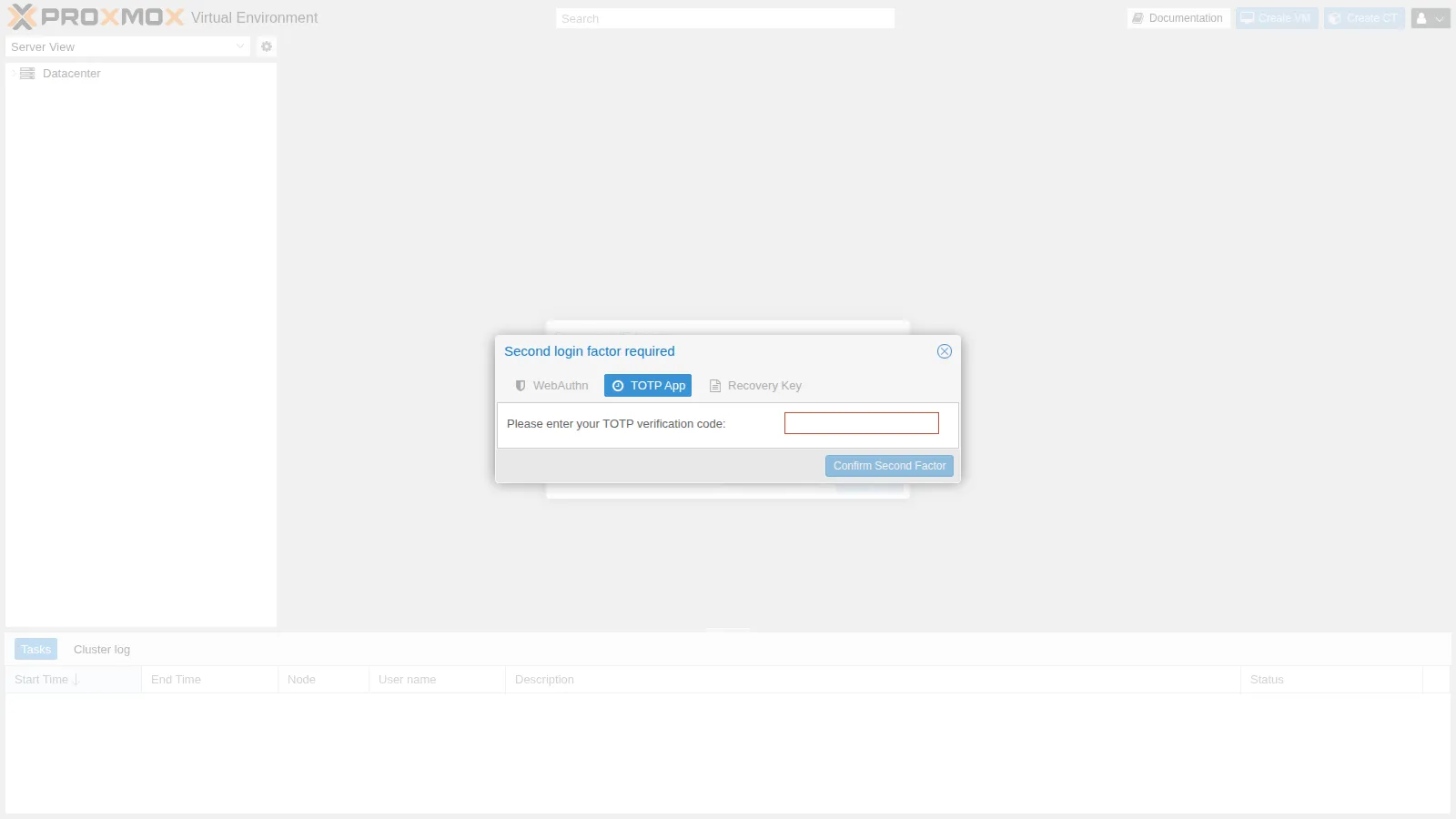
2. WebAuthn for the cluster
Section titled “2. WebAuthn for the cluster”WebAuthn is configured once for the whole datacenter in Datacenter → Options → WebAuthn Settings: Name (the name the browser shows), Origin (the address from which you use the GUI) and ID (the domain). Auto-fill fills them in with the current address.
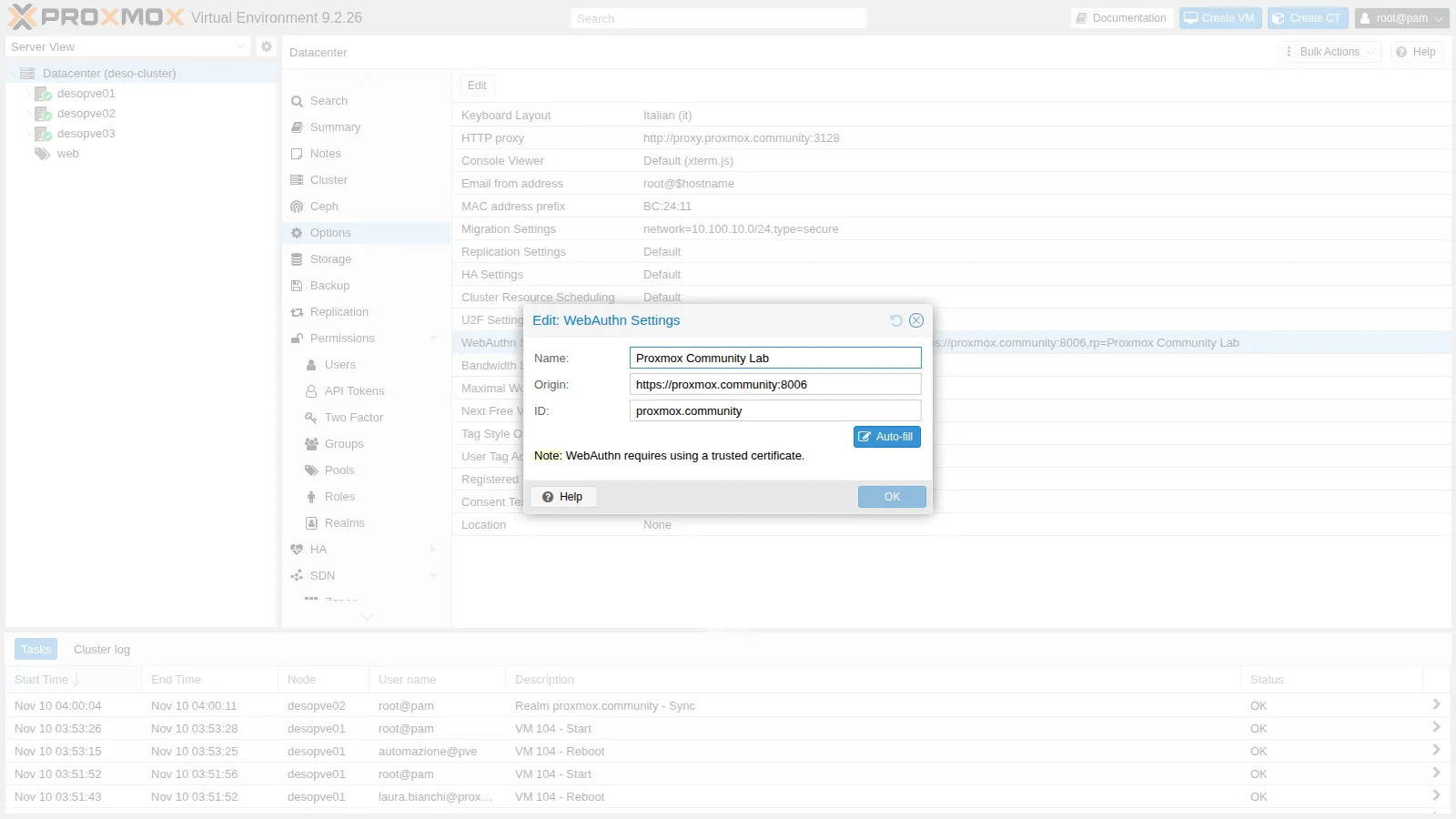
First test: the origin of a single node. Let’s configure the origin of desopve01 and the domain as the ID:
pvesh set /cluster/options --webauthn "rp=Proxmox Community Lab,origin=https://desopve01.proxmox.community:8006,id=proxmox.community,allow-subdomains=1"From https://desopve01.proxmox.community:8006, logging in with the key works; from https://desopve02.proxmox.community:8006, the same key is rejected:
Login failed: authentication failure (401)The origin desopve02.… is not a subdomain of the configured origin (desopve01.…). Second test: an origin at the domain level, with allow-subdomains=1 (an option that the GUI does not offer: you set it from the CLI or in /etc/pve/datacenter.cfg):
pvesh set /cluster/options --webauthn "rp=Proxmox Community Lab,origin=https://proxmox.community:8006,id=proxmox.community,allow-subdomains=1"grep webauthn /etc/pve/datacenter.cfgwebauthn: rp=Proxmox Community Lab,origin=https://proxmox.community:8006,id=proxmox.community,allow-subdomains=1Now the same key works on all nodes: logging in with the key succeeds both from https://desopve01.proxmox.community:8006 and from https://desopve02.proxmox.community:8006.
3. Registering the security key
Section titled “3. Registering the security key”The user, from the user menu → TFA → Add → WebAuthn, enters a description, confirms their password (required because they already have another factor) and clicks Register Webauthn Device: the browser asks to touch the key.
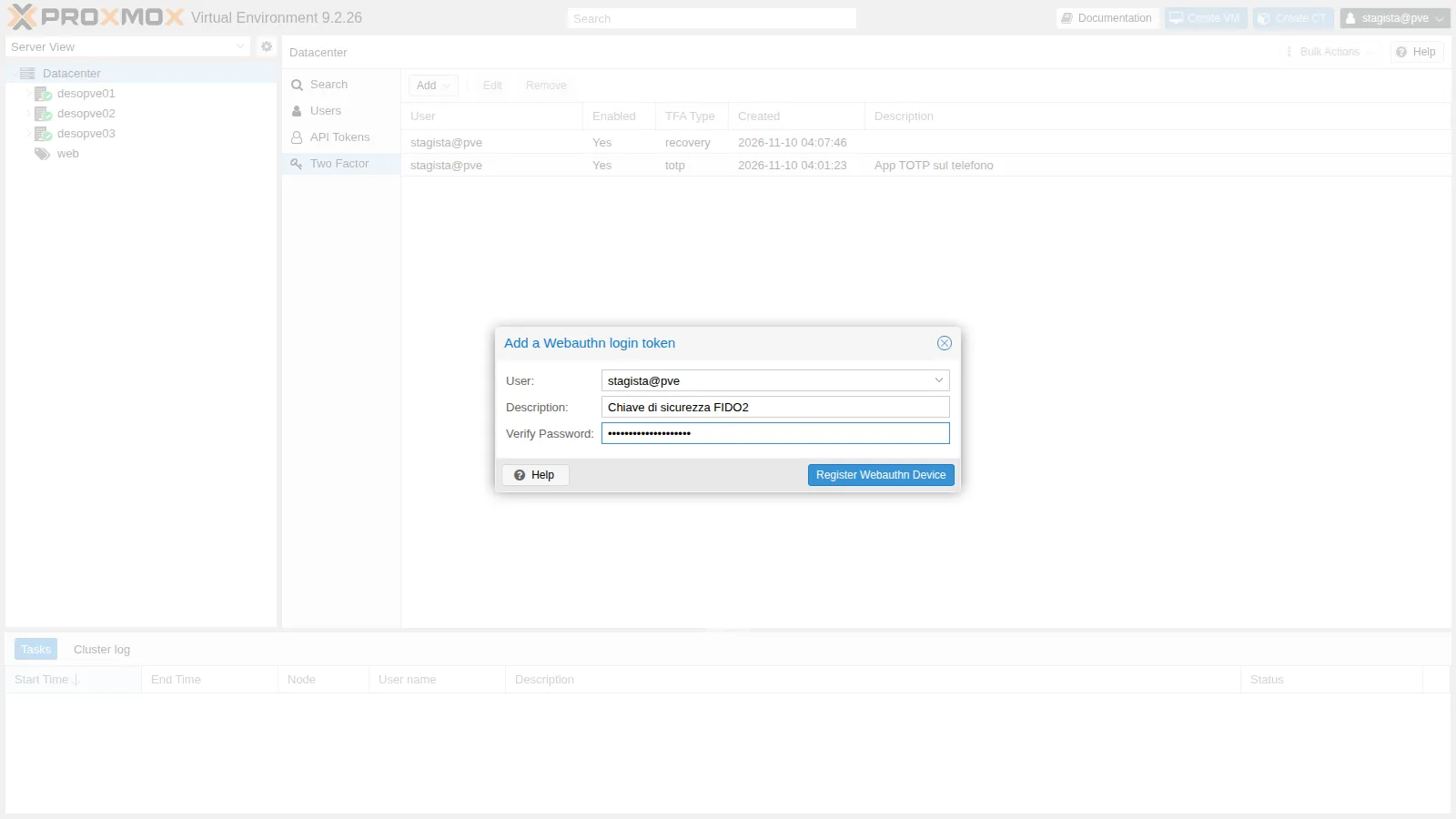
4. Recovery keys
Section titled “4. Recovery keys”Again from TFA → Add → Recovery Keys, you generate 10 single-use codes. Print them or save them in a safe place right away: they will not be shown again.
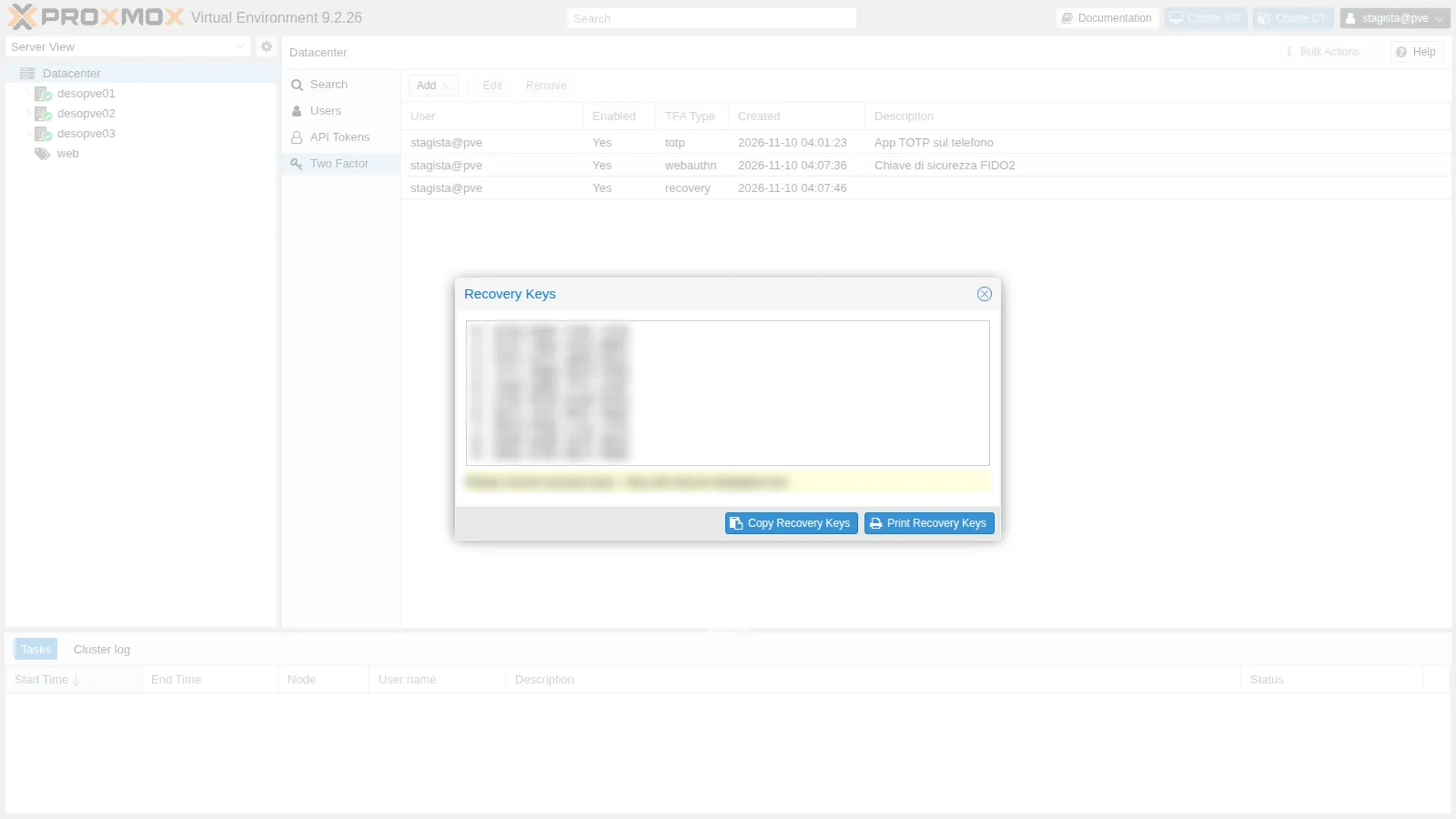
The user now has three factors:
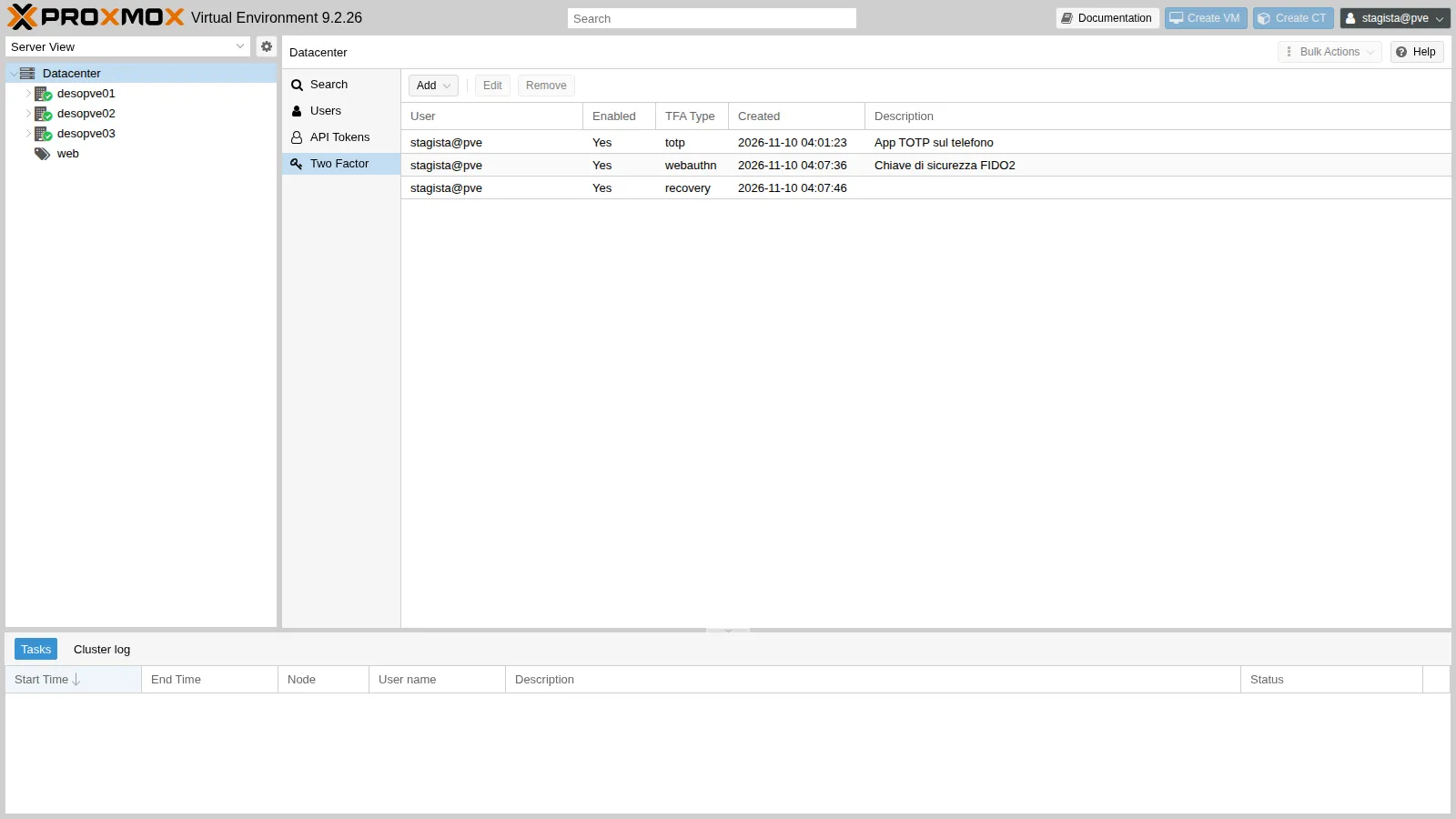
5. Logging in with multiple factors
Section titled “5. Logging in with multiple factors”After the password, the dialog offers all of the user’s factors; choose the one you have at hand:
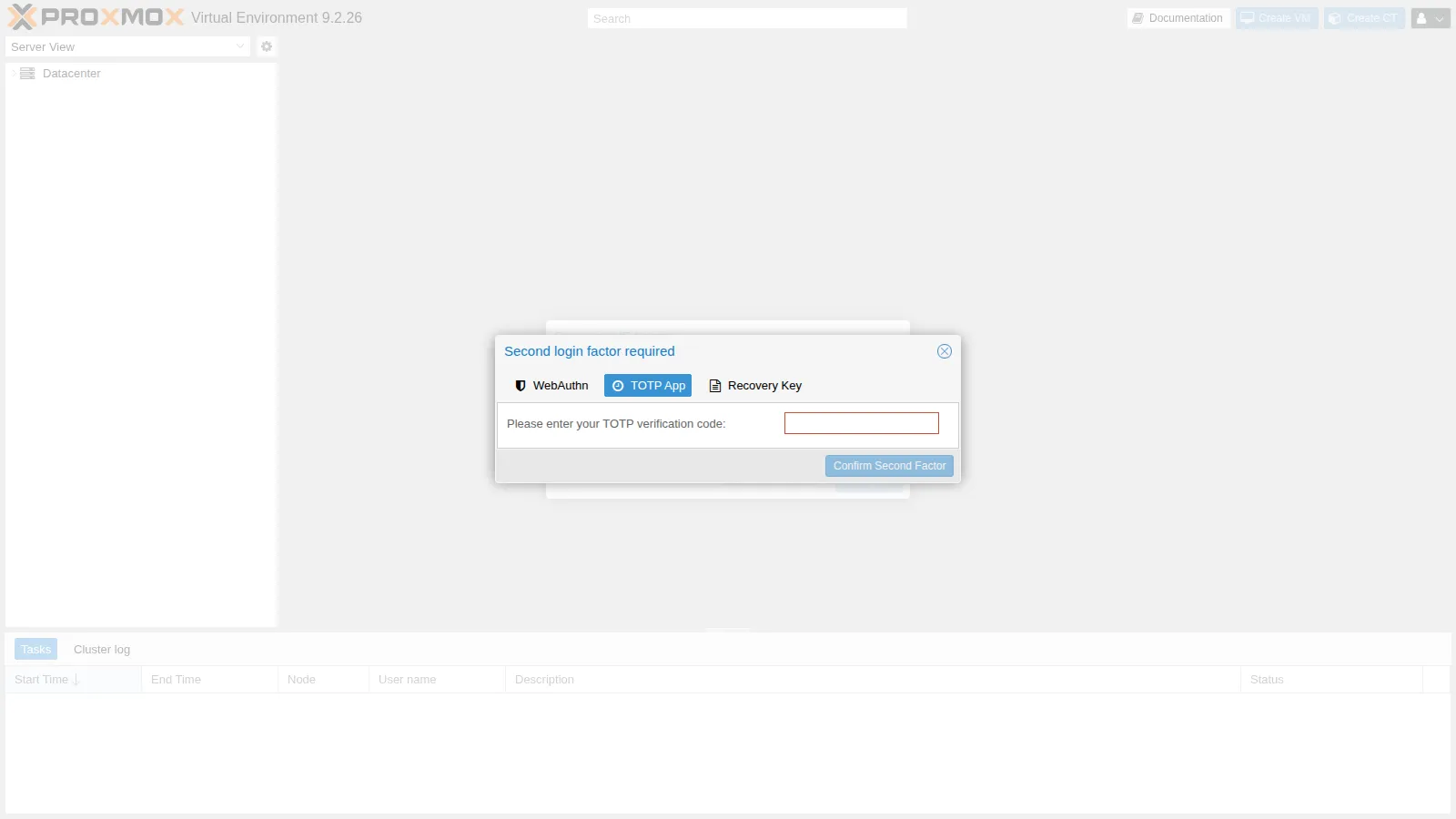
With WebAuthn, the GUI waits for the key:
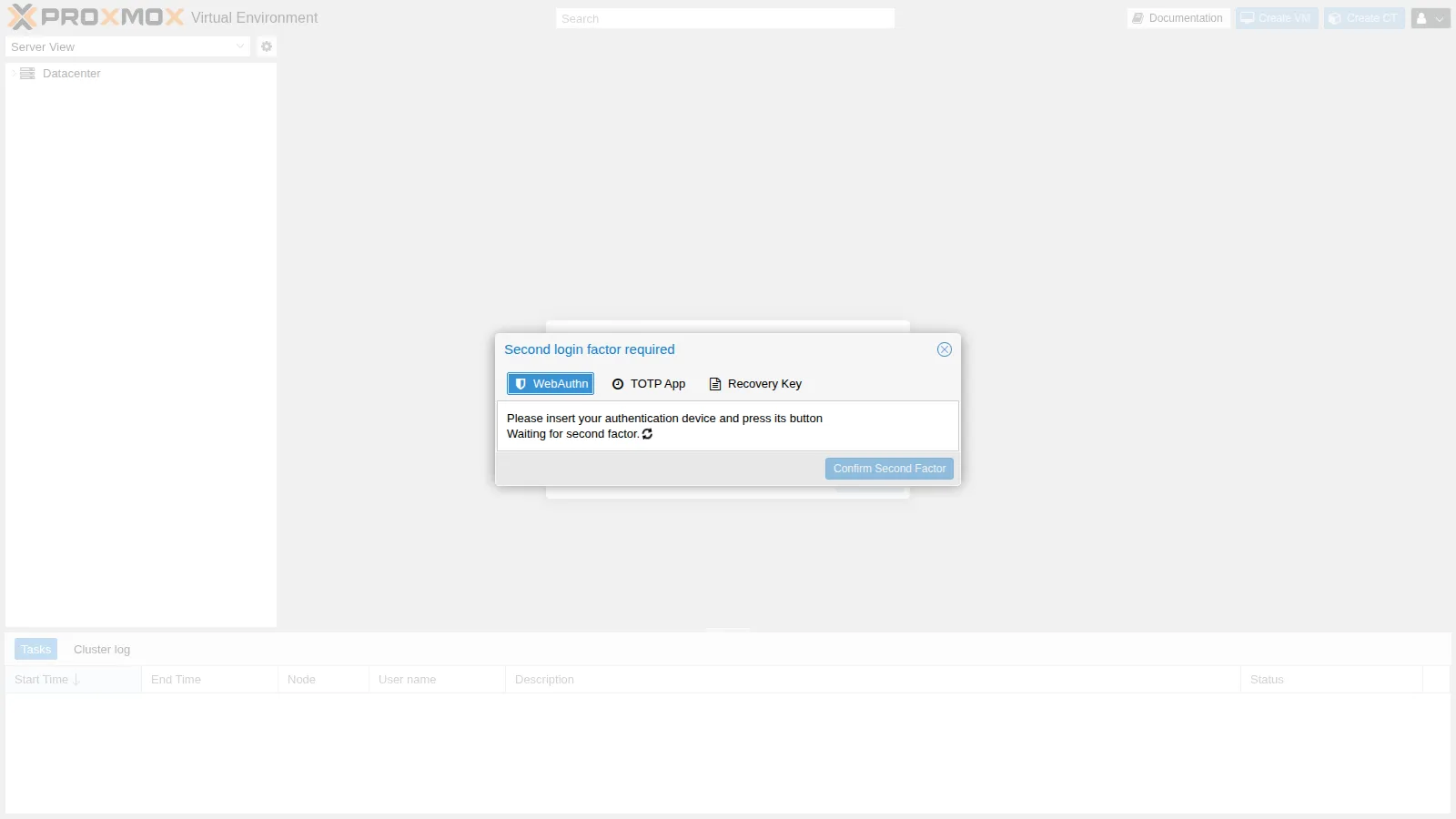
With Recovery Key, the GUI shows which keys are still available (here all of them, IDs 0-9):
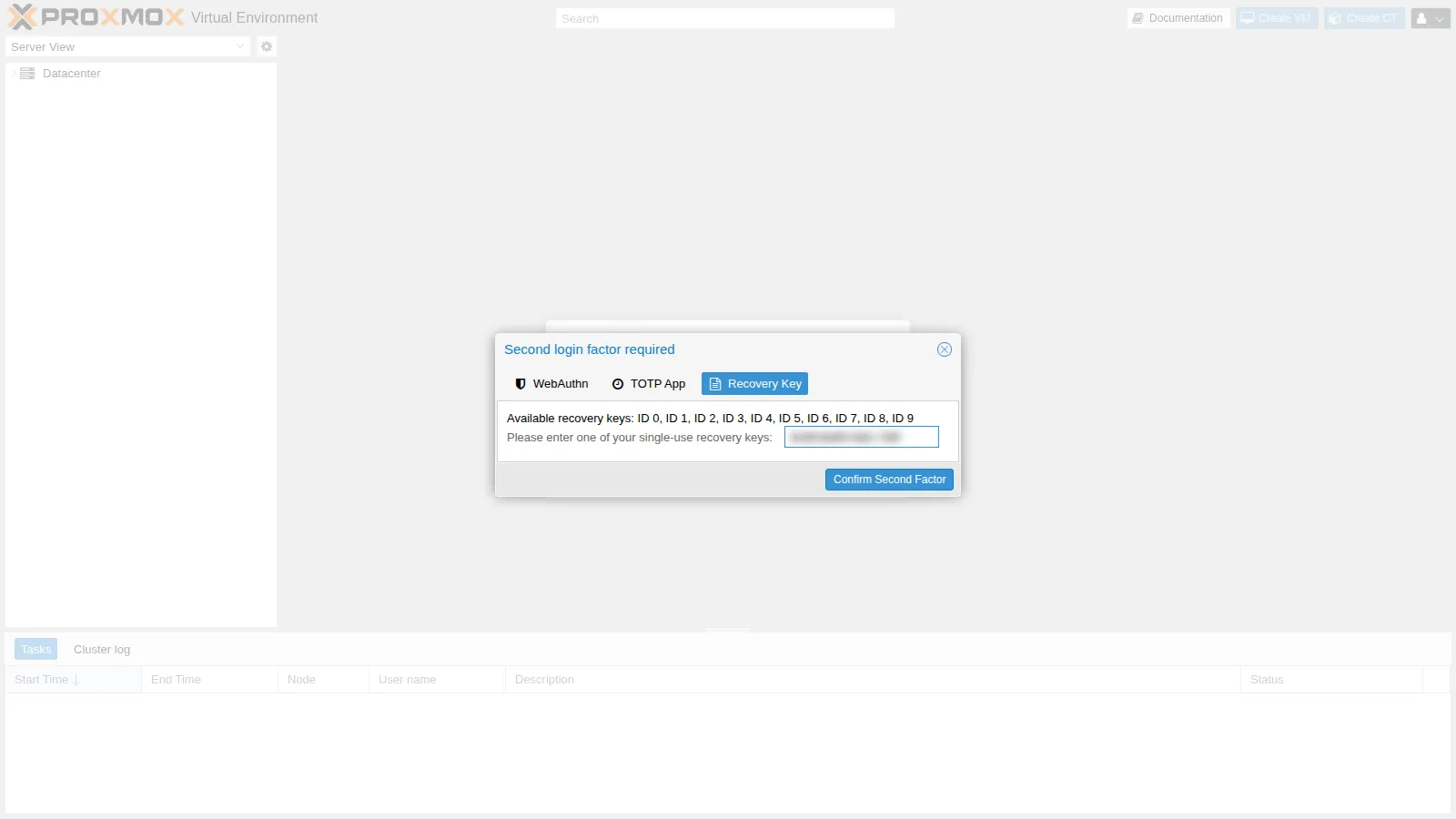
After the login, the key you used is no longer valid.
6. Lockout after too many wrong codes
Section titled “6. Lockout after too many wrong codes”2FA applies to the API as well. The first step of the login returns a “half” ticket, which asks for the second factor:
N=https://172.27.199.21:8006/api2/jsoncurl -sk --data-urlencode "username=stagista@pve" --data-urlencode "password=<lab-password>" $N/access/ticket{"data":{"NeedTFA":1,"username":"stagista@pve","ticket":"PVE:!tfa!{\"totp\"%3Atrue}:6AF2F3BC::…","CSRFPreventionToken":"…"}}The second step sends the ticket as tfa-challenge and the code as password=totp:<codice>. Let’s simulate an attack: 10 wrong codes, then the right one.
T=<ticket del passo 1>for i in $(seq 10); do printf 'tentativo %s: ' $i curl -sk -w ' HTTP %{http_code}\n' --data-urlencode "username=stagista@pve" --data-urlencode "tfa-challenge=$T" \ --data-urlencode "password=totp:000000" $N/access/ticket; donecurl -sk -o /dev/null -w 'HTTP %{http_code}\n' --data-urlencode "username=stagista@pve" --data-urlencode "tfa-challenge=$T" \ --data-urlencode "password=totp:$(oathtool --totp -b <segreto-base32>)" $N/access/tickettentativo 1: {"message":"authentication failure\n","data":null} HTTP 401…tentativo 10: {"message":"authentication failure\n","data":null} HTTP 401HTTP 401Even the right code is rejected: after 8 failed attempts, the user’s TOTP is locked.
pvesh get /access/users --full 1 --output-format json | python3 -c 'import sys,json; [print(u["userid"], {k:u[k] for k in u if "lock" in k}) for u in json.load(sys.stdin) if u["userid"]=="stagista@pve"]'stagista@pve {'totp-locked': 1}In the GUI, the TFA column shows TOTP Locked and the Unlock TFA button unlocks the user; from the CLI:
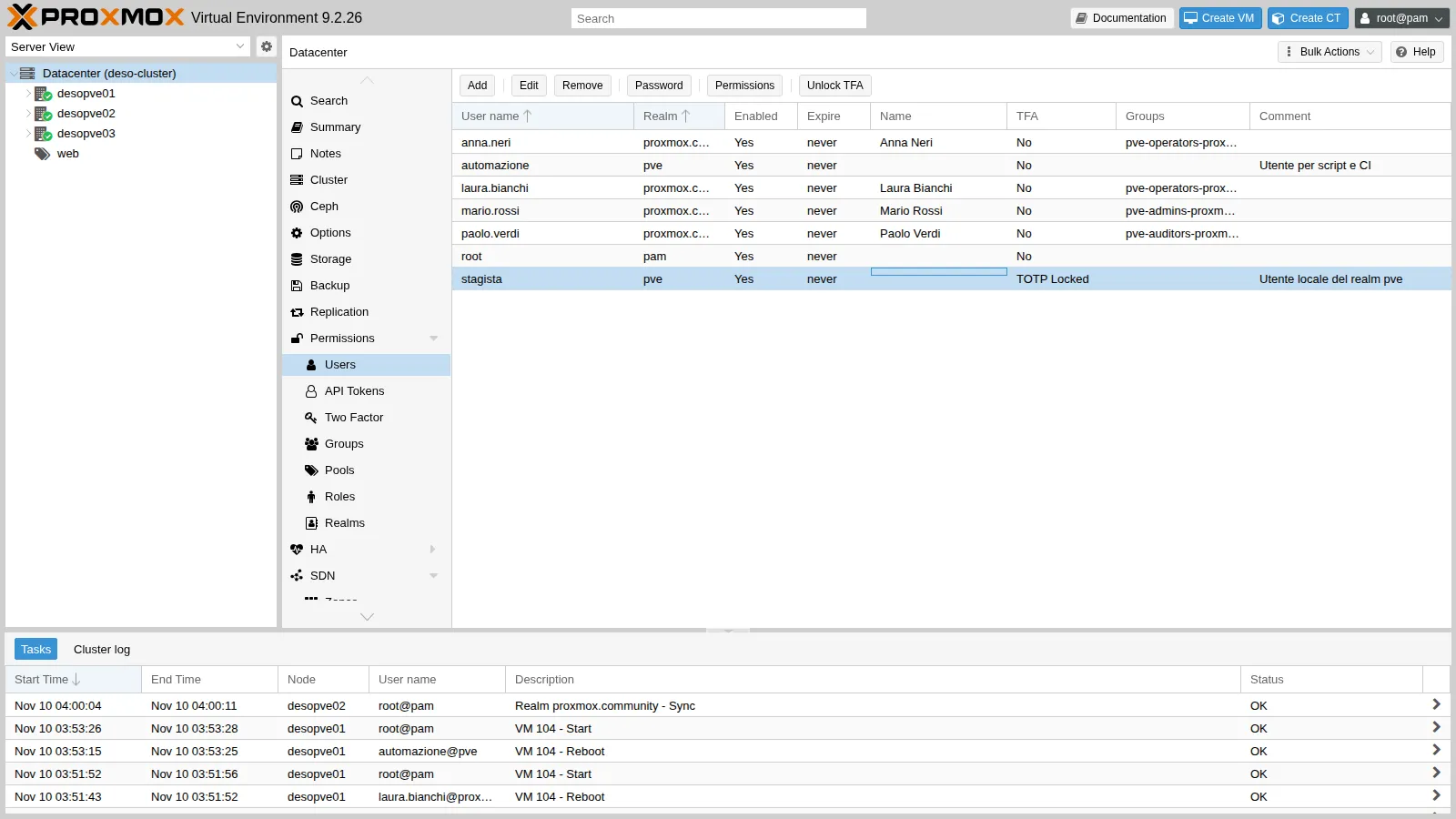
pveum user tfa unlock stagista@pveAfter the unlock (and with a new code), the login succeeds: HTTP 200. Logging in with a recovery key also unlocks TOTP. The lockout protects against brute-force attacks on the 6 digits of the code.
7. Tokens, API and root@pam
Section titled “7. Tokens, API and root@pam”Tokens bypass 2FA. Let’s create a token for stagista@pve (without privilege separation, so with the user’s permissions) and read the web pool:
V=$(pveum user token add stagista@pve lettura --privsep 0 --output-format json | python3 -c 'import sys,json;print(json.load(sys.stdin)["value"])')curl -sk -w ' HTTP %{http_code}\n' -H 'Authorization: PVEAPIToken=stagista@pve!lettura='"$V" $N/pools/web \ | python3 -c 'import sys,json; t=sys.stdin.read(); j,c=t.rsplit(" HTTP ",1); print(sorted(m["vmid"] for m in json.loads(j)["data"]["members"] if "vmid" in m), "HTTP"+c.strip())'[104, 105, 106] HTTP200The token reads the resources without any second factor. At the end we remove it: pveum user token remove stagista@pve lettura.
Scripts should therefore use tokens with minimal permissions (Lab 44), not a user’s password: with 2FA enabled, a password login through the API is no longer enough (NeedTFA: 1).
TOTP on root@pam. Let’s enable it as a test:
pvesh create /access/tfa/root@pam --type totp --description 'Prova TOTP su root' \ --totp 'otpauth://totp/root?secret=<segreto>' --value <codice>{"id":"a3071529-f096-4fdb-9680-da3a11afa22e"}The API login with the password alone now stops halfway, with "NeedTFA":1 as for stagista@pve; SSH and the node’s local CLI, on the other hand, work as before:
ssh root su desopve02: ok VMID NAME STATUS MEM(MB) BOOTDISK(GB) PID 105 web02 running 2048 8.00 289894pvesh locale: 9.2.26Finally, let’s remove the test TOTP from root:
for id in $(pvesh get /access/tfa/root@pam --output-format json | python3 -c 'import sys,json; [print(e["id"]) for e in json.load(sys.stdin)]'); do pvesh delete /access/tfa/root@pam/$id; done8. Mandatory 2FA for a realm
Section titled “8. Mandatory 2FA for a realm”A realm can enforce a second factor for all its users (Datacenter → Permissions → Realms → Edit → Require TFA). Let’s try OATH/TOTP on the AD realm:
pveum realm modify proxmox.community --tfa type=oathpveum realm list --noborder 1 | grep proxmoxproxmox.community ad Active Directory del laboratorio (LDAPS) oathA domain user without a configured key can no longer log in, not even with the right password. In the node log:
authentication failure; rhost=<IP del client> [email protected] msg=missing required 2nd keysWith realm TFA, the user’s key is set in the user’s Key IDs field (pveum user modify … --keys). Mind the format:
400 Parameter verification failed.keys: value does not match the regex patternpveum accepts a 32-character base32 secret without a prefix, but at login the node discards it (bad otp response in the log). A 16-character base32 secret works (or a 40-character hexadecimal one):
MS=$(head -c 10 /dev/urandom | base32 | tr -d '=') # 16 charactersNow Mario’s login asks for the TOTP code, and with the right code he gets in:
Let’s remove the test factors of stagista@pve (TOTP, WebAuthn and recovery keys), from the GUI (Datacenter → Permissions → Two Factor → Remove) or from the CLI:
for id in $(pvesh get /access/tfa/stagista@pve --output-format json | python3 -c 'import sys,json; [print(e["id"]) for e in json.load(sys.stdin)]'); do pvesh delete /access/tfa/stagista@pve/$iddonepvesh get /access/tfa/stagista@pve --output-format json[]Let’s set the realm back to how it was. Mario’s key, however, remains listed among the factors as <old userconfig key 0> even after the field has been cleared: it must be removed from there as well.
pveum realm modify proxmox.community --delete tfapvesh get /access/tfa --output-format jsonpvesh get /access/tfa --output-format json[{"entries":[{"created":1794281054,"description":"<old userconfig key 0>","id":"dee874ef-ef5f-45fa-9468-165f95517c49","type":"totp"}],"userid":"[email protected]"}][]Verification and tests
Section titled “Verification and tests”| Test | Expected result | Outcome |
|---|---|---|
Login of stagista@pve with password + TOTP |
access granted | ok |
| WebAuthn key with the origin of a single node, login from another node | 401 |
ok |
Domain origin + allow-subdomains=1 |
the same key works on desopve01 and desopve02 |
ok |
| Login with a recovery key | access granted; the key is no longer valid | ok |
| 10 wrong TOTP codes, then the right one | rejected, totp-locked: 1 |
ok |
pveum user tfa unlock |
login possible again | ok |
| API token of a user with 2FA | HTTP 200 without a second factor |
ok |
TOTP on root@pam |
API login returns NeedTFA, SSH and local CLI keep working |
ok |
| Realm with OATH TFA, user without a key | missing required 2nd keys |
ok |
Final lab state
Section titled “Final lab state”- Datacenter WebAuthn:
rp=Proxmox Community Lab,origin=https://proxmox.community:8006,id=proxmox.community,allow-subdomains=1. - Registered factors: none. The test factors of
stagista@pve(TOTP, WebAuthn, recovery keys), the test TOTP ofroot@pamand the key ofmario.rossihave been removed. - Realm
proxmox.community: no enforced TFA, as in Lab 43. - Permissions and users from Lab 44 unchanged.
What you learned
Section titled “What you learned”- TOTP, WebAuthn and recovery keys can be used together; at login you choose the factor you have at hand.
- WebAuthn requires a trusted certificate and the DNS name; with a domain origin and
allow-subdomains, a single key works for all nodes. - Recovery keys are shown only once, and each one can be used only once.
- Too many wrong TOTP codes lock the user’s TOTP; you unlock it with Unlock TFA or
pveum user tfa unlock. - 2FA protects the password login, not API tokens, SSH or the console: scripts use tokens with minimal permissions.
- 2FA on
root@pamis useful, but it must come with recovery keys and emergency access. - Realm-enforced TFA uses the user’s Key IDs field, with a precise key format; when you remove it, the key stays among the factors and must be removed separately.